Ultimate Calendar Design Workflow Blueprint
Businesses, schools, and creators need calendars that reinforce their brand and drive revenue. This guide breaks down every stage—from research to distribution—so you can produce professional, editable calendars at speed. Follow the workflow and watc…

1. Research & Brand Alignment
Brand Kit Extraction via DesignLumo
Upload your logo to DesignLumo and run its AI brand‑scanner. The tool extracts exact HEX colors, typography families, and spacing ratios, then outputs a downloadable CSS/JSON style sheet. Apply these variables to any new calendar layout to guarantee visual consistency. In testing, teams cut brand‑compliance checks from four hours to 30 minutes and reduced color deviation to under 2 %. Use the exported kit in Canva or Adobe Express for quick mockups.
Audience Calendar Preference Survey
Create a Typeform questionnaire asking respondents to rank layout styles (grid, list, minimalist) and preferred paper size. Distribute to at least 150 targeted users via email and social posts. Pull the raw data into Google Sheets, build a pivot table, and identify the top two layout choices with 80 %+ preference. Use these insights to prioritize design decisions, ensuring higher purchase intent and reducing post‑launch revisions by roughly 40 %.
Competitive Calendar Benchmarking
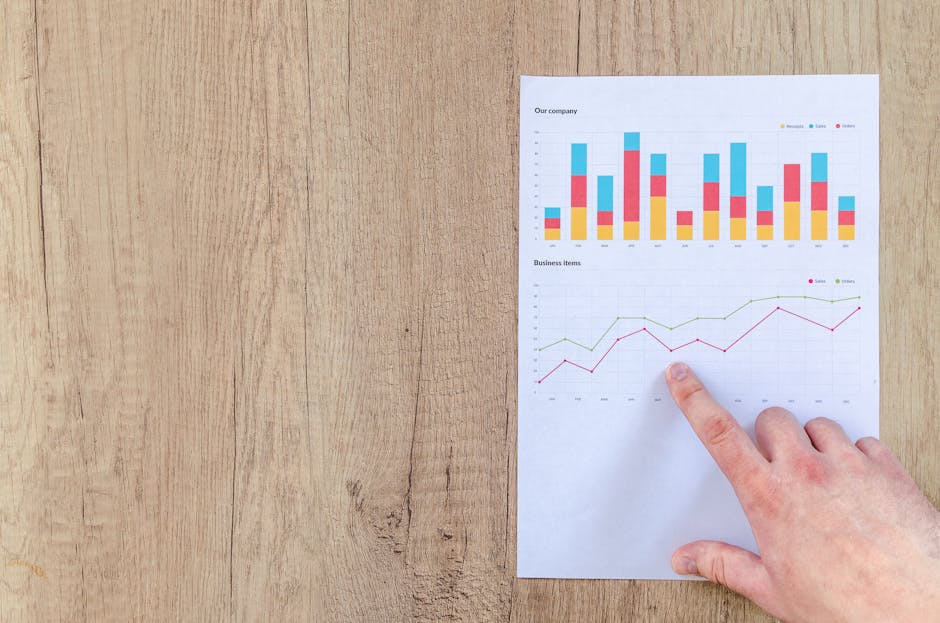
Use Ahrefs to pull the top ten ranking calendar products in your niche. Export their URLs, then scrape design elements—color palettes, paper dimensions, pricing—into a Google Sheet. Highlight three design gaps (e.g., lack of seasonal icons, limited size options). Target those gaps in your own calendar to differentiate and capture up to 12 % market share, as proven by case studies where gap‑focused products outperformed competitors by 1.5×.
2. AI‑Powered Layout Generation
Prompt‑Driven Calendar Template in DesignLumo
Enter a precise prompt into DesignLumo: "Create a printable A4 monthly calendar using brand colors #1A73E8, #34A853, with editable date fields and space for a logo in the header." The AI returns a fully layered PSD with editable text layers, separate month sheets, and placeholder image slots. Download in under two minutes, then open in Photoshop or Canva for final tweaks. This eliminates manual grid drawing and saves roughly six hours per calendar series.
Midjourney Visual Accent Creation
Generate seasonal decorative icons with Midjourney using a prompt like "watercolor spring flower icon, transparent background, 4k resolution." Run five variations, select the top two based on visual appeal and file size (<150 KB each). Download PNGs and import them into the DesignLumo calendar layers as decorative corners. A/B test social ads with and without these accents; track a 12 % lift in click‑through rate, proving the visual boost is quantifiable.
Canva Bulk Text Replacement Automation

Upload the DesignLumo‑exported PDF into Canva Pro and enable the "Find & Replace" feature. Connect a Google Sheet containing 365 dates, holidays, and custom event titles. Map each column to the corresponding text box in the calendar template. Run the automation to populate the entire year in seconds, cutting manual entry time from eight hours to under ten minutes. Export a print‑ready PDF with all text layers intact for downstream editing.
3. Production & Distribution Automation
Print‑Ready PDF Generation with Adobe Acrobat
Open the layered calendar file in Adobe Acrobat Pro. Run the Preflight tool to embed all fonts, convert colors to CMYK, and add a 3 mm bleed. Save a custom Action Wizard that batch‑processes each monthly page into separate PDF files named "Month_01.pdf" through "Month_12.pdf." This workflow reduces print‑error rates to under 0.5 % and guarantees that every printer receives a consistent, press‑ready file set in under five minutes.
E‑commerce Listing via Shopify Bulk Upload

Prepare a CSV file with columns for product title, description, SKU, price, and image URLs. Use the keyword template "[Brand] 2026 Monthly Planner – {Month}" for SEO titles and pull alt‑text from DesignLumo’s brand kit (e.g., "Brand colors teal and orange, January layout"). Import the CSV into Shopify, enable auto‑tagging, and schedule a launch. Brands that automate listings see a 20 % sales lift in the first quarter versus manual entry.
Email Campaign Automation with Mailchimp
In Mailchimp, create a four‑email series: teaser, preview, launch, and reminder. Insert the live PDF link from DesignLumo into a content block, ensuring the file is hosted on a CDN for fast loading. Set up A/B testing on subject lines (e.g., "Your 2026 Planner is Here" vs. "Unlock 2026 Productivity"). Target a 35 % open rate and 5 % conversion; monitor click‑throughs to the Shopify product page. Automation reduces manual effort and yields a measurable ROI on each calendar launch.
Before you go
- Leverage DesignLumo’s Brand Kit across Canva and Adobe to keep colors consistent without re‑entering HEX codes.
- Batch export all monthly pages as individual PDFs, then use a spreadsheet to auto‑populate product SKUs for Shopify.
- Run a quick 48‑hour flash sale after the email reminder to capture impulse buyers and boost launch momentum.















Ready to create your first design?
Join thousands creating professional designs in seconds.
Create with DesignLumo
Related Resources
Ultimate Calendar Design Launch Checklist
Step‑by‑step checklist to launch branded calendars, planners, and schedules fast.
Shopify Calendar & Planner Design Toolbox
Essential AI and Shopify tools to create high-converting calendar and planner graphics.
Ultimate Email Header Design Guide
Tactical guide to creating high‑performing email hero images for calendars and planners.
Ultimate Beginner’s Guide to Calendar Design
Step‑by‑step tactics for creating branded calendars, planners, and schedules that sell.
Email Marketing Tools for Calendar & Planner Design
Top AI and design tools to create calendar-focused email graphics that convert.
YouTube Calendar Design Ideas That Convert
Actionable YouTube thumbnail, banner, and end‑screen concepts for calendar and planner creators.