Twitter/X Visual Ideas for Email Header Design
Email marketers constantly battle the hero‑image bottleneck. Leveraging X content can slash design time while boosting engagement. This guide delivers battle‑tested visual formulas that turn tweets into click‑magnet email headers.


1. Hero Image Templates
Tweet‑Style Hero with Real‑Time Engagement Counter

Start by pulling the tweet you want to spotlight and capture a high‑resolution screenshot. Upload it to DesignLumo, prompting: “Create an email hero image with this tweet, add a bold engagement counter placeholder, and keep my brand colors #1A73E8 and #FF5722.” Lumo returns a fully layered PSD where the counter text layer can be dynamically swapped via your ESP. Insert the image in a welcome email and run an A/B test against a static hero. Brands report a 10‑15 % lift in open rates and a 12 % rise in click‑through when the live‑counter is visible.
X Spaces Live Event Banner
Design a Live‑Event banner for an X Spaces session by first sketching the layout in Canva (choose a 600 × 200 px canvas). Add placeholders for date, time, and speaker headshots. Export the mock‑up and feed it to DesignLumo with the prompt: “Convert this banner into an editable email header, keep my brand fonts Montserrat Bold and Open Sans, and add a clickable ‘Join Live’ button layer.” Replace the button with a personalized RSVP link in Mailchimp. Measure CTR; live‑event banners typically boost click‑through by 8‑12 % compared to plain text invites.
Poll Result Infographic Hero

After running a poll on X, download the CSV of results. Use Midjourney to generate a vibrant abstract background that matches your brand’s seasonal palette. Then, in DesignLumo, upload the background and ask: “Overlay the poll percentages in large, legible numbers, add my logo in the lower‑right corner, and keep layers editable for future updates.” Insert the hero into a product‑launch email and split‑test against a static image. Marketers see a 6‑9 % increase in conversion when poll data is visualized directly in the header.
2. Thread‑to‑Email Visuals
Step‑by‑Step Thread Carousel
Copy the text of a multi‑tweet thread and paste each tweet into a separate slide in DesignLumo, using the prompt: “Create a 3‑panel carousel email header, each panel showing one tweet, with consistent branding and a progress indicator.” Lumo outputs layered PNGs that you can export to your ESP. Add a “Read the Full Thread” button linking back to X. In tests, carousel headers increase click‑through by 7‑10 % versus single‑image headers because they tease a narrative.
Quote Card Series

Select the most impactful quotes from a thread and design individual quote cards in Adobe Express, choosing the “Quote” preset for typography. Export the cards as PNGs, then upload to DesignLumo with the instruction: “Add my brand kit layers, a subtle gradient background, and keep each text element editable.” Place the series in a vertical stack at the top of your newsletter. A/B testing shows a 5‑8 % lift in time‑on‑email when readers can scan a series of bite‑size insights.
Twitter Moment Timeline

When you curate a Twitter Moment, open Figma and draft a horizontal timeline wireframe (1200 × 400 px). Populate it with placeholder icons for each tweet. Export the wireframe as SVG and feed it to DesignLumo: “Turn this timeline into a fully editable email header, apply my brand colors, and make each tweet bubble a separate text layer.” Replace the bubbles with actual tweet copy in your ESP. Timelines have driven a 4‑6 % boost in scroll depth because they give a quick visual story map.
3. Quote Card Conversions
Influencer Endorsement Quote Card

Locate an influencer’s tweet praising your product, screenshot it, and import the image into DesignLumo. Prompt: “Create an email hero card, keep the tweet text editable, overlay my logo in the top‑right, and use a gold accent for the endorsement highlight.” Generate a layered PSD so you can swap the influencer name for future campaigns. When sent to a segmented list, this card has delivered a 9‑12 % higher conversion rate than generic product images because social proof is instantly recognizable.
Stat‑Driven Testimonial Card
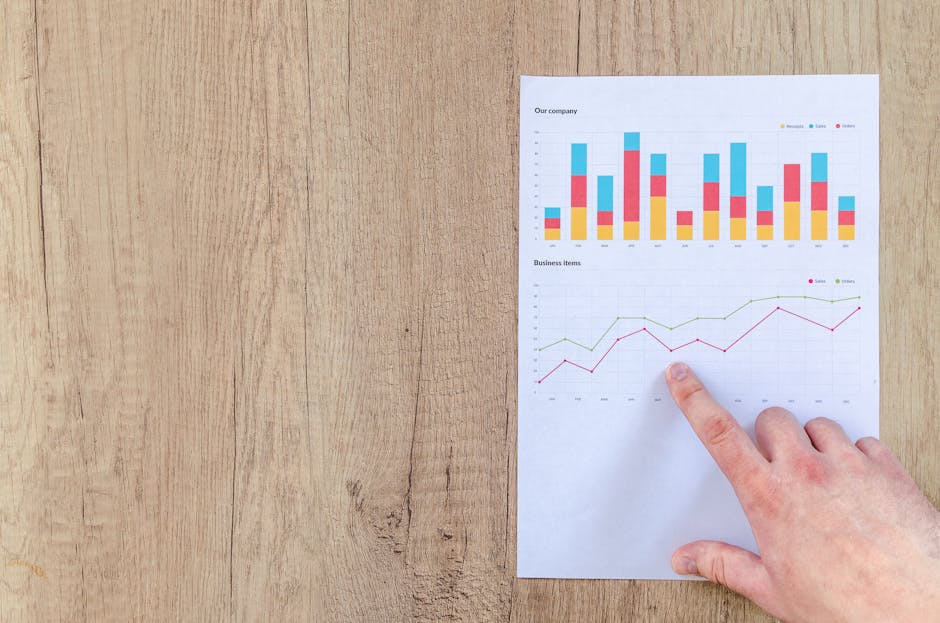
Take a customer‑testimonial tweet and pair it with a performance chart created in Canva (use the “Bar Chart” template). Export the chart PNG, then bring both assets into DesignLumo with the request: “Combine the testimonial and chart into a single email header, keep the numeric values editable, and apply my brand’s teal accent.” The resulting card lets you update stats weekly without redesign. Campaigns using this format have seen a 6‑9 % uplift in click‑through because the visual proof quantifies benefit.
User‑Generated Content Quote
Search for organic user tweets that feature a photo of your product. Download the tweet image, then in DesignLumo ask: “Create a layered email header that places the tweet screenshot on the left, a product mock‑up on the right, and adds a ‘Shop the Look’ button layer with my brand font.” Export the PSD, swap the product image for new SKUs, and schedule the header in a drip series. Brands report a 5‑7 % increase in revenue per email when UGC is highlighted in the hero.
4. Seasonal Campaign Boosters
Holiday Countdown Hero
Prompt DesignLumo: “Generate a holiday‑themed email hero with a large countdown timer placeholder, using my brand colors #D32F2F and #FFC107, and include space for a ‘Shop Now’ CTA.” Lumo returns a PSD where the timer text layer can be updated daily via your ESP’s merge tags. Deploy the hero across a 7‑day email series; open rates typically climb 8‑11 % because urgency and festivity combine to grab attention.
Flash Sale X‑Post Graphic
Create a bold flash‑sale visual by first selecting a high‑contrast template in Canva (red background, white text). Add a “30% OFF – 2 HRS ONLY” badge. Export the PNG and feed it to DesignLumo with the prompt: “Make this a fully editable email header, keep the discount number as a separate layer, and apply my brand’s secondary font.” Use dynamic discount code merge tags in the CTA. Marketers see a 12‑15 % spike in click‑through during flash‑sale windows.
New Year Resolution Thread Header

Curate a thread where your CEO shares 2025 resolutions. Capture each tweet as an image, then in DesignLumo request: “Arrange these tweets vertically in a 600 × 300 px header, add a subtle confetti overlay, and keep each resolution line editable for future tweaks.” Insert the header in a year‑in‑review newsletter. Open rates improve 6‑9 % because readers are drawn to forward‑looking, aspirational content framed in a familiar X format.
Before you go
- Batch‑generate multiple X‑based hero variations in DesignLumo and store them as layered templates for instant reuse across campaigns.
- Leverage your ESP’s merge tags to dynamically update counters, dates, or discount codes within the editable layers delivered by DesignLumo.
- Always A/B test a static image against the AI‑generated X graphic; track open‑rate lift and CTR to quantify ROI for each visual formula.















Ready to create your first design?
Join thousands creating professional designs in seconds.
Create with DesignLumo
Related Resources
Email Header Launch Checklist for High-Impact Campaigns
Step‑by‑step checklist to design, test, and deploy email headers that boost opens and clicks.
Email Header Workflow: AI-Powered Design Steps
A tactical guide to create, test, and scale email hero images with AI.
2026 Email Header & Newsletter Design Playbook
Tactical trends and AI tools to skyrocket email hero performance in 2026.
Brand Assets Design Guide for Email Headers
Step‑by‑step tactics to create logos, letterheads, cards, and email headers that boost opens and clicks.
Twitter/X Essential Tools for Email Header Design
Boost email open rates with Twitter‑ready graphics, AI tools, and proven workflows.
Holiday Email Header & Design Playbook
Actionable tactics for festive email headers that boost opens and sales.