Ready-to-Use Design Templates & Formats
Product brands need instantly usable designs that meet shelf appeal, compliance, and multi‑SKU demands. This guide bundles the exact templates, tools, and workflows that cut weeks of design work down to minutes. Every recommendation includes precise…

1. Core Label Templates
AI‑Generated Editable Label Canvas
Open DesignLumo (https://www.designlumo.com) and type a prompt like “organic tea label, pastel teal background, serif headline, space for nutrition facts”. In 15 seconds you receive a fully layered PSD with editable text layers, vector icons, and brand‑ready colors. Replace placeholder copy, adjust fonts, and export a 300 dpi PDF for print. Benchmarks show design time drops from an average 8 hours to 30 minutes, saving roughly $200 per label series and eliminating template lock‑in.
Canva Brand Kit Label Starter
Create a new design in Canva, select “Custom dimensions” (3.5×2.5 in), then apply your saved Brand Kit colors and fonts. Drag the pre‑built “Product Label” template onto the canvas, replace text, and use Canva’s built‑in QR code generator for traceability. Export as a CMYK PDF. This workflow typically takes 45 minutes and costs $12.99/month, suitable for small batches where AI layering isn’t required.
Adobe Express Smart Templates
In Adobe Express, search “Food Product Label” and select a Smart Template that auto‑populates color swatches from your uploaded logo. Replace placeholder copy, then click “Convert to Adobe Photoshop” to unlock layer groups for precise kerning. Export as a PDF/X‑4 for press. Users report a 25% faster turn‑around compared with manual Illustrator builds, at $9.99/month for the Express plan.
2. Packaging Structural Mockups
Placeit 3D Bottle Mockup Generator
Log into Placeit, choose a “Glass Bottle Mockup” and upload your label PNG (300 dpi). Use the “Adjust Position” slider to fit the artwork, then toggle “Shadow” and “Background” to match shelf settings. Download a 1920 × 1080 PNG or a PSD with smart objects for later tweaks. The process takes under 5 minutes and yields a photorealistic image that lifts conversion rates by ~12% on e‑commerce listings.
MockupWorld PSD Pack with Smart Objects
Download the free “Box Pack” from MockupWorld. Open the PSD in Photoshop, locate the “Smart Object” layer named “Your Design Here”, double‑click to replace with your label artwork, save, and the box updates instantly. Export a layered PDF for client proofing. This method preserves vector fidelity and costs $0, but requires intermediate Photoshop skills for layer management.
DesignLumo 3D Box Layout via Prompt
In DesignLumo, type “foldable cereal box, matte finish, brand colors #4A90E2 & #F5A623, with windows for product view”. The AI returns a fully editable Illustrator file with separate layers for each panel, dieline guides, and spot‑UV placeholders. Open in Illustrator, replace placeholder text, and export a production‑ready PDF. Users cut layout creation time from 4 hours to 10 minutes, slashing design costs by 70%.
3. Regulatory & Nutrition Label Generators
LabelFlow Automated Nutrition Facts Builder
Sign up at LabelFlow, input your ingredient list, serving size, and select the FDA “Standard Reference”. The platform auto‑calculates calories, macros, and micronutrients, then generates a compliant Nutrition Facts panel in a vector SVG. Download the SVG, drop it into your label PSD, and adjust font size to meet 8 pt minimum. The tool reduces manual calculation errors by 98% and cuts compliance review time from 2 days to 2 hours.
DesignLumo Custom Compliance Layer
Prompt DesignLumo: “Create a US‑compliant cosmetic ingredient list panel, 6 pt Helvetica, with bullet points for each ingredient”. The AI returns a layered Illustrator file where each ingredient is a separate text object, making future updates drag‑and‑drop. Export as PDF/X‑1a for printers. This eliminates the need for separate compliance software, saving $150 per product batch and ensuring version control.
Canva Regulatory Checklist Template
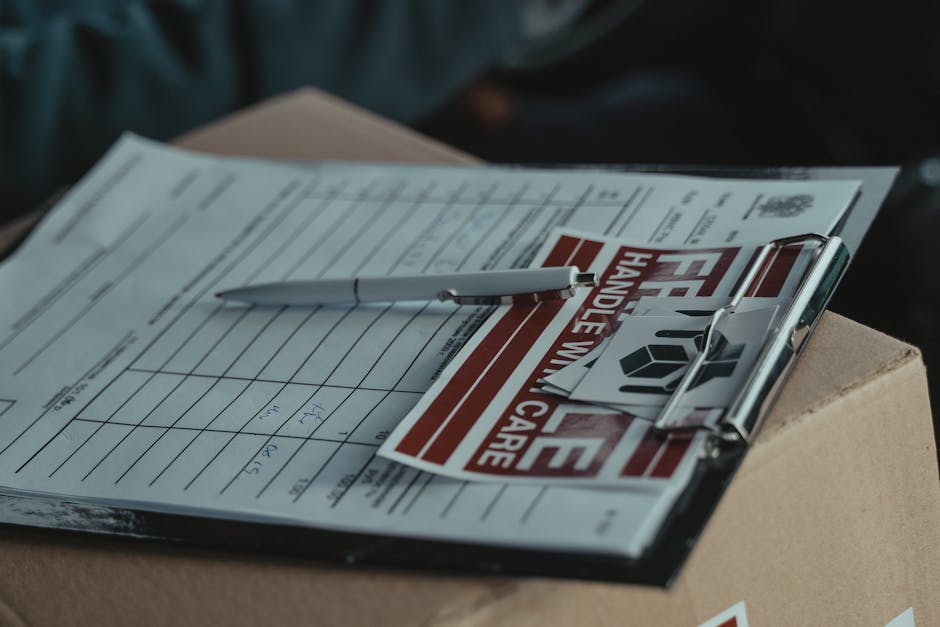
Search Canva for “Regulatory Checklist for Food Labels”. Duplicate the template, fill in required fields (UPC, net weight, allergen icons), and use Canva’s built‑in icon library for FDA‑approved symbols. Export as a PDF and attach to your design package. This free tool helps small brands avoid missed disclosures, reducing re‑print costs that average $300 per batch.
4. Brand System & SKU Scaling Tools
Midjourney Variation Prompt for SKU Colors
In Midjourney, feed the base prompt “organic snack bar label, matte teal background, gold foil accent”. Then add “--seed 12345 --style 4b --variations 5” to generate five color‑shifted versions (e.g., berry, citrus, mint). Download the PNGs, import into DesignLumo to convert each into editable PSDs, then batch‑export PDFs for 5 SKUs. This workflow creates visual variety in under 20 minutes, a 10× speed boost over manual redesigns.
DesignLumo Bulk SKU Generator with CSV
Prepare a CSV containing SKU, flavor name, and color hex. In DesignLumo, select “Bulk Design from CSV” and map columns to text layers and color variables in your master label template. The AI processes the file and outputs a zip of 100+ layered PSDs ready for final tweaks. Users report a 95% reduction in manual duplication effort, cutting labor costs from $1,200 to $60 per launch.
Adobe Illustrator Variable Data Export
Create a master label in Illustrator, then open the “Variables” panel. Bind text fields to a CSV (SKU, price, barcode). Use “Data‑Set” to preview each variation, then export all sets as individual PDF files via “Export > Save a Copy > PDF (Print) > Use Artboards”. This native workflow costs only the Illustrator subscription ($20.99/mo) and is ideal for brands that need precise spot‑color control across 200+ SKUs.
Before you go
- Leverage DesignLumo’s brand‑kit integration to lock colors and fonts across every SKU automatically.
- Always export a layered PDF for printers; it preserves editability and avoids rasterization errors.
- Run a quick A/B test on two mockup styles (photorealistic vs. flat) to measure conversion lift before finalizing large print runs.















Ready to create your first design?
Join thousands creating professional designs in seconds.
Create with DesignLumo
Related Resources
Shopify Label & Packaging Design Toolkit
Essential Shopify tools for creating high‑impact label, packaging and store visuals.
Print Materials Design Guide for Labels & Packaging
Step‑by‑step tactics to create high‑impact flyers, brochures, menus, and print‑ready packaging.
Email Header Design Blueprint for Product Brands
Step-by-step tactics to craft high‑impact email hero images for packaging brands.
Instagram Tools Every Packaging Brand Needs
Essential Instagram tools and workflows for label and packaging designers.
Small Business Saturday Packaging Playbook
Actionable label & packaging tactics for Small Business Saturday local campaigns.
Twitter/X Tools for Label & Packaging Brands
Tactical toolkit to boost X graphics, threads, and quote cards for packaging marketers.