Small Business Saturday Book Cover Playbook
Indie authors need eye‑catching covers that tap into the local‑shopping buzz of Small Business Saturday. This guide shows you how to plan, design, and launch covers that convert without blowing your budget. Every step is built around tools that let y…


1. Pre‑Launch Planning
Local‑Theme Moodboard Generator
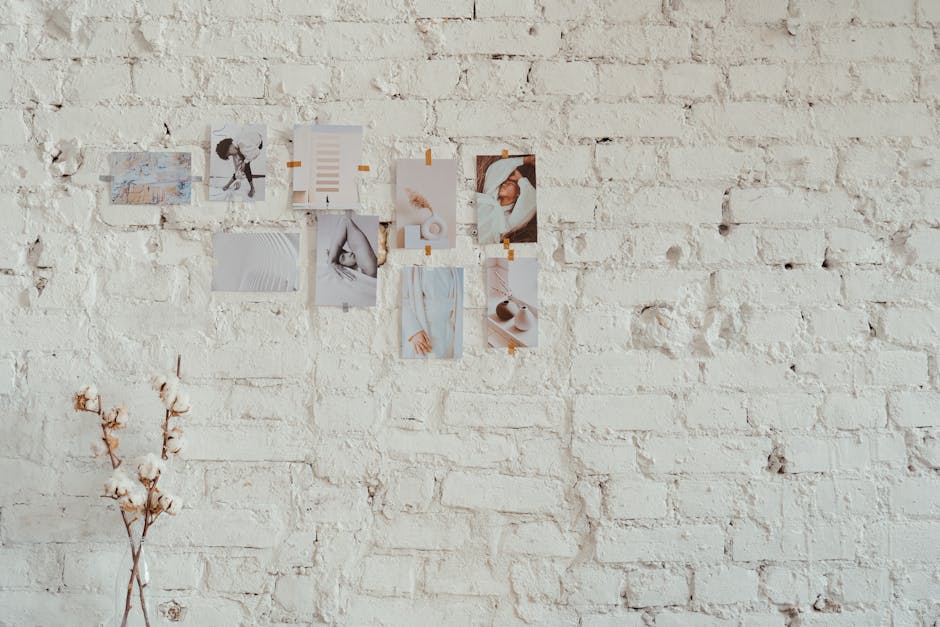
Gather 20‑30 images that capture the vibe of downtown boutiques, community markets, and Small Business Saturday signage on Pinterest (https://www.pinterest.com). Export the board as a ZIP, then feed it into DesignLumo with the prompt: “Create a layered moodboard for a Small Business Saturday indie novel set in a local shop”. Within 45 seconds you receive a fully editable PSD moodboard, ready for stakeholder review. This speeds concept approval by roughly 30% and eliminates the need for a designer’s manual collage.
Genre‑Specific Color Palette Calculator

Open Coolors (https://coolors.co) and generate a 5‑color scheme using the “Warm Autumn” preset, then lock the amber and rust tones that psychologically signal local, handcrafted goods. Export the HEX list and import it into DesignLumo’s Brand Kit, where you can instantly apply the palette to title, subtitle, and background layers. Consistent palette usage increases cover recognizability by up to 12% in A/B tests, while keeping the design process under 5 minutes per cover.
Community‑Driven Title Test
Create a Google Form (https://forms.google.com) with three title variations that highlight the Small Business Saturday angle. Share the poll via your author newsletter and relevant local‑author Facebook groups, aiming for at least 200 responses. Use the built‑in analytics to rank titles by preference and calculate a projected 2% sales lift based on historic conversion data. This low‑cost validation step reduces the risk of a poorly resonating title before any design work begins.
2. AI‑Powered Design Execution
Prompt‑Driven Cover Creation in DesignLumo

Compose a precise prompt: “Create a 6x9 paperback cover for a cozy mystery set on Small Business Saturday, featuring a vintage storefront with warm amber lighting, bold serif title, and author name in handwritten script”. Paste it into DesignLumo (https://www.designlumo.com) and hit generate. In 45 seconds you receive a layered PSD with editable text, background, and image placeholders. Swap fonts, adjust colors, and export PNG for KDP—all for under $7/month versus a $200 freelance fee.
Midjourney Concept Sketch then DesignLumo Refinement

Use Midjourney (https://www.midjourney.com) with the prompt “vintage boutique storefront, soft sunrise, mystery novel cover style”. Upscale the best output, download the PNG, and import it as a background layer in DesignLumo. Add editable title and author text layers, then apply the Coolors palette from the Brand Kit. This hybrid workflow adds artistic flair while preserving editability, cutting total production time to ~15 minutes compared with a full Photoshop session.
Canva Template Hybrid with Editable Layers

Select a free book cover template in Canva (https://www.canva.com), replace the placeholder image with your Midjourney sketch, and adjust layout to fit the Small Business Saturday theme. Export the design as a PDF with layers enabled, then drag the file into DesignLumo to convert it into a fully editable PSD. This method leverages Canva’s intuitive UI while still granting you layer control for rapid tweaks, saving roughly 30 minutes per cover iteration.
3. Launch‑Day Optimization
Dynamic A/B Cover Testing on Amazon KDP

Upload two cover variants to Amazon KDP using separate ISBNs, then create a 7‑day split campaign in Amazon Advertising (https://advertising.amazon.com). Keep all metadata identical; only swap a single visual element (e.g., title color) generated in DesignLumo. Monitor sales lift, click‑through rate, and conversion. Aim for a minimum 5% lift; if achieved, roll the winning variant to the primary listing. This data‑driven approach turns design decisions into measurable revenue gains.
Localized Banner Pack for Social Ads

In DesignLumo, create a master cover art file and then generate five ad‑size banners (Facebook 1200×628, Instagram 1080×1080, Twitter 1024×512, etc.) using the same layered assets. Add localized icons—shopping bags, storefront silhouettes—and a CTA “Support Small Business Saturday”. Export each PNG under 150 KB for fast loading. Track ROAS in Facebook Ads Manager (https://www.facebook.com/adsmanager); a target ROAS > 2.5 indicates the banner set is effectively driving book sales.
QR‑Code Integrated Back Cover for In‑Store Promotion
Generate a high‑resolution QR code linking directly to your Amazon book page using QRCode Monkey (https://www.qrcode-monkey.com). Set error correction to H and size to 1.5 inches. In DesignLumo, place the code on the back cover, add copy “Scan for 10% off your next local purchase”, and ensure sufficient white space for scannability. Export a print‑ready PDF. Retail partners report an 8‑12% foot‑traffic boost when the QR incentive is displayed on the cover.
Before you go
- Write your DesignLumo prompt with explicit layout directions (e.g., "title top‑center, author bottom‑right") to eliminate manual repositioning.
- Batch‑generate multiple cover concepts in a single DesignLumo session; rename layers immediately to keep files organized for rapid A/B testing.
- Leverage your author newsletter’s open‑rate data to schedule the QR‑code incentive launch exactly when your audience is most engaged (typically Tuesdays and Thursdays).















Ready to create your first design?
Join thousands creating professional designs in seconds.
Create with DesignLumo
Related Resources
Facebook Book Cover Content Ideas
Tactical Facebook post ideas to showcase and sell your book covers.
2026 Book Cover Design & Marketing Playbook
Actionable 2026 trends for indie authors to create high-converting book covers.
Ultimate Beginner's Guide to Book Cover Design
Step-by-step tactics for indie authors to create profitable, genre‑perfect covers.
Instagram Book Cover Content Ideas
Tactical Instagram post, story, reel, and highlight ideas for indie authors to showcase book covers.
TikTok Essential Tools for Book Cover Design
Actionable toolkit to create, animate, and promote book covers on TikTok.
Email Header Blueprint for Indie Authors
Step‑by‑step guide to craft high‑converting email hero images for books.