Email Header Blueprint for Indie Authors
Indie authors need email headers that match their book’s visual identity and capture readers’ attention in a crowded inbox. This guide shows how to produce professional, fully editable hero images without hiring a designer.


1. Strategic Foundations
Create a Consistent Brand Kit

Gather every visual element—primary and secondary hex colors, headline and body fonts, logo variants, and any recurring iconography. Upload these assets to DesignLumo’s Brand Kit so its AI respects your palette and typography when generating headers. Mirror the same kit in Canva and Adobe Express for later edits. Document the kit in a shared Google Sheet to keep co‑authors aligned. This one‑time setup saves hours on each new email campaign and ensures brand cohesion across all channels.
Standardize Aspect Ratio & File Specs

Email clients render hero images best at a 1.91:1 ratio, typically 600 × 200 px for desktop and 400 × 150 px for mobile. Keep the final file under 150 KB to avoid clipping in Gmail and Outlook. Export from DesignLumo or Canva as PNG with “Optimize for web” enabled, then run a quick compression through TinyPNG. Test the dimensions in Litmus or Email on Acid to confirm no cropping across major clients before scheduling the send.
Craft AI‑Ready Prompt Templates

Write a reusable prompt that tells the AI exactly what you need: "Create a 600x200px email header for a cozy mystery book, pastel teal and rose palette, serif title ‘Tea & Treachery’, include a subtle teacup illustration, space for a 20‑px CTA button, maintain brand kit #A1C3D1 and font ‘Merriweather’." Store this template in a Notion page, then copy‑paste into DesignLumo, Midjourney, or Adobe Firefly. Iterating on a solid base reduces generation time from 30 minutes to under 5 minutes per version.
2. AI Generation & Editing
Generate Base Header in DesignLumo
Log into DesignLumo, select “Email Header” as the output format, attach your Brand Kit, and paste the prompt template from Section 1. Click ‘Generate’ and wait 10‑15 seconds for a fully layered PSD/AI file. The result includes editable text layers, background shapes, and placeholder image slots. Download the file, open it in Photoshop or directly in DesignLumo’s editor to fine‑tune spacing before moving to the next step.
Add Custom Illustration via Midjourney

If the generated header lacks a genre‑specific illustration, fire up Midjourney with a refined prompt: "A delicate hand‑drawn teacup with steam, line art style, transparent background, suitable for a cozy mystery email header". Upscale to 2x, download the PNG, and replace the placeholder slot in the DesignLumo PSD. Align the illustration using smart guides to keep the focal point centered. This hybrid workflow yields unique art while keeping total production time under 20 minutes.
Finalize Layout in Canva

Import the layered PSD from DesignLumo into Canva (File → Import). Use Canva’s snap grid to adjust the CTA button size to 20 px height, add a subtle drop shadow, and insert a short tagline. Sync Canva with the same Brand Kit for color consistency. Export the final header as a PNG, enable “Compress file size”, and download. Canva’s intuitive interface lets marketers without design background polish the layout in under 5 minutes.
3. Performance Optimization
A/B Test Header Variants in Mailchimp

Create two header versions—one with a bold illustration, one with a minimalist color block. In Mailchimp, set up a split test for the same campaign, allocating at least 250 recipients per variant to achieve 95% confidence. Track open rates and click‑through rates over 48 hours. Aim for a minimum 5% lift; if achieved, roll the winning header to the full list. This data‑driven loop can improve overall campaign ROI by up to 12%.
Compress PNGs for Sub‑200KB Delivery
After finalizing the header, run it through TinyPNG (or ImageOptim on Mac) to shave off excess bytes while preserving visual fidelity. Target a final size of 120‑150 KB, which loads in under 1 second on most mobile connections. Verify the compressed file in Litmus’s preview pane to ensure no banding or color shifts. Faster load times correlate with a 3‑7% increase in click‑through rates, especially for readers on slower networks.
Add UTM Tags to Header CTA Links
Append tracking parameters to any button or hyperlink in the header, e.g., ?utm_source=newsletter&utm_medium=email&utm_campaign=booklaunch. Use Google’s Campaign URL Builder to ensure proper encoding. In Google Analytics, monitor the “Acquisition → Campaigns” report to compare CTR against non‑tagged campaigns. A well‑tagged header typically yields a 10% higher conversion rate because you can attribute traffic precisely and optimize future designs based on performance data.
4. Series & Cross‑Channel Consistency
Mirror Book Cover Themes in Header
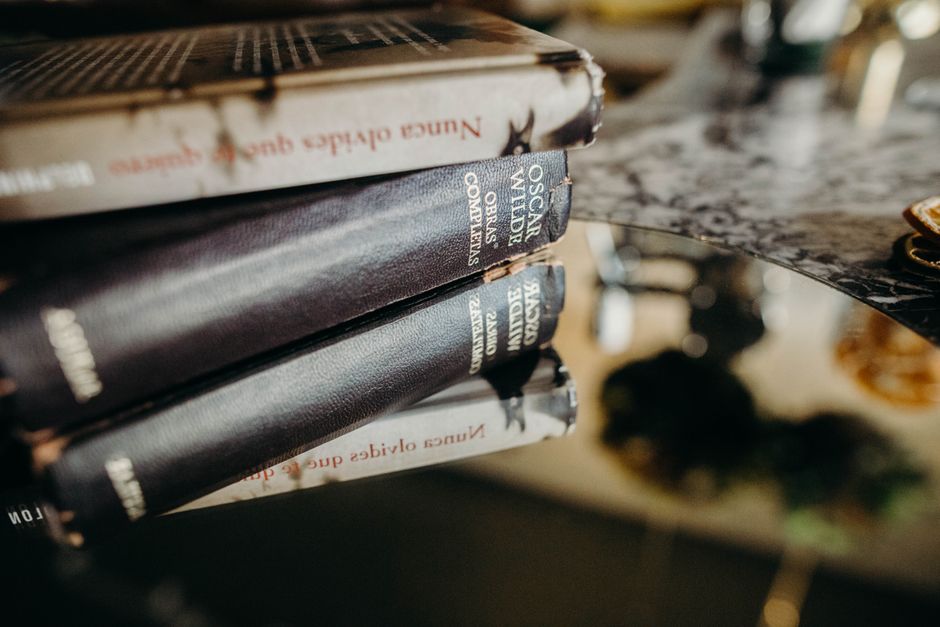
Open the latest book cover in DesignLumo, use the built‑in color picker to extract the three dominant hues, and note the exact hex codes. Apply these colors to the header’s background gradient and text. Pull the same serif font used on the cover (e.g., ‘Merriweather’) and set headline size at 32 px for hierarchy consistency. Swap the cover illustration into the header’s image slot for each new title, preserving a unified visual language across email and print assets.
Resize Header for Facebook & Instagram Ads

Duplicate the layered header file in DesignLumo, then change the canvas to 1200 × 628 px (Facebook) or 1080 × 1080 px (Instagram). Keep the focal point centered by using the “Safe Zone” overlay. Export as JPEG with sRGB color profile and 80% quality, which yields a file under 200 KB. This single source of truth cuts redesign time by roughly 70% and ensures the ad creative mirrors the email branding perfectly.
Create a Master Header Library
Store each finalized header as a template in DesignLumo’s cloud library, tagging it with book title, genre, and publication date. When launching a new release, duplicate the closest template, adjust the prompt for the new cover colors, and regenerate in seconds. This systematic archive reduces the average design time from 3 hours per launch to under 30 minutes, freeing up marketing bandwidth for copywriting and list‑building activities.
Before you go
- Use DesignLumo’s “Layer Lock” feature to protect text while you experiment with background gradients.
- Batch‑generate all series headers in one session; then schedule A/B tests across the entire email calendar to maximize data collection.
- Keep a spreadsheet of every header’s performance metrics (open, CTR, load time) to spot trends and inform future design tweaks.















Ready to create your first design?
Join thousands creating professional designs in seconds.
Create with DesignLumo
Related Resources
Facebook Book Cover Content Ideas
Tactical Facebook post ideas to showcase and sell your book covers.
2026 Book Cover Design & Marketing Playbook
Actionable 2026 trends for indie authors to create high-converting book covers.
Ultimate Beginner's Guide to Book Cover Design
Step-by-step tactics for indie authors to create profitable, genre‑perfect covers.
Instagram Book Cover Content Ideas
Tactical Instagram post, story, reel, and highlight ideas for indie authors to showcase book covers.
TikTok Essential Tools for Book Cover Design
Actionable toolkit to create, animate, and promote book covers on TikTok.
Shopify Book Cover Content Ideas That Convert
Actionable Shopify design ideas for indie authors to boost book sales.