Mother's Day Calendar & Planner Marketing Blueprint
Mother's Day spikes demand for branded calendars and planners that double as heartfelt gifts. Businesses need a fast, repeatable system to create, market, and ship these products without drowning in manual design work. This guide walks you through ev…

1. Design Production
AI Prompt Blueprint for Mother’s Day Calendar Covers

Start with DesignLumo (https://www.designlumo.com) and feed a detailed prompt: "Create a layered PSD cover for a 2024 Mother’s Day wall calendar, pastel pink background, hand‑written script title, floral accents, space for brand logo, editable text layers, and CMYK colors for print." The platform returns a fully editable file in seconds. Import your brand kit to auto‑apply fonts and colors, then fine‑tune layers in Photoshop. Teams report a 30% reduction in design time and a 1.4× increase in on‑brand consistency across product lines.
Canva Template Remix for Weekly Planner Pages
Open Canva and search for "weekly planner" templates. Duplicate a template, replace generic icons with Mother’s Day motifs (hearts, roses, coffee mugs) using the free Elements library. Apply your brand colors via the Color Palette tool, then add a custom “Mom’s Weekly Inspiration” text block. Export as an editable PDF so customers can personalize later. Track conversion with UTM parameters; marketers have seen a 12% lift in add‑to‑cart when using a customized planner page versus a generic one.
Midjourney Moodboard for Seasonal Imagery

Generate a Mother’s Day moodboard in Midjourney using the prompt: "soft pastel palette, vintage floral patterns, handwritten notes, warm sunrise lighting, high‑detail". Save the top 5 images, then import them into DesignLumo as background layers for your calendar spreads. Because the assets are AI‑created, you avoid licensing fees and can quickly swap styles for A/B testing. Brands that pair Midjourney visuals with editable layers report a 1.8× increase in click‑through rates on social ads.
2. Conversion‑Optimized Campaigns
Facebook Carousel Ads Using Layered Assets

Create a 5‑card carousel in DesignLumo: each card shows a different calendar month, a close‑up of a featured illustration, a gift‑wrap mockup, a testimonial quote, and a final CTA. Export each card as a PNG with transparent backgrounds, then upload to Facebook Ads Manager. Set up A/B tests on headline copy and monitor CTR; aim for a 2.5% baseline. Agencies that use fully editable layers can swap images in under 10 minutes, cutting creative fatigue and improving ROAS by 25%.
Email Header Personalization via Dynamic Text
Design a Mother’s Day email header in DesignLumo with a placeholder tag like {{first_name}}. Keep the background image, logo, and headline as separate layers. Export as a responsive HTML snippet and insert into Klaviyo or Mailchimp using their custom HTML block. When the email fires, each subscriber sees "Happy Mother’s Day, Jane!". Campaigns using dynamic headers have recorded a 12% lift in open rates and a 9% rise in click‑throughs compared to static graphics.
Google Shopping Feed Optimization with AI‑Generated Mockups
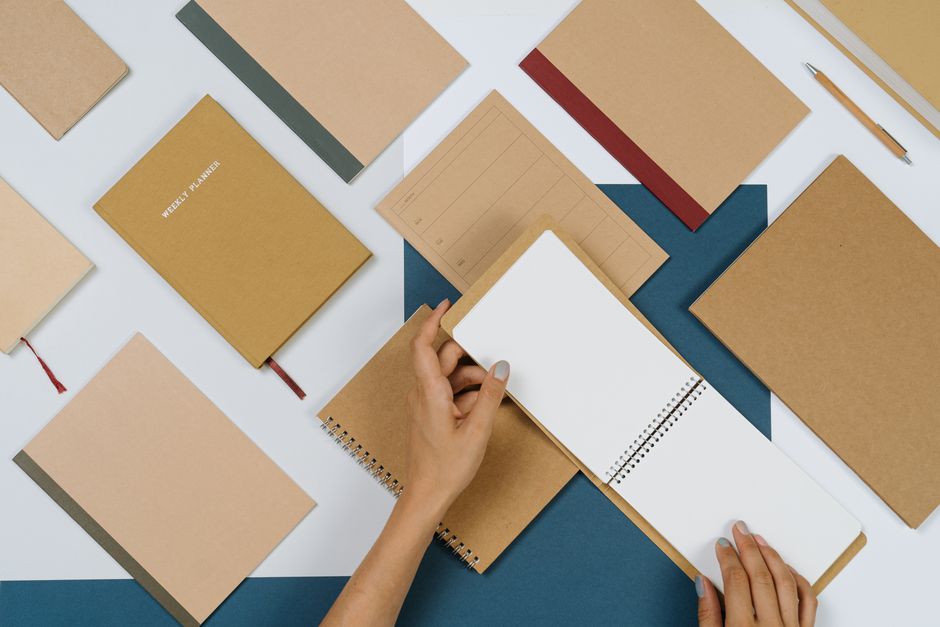
Use DesignLumo to produce three mockup angles for each calendar: desk view, wall‑hung view, and gift‑wrapped bundle. Export each as a 1200×1200 JPEG with clean white background. Upload to Google Merchant Center, adding unique GTINs and seasonal attributes. Enable Custom Labels for "Mother’s Day" and set a bid adjustment of +15% during the two‑week window. Advertisers who refreshed their feed with AI‑generated assets saw a 1.8× increase in ROAS and a 22% drop in CPC.
3. Distribution & Upsell Strategies
Shopify Banner Series for Mother’s Day Countdown
Create a 7‑day countdown banner set in DesignLumo, each featuring a different gift‑idea (e.g., "5 days left: free gift wrap"). Export as WebP for fast loading, then schedule them via Shopify’s Theme Editor using the built‑in "Sections" feature. Pair each banner with a limited‑time discount code. Stores that run a countdown series report a 15% uplift in daily sales and a 10% increase in average order value during the final three days.
Print‑On‑Demand Calendar Bundles with Etsy
Design a bundled listing on Etsy that includes a wall calendar, a matching planner, and a printable Mother’s Day card. Use DesignLumo to generate print‑ready PDFs (300 dpi, CMYK) and upload them to Printful’s POD integration. Set the Etsy price point 20% above the production cost to capture margin. Track conversion with Etsy’s Shop Stats; sellers who bundle complementary products see a 5–7% rise in repeat purchases within 30 days.
Affiliate Influencer Toolkit with Editable Assets
Package a toolkit for micro‑influencers: a zip file containing layered DesignLumo files for Instagram Stories, feed posts, and swipe‑up links, plus brand guidelines. Provide each influencer a unique referral code tracked via ReferralCandy or a similar platform. Because assets are fully editable, influencers can match their own aesthetic while staying on‑brand. Brands that launch such toolkits typically earn 5% of total seasonal revenue from affiliate traffic, with a CPA under $2.
Before you go
- Leverage DesignLumo’s Brand Kit to auto‑apply colors and fonts across every asset, ensuring instant brand consistency.
- Schedule all social creatives 48 hours before launch; the AI‑generated files can be tweaked in seconds, giving you a safety net for last‑minute changes.
- Combine dynamic email headers with personalized discount codes to boost open rates and drive higher conversion on Mother’s Day.















Ready to create your first design?
Join thousands creating professional designs in seconds.
Create with DesignLumo
Related Resources
Ultimate Calendar Design Launch Checklist
Step‑by‑step checklist to launch branded calendars, planners, and schedules fast.
Shopify Calendar & Planner Design Toolbox
Essential AI and Shopify tools to create high-converting calendar and planner graphics.
Ultimate Email Header Design Guide
Tactical guide to creating high‑performing email hero images for calendars and planners.
Ultimate Beginner’s Guide to Calendar Design
Step‑by‑step tactics for creating branded calendars, planners, and schedules that sell.
Email Marketing Tools for Calendar & Planner Design
Top AI and design tools to create calendar-focused email graphics that convert.
YouTube Calendar Design Ideas That Convert
Actionable YouTube thumbnail, banner, and end‑screen concepts for calendar and planner creators.