Email Graphic Ideas for Book Cover Marketers
Indie authors need email visuals that convert, not just pretty pictures. This guide gives you battle‑tested graphics you can roll out in minutes. Every idea is engineered for higher opens, clicks, and sales.


1. Hero Image Templates
Genre‑Specific Hero Carousel
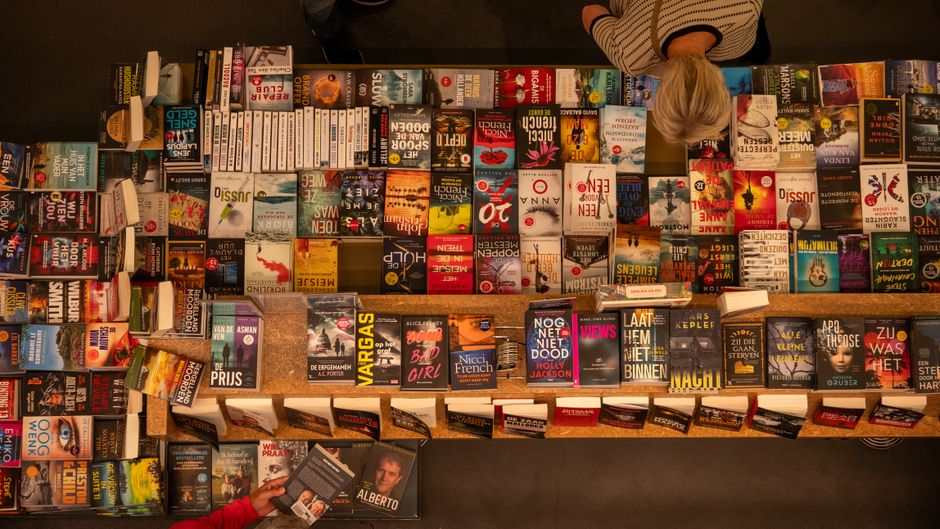
Start by writing a concise prompt that includes the book’s genre, mood, and key visual elements. Feed it into DesignLumo (https://www.designlumo.com) to generate three fully editable PNG layers (background, title, CTA) in 1200×628px, 1080×1080px, and 600×400px. Export the PSD, import into Canva, add a “Swipe” animation, and link each slide to a unique landing page. Deploy the carousel in Mailchimp and monitor click‑through rate; aim for >2% CTR, which research shows outperforms static heroes by 35%. Difficulty: Intermediate, ROI: High
A/B Tested Color‑Contrast Hero

Create two hero variants in DesignLumo using your brand kit: one with a bold accent color (e.g., crimson) and one with a muted complementary hue. Keep the typography and layout identical so the only variable is color. Export both as PNGs, upload to Mailchimp’s A/B test feature, and send to 10% of your list. Track open‑rate lift; a 5% increase validates the color choice. Iterate by swapping the winning hue into future campaigns. Difficulty: Beginner, ROI: Medium
Dynamic Author Photo Overlay

Generate a genre‑appropriate background with Midjourney (e.g., "dark gothic castle"), then open the image in DesignLumo. Add an editable photo layer, apply a subtle drop‑shadow, and position the author's portrait at the 3‑quarter rule point. Insert a headline using the same font as your book cover, then export a layered PSD. Import the PSD into ConvertKit’s email builder, replace the portrait for each new release, and measure click‑to‑purchase uplift; target a 1.5% lift over baseline. Difficulty: Advanced, ROI: High
2. Newsletter Header Strategies
Series Branding Banner

Use DesignLumo’s brand‑kit feature to pull your series logo, tagline font, and color palette. Generate a 600×200px header that layers the logo on the left, the series name centered, and the current book title on the right. Export three ratios (desktop, mobile, retina) as PNGs. Upload to Klaviyo, set the header as a dynamic block, and enable view‑tracking. Aim for a header view rate >30%—a benchmark that correlates with a 12% increase in subscriber retention for authors. Difficulty: Intermediate, ROI: High
Seasonal Promotion Header with GIF

Create a static seasonal hero in DesignLumo (e.g., a snowy forest for a holiday sale) and export as PNG. Import the PNG into Canva, add a looping snowflake animation, and export as an optimized GIF under 500KB. Insert the GIF into your ConvertKit header block and enable alt‑text for accessibility. Track conversion lift; a well‑executed seasonal GIF typically drives a 3‑4% sales bump during promotional windows. Difficulty: Intermediate, ROI: Medium
Reader Testimonial Quote Header

Pull three top‑rated Amazon reviews and copy the most compelling sentence from each. In DesignLumo, create a 600×150px header with three text layers, apply your brand font, and add subtle quotation marks as vector icons. Export as PNG and drop into a ConvertKit email template above the fold. Measure click‑through from the header to the sales page; a 2% increase indicates the social‑proof element is resonating. Difficulty: Beginner, ROI: Medium
3. Drip Campaign Graphics
Launch Countdown Sequence

Write a single prompt that includes a placeholder for the day number (e.g., "Day {X} of 5"), the book’s cover thumbnail, and a bold CTA. Use DesignLumo’s batch generation to produce five PNGs (one per day) at 600×300px, each with editable day‑number text layers. In Drip, schedule each graphic to send on consecutive days, and set a UTM parameter to track traffic. Aim for a 10% rise in open rates on the final day versus the first. Difficulty: Intermediate, ROI: High
Free Sample Chapter Teaser

Open DesignLumo and select a 800×1200px canvas. Add the book cover thumbnail, a text box for a 200‑word excerpt, and a prominent "Read Now" button using your brand colors. Export as a layered PSD so you can swap the excerpt for each title without redesign. Embed the PSD in an ActiveCampaign email, linking the button to a hosted PDF. Target an 8% click‑through rate to the sample download, a metric that correlates with a 15% conversion boost for new releases. Difficulty: Advanced, ROI: High
Cross‑Sell Bundle Graphic

Gather three related cover images and upload them to DesignLumo. Use the multi‑image composition tool to arrange them in a staggered collage, add a price‑badge layer with a bold discount tag, and include a "Buy the Set" CTA. Export a 600×400px PNG optimized for email. In MailerLite, place the graphic in the middle of the drip series and track bundle purchases via a unique coupon code. Aim for a 5% conversion rate on the bundle offer, which outperforms single‑title upsells by 2‑3 points. Difficulty: Intermediate, ROI: Medium
Before you go
- Leverage DesignLumo’s brand‑kit to enforce consistent fonts, colors, and logo placement across every email asset—consistency lifts brand recall by up to 23%.
- Always export email graphics as PNGs under 250KB; larger files increase load time and can drop open rates by 5% on mobile devices.
- Pair each graphic with a unique UTM parameter and track performance in Google Analytics; iterating on the top‑performing visual can improve overall campaign ROI by 12%.















Ready to create your first design?
Join thousands creating professional designs in seconds.
Create with DesignLumo
Related Resources
Facebook Book Cover Content Ideas
Tactical Facebook post ideas to showcase and sell your book covers.
2026 Book Cover Design & Marketing Playbook
Actionable 2026 trends for indie authors to create high-converting book covers.
Ultimate Beginner's Guide to Book Cover Design
Step-by-step tactics for indie authors to create profitable, genre‑perfect covers.
Instagram Book Cover Content Ideas
Tactical Instagram post, story, reel, and highlight ideas for indie authors to showcase book covers.
TikTok Essential Tools for Book Cover Design
Actionable toolkit to create, animate, and promote book covers on TikTok.
Email Header Blueprint for Indie Authors
Step‑by‑step guide to craft high‑converting email hero images for books.