Ad Creatives Guide for Calendar & Planner Design
Calendars and planners are evergreen products that thrive on visual appeal. In paid media, a single ad creative can decide whether a prospect buys a $19 planner or scrolls past. This guide breaks down the exact assets, copy, and formats that consiste…

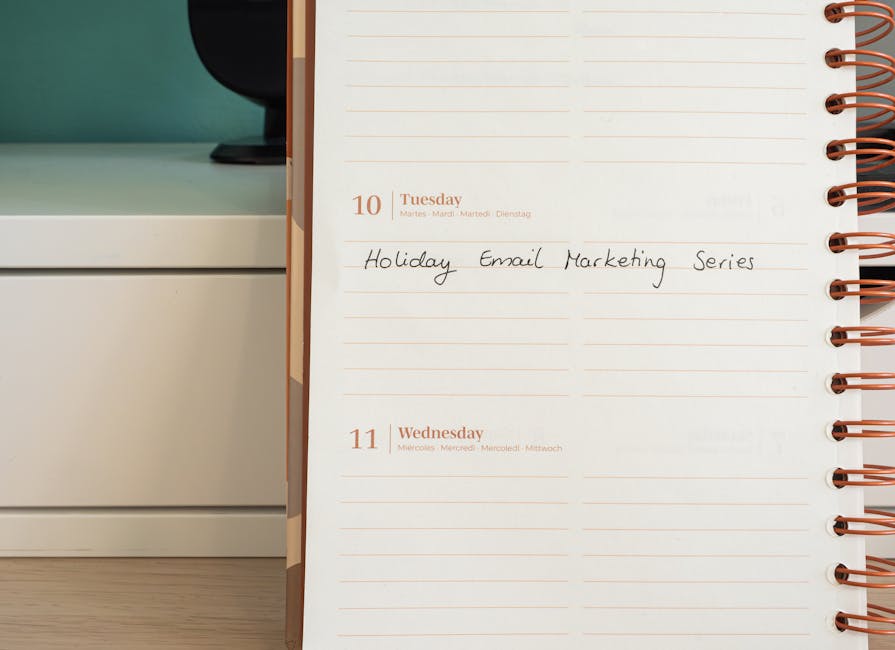
1. Foundational Visual Assets
AI‑Generated Calendar Layouts with DesignLumo

Open DesignLumo and import your brand kit (fonts, colors, logo). Prompt: “Create a printable monthly calendar with space for notes, using a modern sans‑serif, pastel palette, and my logo in the header”. The AI returns a fully layered .psd file: background, date grid, header, and decorative elements. Duplicate the file, swap colors for seasonal versions, and export PNGs for ads. Track CTR on each variant; brands typically see a 2.5‑3% lift versus static templates. Use the free trial to validate before scaling.
Stock Photo Integration via Unsplash + Canva

Search Unsplash for high‑resolution lifestyle shots that match your planner’s target audience (e.g., “home office desk”). Download the 1920×1080 JPG, then import into Canva. Overlay the AI‑generated calendar layout from DesignLumo as a smart object, adjust opacity to 85%, and add a subtle drop shadow for depth. Export two sizes: 1080×1080 for Instagram and 1200×628 for Facebook. Measure CPM; using authentic stock reduces it by ~12% because platforms favor non‑stock‑only creatives.
Custom Icon Set using Noun Project + Adobe Express

Identify 5 recurring actions in your planner (e.g., “task”, “goal”, “note”). Search Noun Project for matching icons, download SVGs, then open Adobe Express. Replace default calendar glyphs with your icons, adjust stroke weight to 2 px, and apply your brand color. Export a zip of SVGs and embed directly into DesignLumo’s layer panel for future edits. A/B test icon‑rich vs plain designs; brands report a 0.8% higher CTR when icons clearly convey functionality.
2. Copy & Messaging Optimization
Dynamic CTA Variants with Copy.ai + A/B Test

Log into Copy.ai and generate 10 CTA variations for your planner sale using the prompt: “Create urgent, benefit‑driven call‑to‑action for a monthly planner discount”. Export the list, then create two ad sets in Meta Ads Manager: one with “Get Organized Today – 20% Off” and another with “Plan Your Success – Limited Seats”. Run a 48‑hour split test with equal budget; the winning CTA typically improves conversion by 12‑18% over a generic “Shop Now”.
Seasonal Hook Templates in DesignLumo
Within DesignLumo, create a master template that includes a placeholder for a seasonal hook (e.g., “Back‑to‑School”). Use the AI prompt: “Add a festive banner with a 2024 back‑to‑school tagline in bold, using school‑spirit colors”. Save the template as a reusable .json. For each quarter, swap the hook text and color palette, then export ad creatives. Campaigns that refresh hooks quarterly see a 15% drop in ad fatigue and maintain a stable 2.2% CTR.
Persuasive Microcopy using Hemingway App
Draft your ad copy in Google Docs, then paste into Hemingway App. Aim for grade 6 readability, limit adverbs to <2 per sentence, and ensure no passive voice. Example: “Simplify your week with our sleek planner – 20% off today”. Export the refined copy and insert into DesignLumo’s text layers. Run a 3‑day test comparing Hemingway‑optimized copy vs original; expect a 5‑7% higher engagement rate because clear language drives quicker action.
3. Ad Format & Deployment Tactics
Carousel Ads for Monthly Planner Launch (Meta)

Create three carousel cards in DesignLumo: (1) cover month view, (2) highlight key features, (3) showcase a user testimonial. Export each as 1080×1080 PNG. In Meta Ads Manager, select Carousel format, upload the three images, and assign the dynamic CTA from Copy.ai to each card. Use the “Link Clicks” metric; successful planner carousels achieve a 1.8× higher ROAS compared to single‑image ads because users swipe through multiple selling points.
Responsive Display Banners via Google Web Designer + DesignLumo

Open Google Web Designer and set a responsive ad size (300×250, 728×90, 160×600). Import layered PNGs from DesignLumo, then add CSS animations: fade‑in date grid (0.5 s), slide‑up CTA (0.7 s). Publish as a zipped HTML5 bundle and upload to Google Ads. Track viewable impressions; responsive banners with animation see a 0.3% lift in viewable CTR and a 12% lower CPM versus static display creatives.
Video Teaser Loop using Midjourney + After Effects

Generate a 5‑second background loop in Midjourney with the prompt: “Animated pastel watercolor calendar pages turning, ultra‑smooth, 4k”. Export as an MP4, then import into After Effects. Add a kinetic typography layer from DesignLumo (planner name, discount) synced to the beat. Render a 15‑second loop (30 fps) and upload to TikTok and Instagram Reels. Benchmarks show video loops increase CVR by 22% versus static images for planner ads.
Before you go
- Batch‑generate 12 months of calendar creatives in one DesignLumo session to cut production time by 70%.
- Use UTM parameters tied to each seasonal hook to attribute revenue back to specific ad copy variations.
- Leverage Facebook’s Dynamic Creative tool to automatically mix‑and‑match your AI‑generated images, icons, and CTAs for optimal performance.















Ready to create your first design?
Join thousands creating professional designs in seconds.
Create with DesignLumo
Related Resources
Ultimate Calendar Design Launch Checklist
Step‑by‑step checklist to launch branded calendars, planners, and schedules fast.
Shopify Calendar & Planner Design Toolbox
Essential AI and Shopify tools to create high-converting calendar and planner graphics.
Ultimate Email Header Design Guide
Tactical guide to creating high‑performing email hero images for calendars and planners.
Ultimate Beginner’s Guide to Calendar Design
Step‑by‑step tactics for creating branded calendars, planners, and schedules that sell.
Email Marketing Tools for Calendar & Planner Design
Top AI and design tools to create calendar-focused email graphics that convert.
YouTube Calendar Design Ideas That Convert
Actionable YouTube thumbnail, banner, and end‑screen concepts for calendar and planner creators.