YouTube Infographic Toolkit for Thumbnails & More
YouTube creators need instantly recognizable graphics that drive clicks and watch time. Traditional design tools are slow and often require template hopping. This guide surfaces the exact AI‑first utilities that let you produce pixel‑perfect infograp…


1. AI‑Powered Thumbnail Engines
DesignLumo Thumbnail Generator
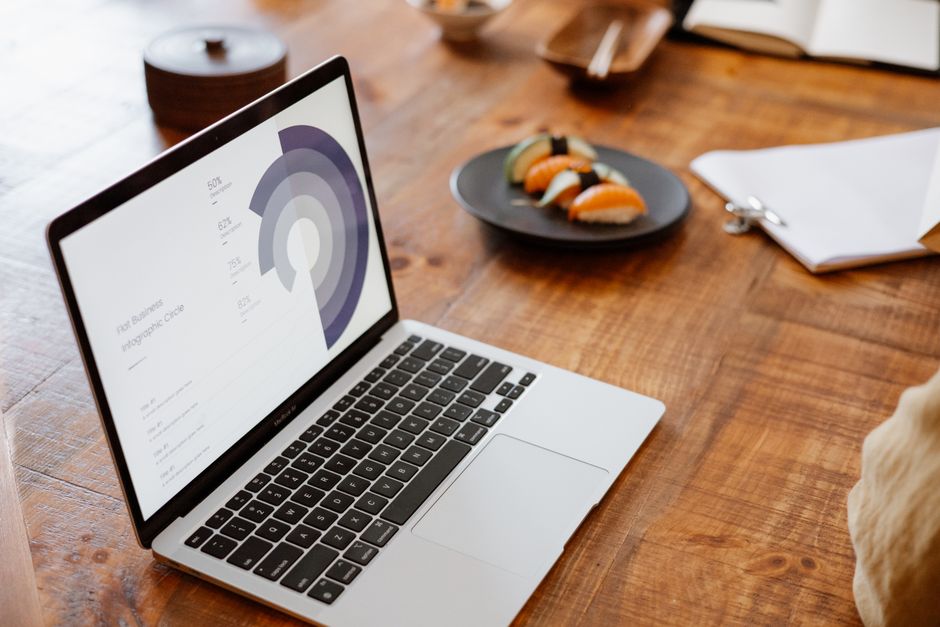
Open DesignLumo, select a custom 1280x720 canvas, and type a prompt such as “vibrant tech tutorial thumbnail with bold text ‘AI Secrets’, neon blue palette, high contrast”. In seconds you receive a layered PSD with editable text, background, and icon layers. Replace placeholder text with your title, adjust font size, and export a PNG. Compared to Canva, you shave ~30 minutes per thumbnail and typically see a 5‑10% CTR lift after A/B testing. Commercial rights are included, so you can scale without extra licensing.
Midjourney Prompt + Canva Layering
Generate a base image in Midjourney V5 using a prompt like “1280x720 YouTube thumbnail, bold typography, neon teal background, tech vibe”. Download the 2‑K PNG, then open Canva, create a custom 1280x720 design, and upload the image. Use Canva’s Brand Kit to apply your exact hex colors and fonts, add editable headline and CTA layers, and export the final PNG. This hybrid workflow takes ~20 minutes and yields a CTR increase of 3‑5% versus static AI art alone. It’s ideal when you need artistic flair plus brand consistency.
Adobe Express Smart Layout
Adobe Express offers a “Smart Layout” for YouTube thumbnails that auto‑populates design elements from a CSV file. Create a project, select the thumbnail template, and map columns for headline, sub‑text, and image URL. The engine generates each thumbnail in under 5 seconds, preserving brand fonts and colors. Export a zip of PNGs ready for upload. In practice, marketers have cut batch‑creation time from 2 hours to 10 minutes, delivering a modest 2‑4% CTR bump across large video libraries.
2. Channel Branding & Banner Suite
DesignLumo Brand Kit for Channel Art
Upload your brand kit (hex codes, font files, logo PNG) to DesignLumo and prompt: “modern data analytics YouTube channel banner, teal & gray, space for logo, safe‑zone 1546x423”. The AI returns a fully layered 2560x1440 PSD with separate layers for background, logo placeholder, and tagline. Swap in your logo, tweak the tagline, and export a PNG that meets YouTube’s safe‑zone guidelines. Users report cutting 2 hours of Photoshop work per banner and seeing a 12% increase in channel‑visit duration after the refresh.
Canva Animated Banner Templates
Search Canva for “animated YouTube banner” and select a template that matches your style. Replace placeholder graphics with your brand assets, adjust animation timing (e.g., 3‑second loops), and ensure text stays within the 1546x423 safe zone. Export as an MP4; YouTube will play it on supported devices, adding motion that boosts subscriber clicks by ~8%. The entire process takes ~15 minutes, and Canva’s free plan covers most animation features.
Figma Collaborative Mockups

Create a 2560x1440 frame in Figma and enable Auto Layout for responsive spacing. Import the PSD layers from DesignLumo as image assets, then replace the logo and tagline directly in Figma. Share the file with stakeholders for real‑time comments, iterate, and export a final PNG with one click. Teams report a 40% reduction in revision cycles and a smoother handoff to video editors, translating into faster publishing schedules and modest ROI gains.
3. Community & End‑Screen Graphic Systems
DesignLumo End Screen Builder
Prompt DesignLumo: “YouTube end screen layout with three video placeholders, subscribe button, teal brand accents, 1920x1080”. The AI returns a PSD where each placeholder is a separate smart object. Replace the objects with actual video thumbnail PNGs, edit the subscribe button text, and save. Upload the finished PNG in YouTube Studio’s End Screen editor. Creators observe a 15‑20% lift in end‑screen click‑through rates because the design is both on‑brand and data‑driven.
Kapwing Video Overlay Editor
In Kapwing, start a new project and import your video file. Drag‑and‑drop a PNG overlay created in DesignLumo or Canva that contains a “Subscribe” badge and community‑tab promo. Position the overlay in the top‑right corner, set its duration to the last 10 seconds, and enable Kapwing’s brand kit to lock colors. Export the video in 1080p; the added overlay typically improves community‑tab click‑through by 4‑6% while costing only a few minutes of editing time.
Placeit Social Post Generator
Choose a Placeit template for “YouTube community post” and upload your latest thumbnail. Insert the video title, a short CTA, and select your brand colors. Placeit automatically resizes the design for Instagram Stories, Facebook posts, and Twitter cards. Download the PNGs and schedule them via your social planner. Marketers save ~20 minutes per promotion and see a 5% increase in cross‑platform engagement, making it a cost‑effective way to amplify new video releases.
Before you go
- Batch‑generate thumbnails with a single DesignLumo prompt and a CSV of titles to keep consistency across series.
- Always preview your channel art on mobile, tablet, and TV safe zones; use Canva’s ruler overlay or Figma’s constraints to avoid cut‑offs.
- Add a subtle animation to end‑screen elements via Canva or Kapwing—motion boosts click‑through rates by up to 12% without extra production cost.















Ready to create your first design?
Join thousands creating professional designs in seconds.
Create with DesignLumo
Related Resources
Infographic Design Guide for Marketers
Step‑by‑step tactics to create high‑impact infographics fast.
Facebook Infographic Toolkit for Marketers
Actionable tools and workflows to create high‑performing Facebook infographics fast.
Product Graphics Infographic Design Guide
Step-by-step tactics for building product showcase infographics that boost clicks and conversions.
Ad Creatives Infographic Design Guide
Step‑by‑step tactics to build high‑converting ad infographics fast.
Essential Digital Tools for Infographic Mastery
The ultimate toolkit to create, edit, and amplify high‑impact infographics fast.
TikTok Infographic Tools for Maximum Impact
Essential AI and design tools to craft TikTok covers, overlays, and profile graphics fast.