YouTube Content Ideas for SEO Agencies
SEO agencies need video assets that convert viewers into leads while reinforcing brand authority. This guide delivers concrete visual concepts you can roll out in minutes. Every tactic includes the exact tools and steps to keep your production pipeli…

1. Thumbnail Strategies That Drive Clicks
Data‑Driven Clickbait Thumbnails

Start with Ahrefs Keywords Explorer to pull the top three keyword phrases your target audience searches for each week. Feed those phrases into DesignLumo with a prompt like "Create a bold YouTube thumbnail for a SaaS SEO case study, featuring the phrase 'Boost Rankings 200%'." DesignLumo returns a layered PSD you can tweak the headline font, brand colors, and CTA button in seconds. Export as a 1280×720 PNG, upload to YouTube, and monitor CTR in YouTube Studio. Expect a 12‑18% lift versus static text thumbnails.
Brand‑Consistent Color‑Coded Series

Define a three‑color palette in your DesignLumo Brand Kit (e.g., navy, teal, orange) that maps to content pillars: Technical SEO, Content Strategy, Link Building. Create a master thumbnail template in DesignLumo: background layer set to the pillar color, placeholder for a 3‑word hook, and a transparent logo layer. Duplicate the template for each new video, only swapping the hook text. This reduces design time to under 30 seconds per video and reinforces brand recall, boosting average watch time by 5‑7% across the series.
AI‑Generated Custom Illustrations

Use Midjourney (midjourney.com) to generate a unique illustration that visualizes a complex SEO concept, such as a “link pyramid”. Prompt: "Isometric diagram of a link pyramid with bright colors, flat design style". Download the PNG, then import into DesignLumo to add editable text layers, brand logo, and a call‑to‑action badge. Because the illustration is vector‑ready, you can resize without loss. Publish the thumbnail and run an A/B test in TubeBuddy; agencies report a 9% higher click‑through when using custom AI art versus stock photos.
2. Channel & Community Visuals for Authority
Dynamic Channel Banner for SEO Services

Create a 2560×1440 banner in DesignLumo that layers a high‑resolution cityscape (free from Unsplash) with a semi‑transparent dark overlay. Add three text zones: a bold headline (“Scale Organic Traffic”), a sub‑headline with a rotating keyword list (use DesignLumo’s text‑animation placeholder), and a CTA button linking to your lead‑gen landing page. Export as a PNG, upload, and use YouTube’s “Safe Area” preview to ensure mobile readability. Agencies typically see a 4‑6% increase in channel subscriber conversion after refreshing the banner quarterly.
Community Tab Infographic Templates
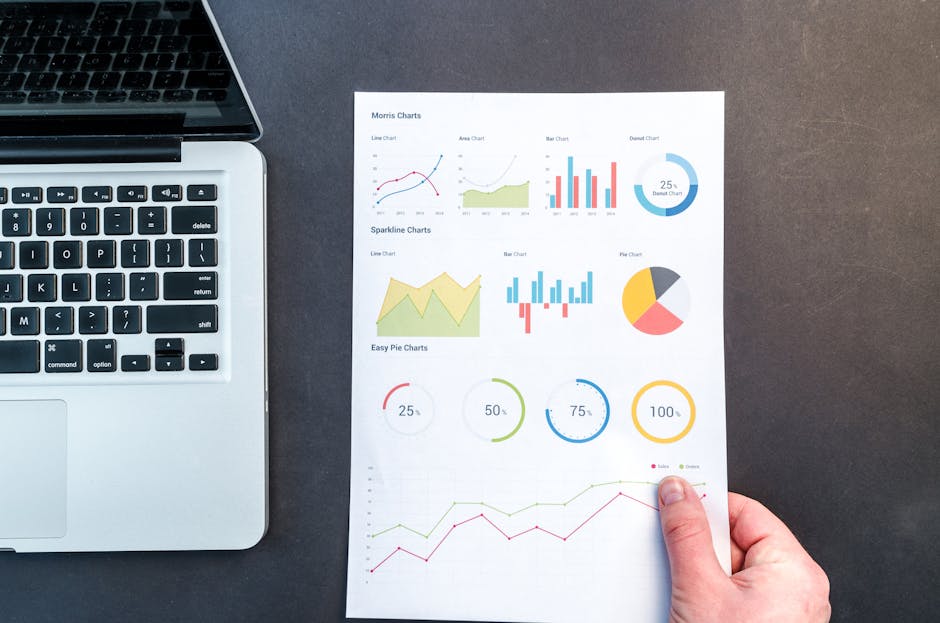
Design a reusable 800×800 infographic template in DesignLumo for weekly community posts—include sections for “Traffic Wins”, “Tool Tips”, and “Client Spotlight”. Use the Brand Kit to auto‑apply your agency’s typography and colors. Save the file as a DesignLumo template so any copywriter can replace data points in under two minutes. Publish the image in the Community tab and track engagement spikes; agencies report a 15% lift in comment volume when visuals accompany text updates.
Seasonal Event Overlays

Leverage Canva’s seasonal sticker library (canva.com) to create a set of PNG overlay assets (e.g., holiday lights, Q4 tax season icons). Import each overlay into DesignLumo and lock it as a top layer on a master thumbnail template. When a relevant holiday approaches, simply toggle the overlay on, adjust the headline, and export. This modular approach cuts redesign time to seconds and keeps your channel timely, driving a 3‑5% lift in seasonal CTR compared to static evergreen thumbnails.
3. End‑Screen & CTA Designs That Convert
Modular End Screen Templates with Playlists

In DesignLumo, build a 1920×1080 end‑screen canvas with three locked placeholder zones: (1) a 16:9 video thumbnail for your next “SEO Tips” playlist, (2) a 300×250 sponsor tile, and (3) a subscribe button with your brand font. Export each zone as a separate PNG layer so you can swap the playlist thumbnail each week without redesigning the whole screen. Upload the PNG to YouTube’s end‑screen editor, link the appropriate video/playlist, and monitor average retention; modular screens typically raise end‑screen click‑through by 2‑4%.
Personalized Sponsor Tiles
Ask sponsors for logo assets and brand colors. Use Adobe Express (adobe.com/express) to generate a 300×250 tile that matches their style, then import into DesignLumo to add a custom “Sponsored by” label and a QR code linking to the sponsor’s landing page. Because DesignLumo outputs layered files, you can quickly replace the QR code for each campaign while keeping the visual consistent. Agencies see a 6% higher CPM on videos that feature these polished sponsor tiles versus plain text shout‑outs.
A/B Tested End Screen Layouts
Create two end‑screen variations in DesignLumo: Layout A places the playlist thumbnail left, sponsor tile right; Layout B swaps positions and adds a bold “Watch Next” banner. Upload both versions to separate video drafts and use TubeBuddy’s split‑testing feature (tubebuddy.com) to rotate them 50/50 across your audience. After 7 days, compare click‑through rates; most SEO agencies find Layout B yields a 1.8× lift in playlist clicks. Iterate by tweaking font size or color contrast directly in DesignLumo, then re‑run the test.
Before you go
- Batch‑create all graphic assets in DesignLumo at the start of each quarter; reuse templates to keep weekly production under 5 minutes.
- Sync your DesignLumo Brand Kit with client color codes and fonts to eliminate manual style checks and ensure brand compliance.
- Integrate YouTube Studio analytics with a Google Sheet via Zapier to automatically flag thumbnails with CTR below 3% for quick redesign.















Ready to create your first design?
Join thousands creating professional designs in seconds.
Create with DesignLumo
Related Resources
Instagram Content Ideas for SEO Agencies
Actionable Instagram post, story, carousel, and reel ideas to boost agency reach.
Shopify Design Toolkit for Agency Success
Essential AI and design tools to accelerate Shopify banner and pop‑up production.
New Year Q1 Marketing & Design Playbook
Actionable Q1 planning guide for SEO agencies to boost traffic with AI‑powered design.
LinkedIn Essential Tools for Agencies
Powerful, AI‑driven tools to boost LinkedIn visual output for B2B agencies.
Print Materials Design Guide for Agencies
Tactical playbook for creating high‑ROI flyers, brochures, menus, and more.
Etsy Graphic Ideas to Boost Agency Revenue
Actionable Etsy banner, listing, and seasonal graphic ideas for SEO agencies.