Motivational Speaker Thumbnail Design Playbook
Motivational speakers need thumbnails that convert browsers into viewers and, ultimately, paying customers. This guide breaks down the exact visual tricks, AI tools, and testing loops that top‑earning speakers use. Follow each tactic and watch your c…

1. Foundations of Click‑Worthy Thumbnails
Emotion‑Driven Portraits
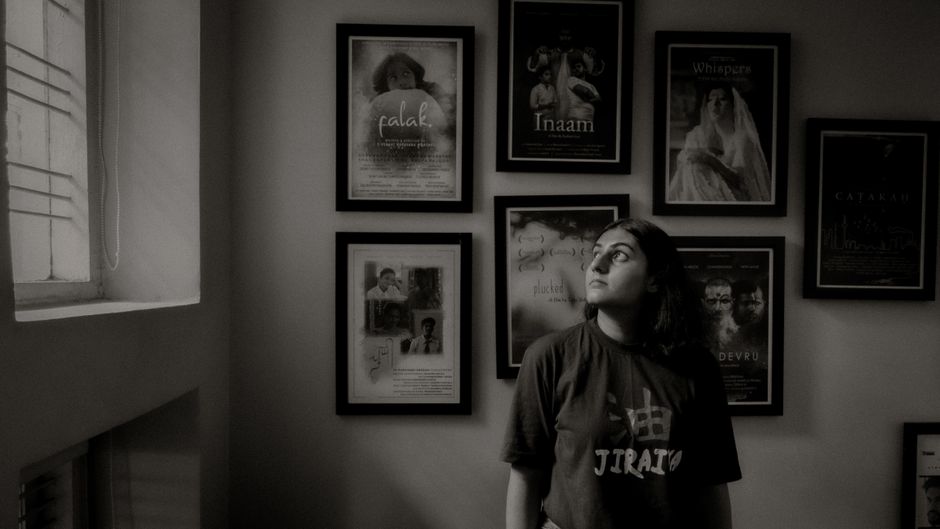
Start with a 1080×1080 high‑resolution portrait of the speaker looking directly at the camera. Use a shallow‑depth‑of‑field lens to blur the background, then apply a 10‑15% linear contrast boost in Photoshop to make facial features pop. Import the photo into DesignLumo with the prompt “create a layered thumbnail background with a soft gold gradient behind a confident speaker portrait”. The AI returns editable layers, allowing you to add a semi‑transparent color overlay that matches your brand palette. Finish by sharpening eyes 20% in Canva and export as PNG.
Bold Text Hierarchy
Choose a single power word (e.g., "UNLEASH") and set it at 70‑80% of the thumbnail height, using a sans‑serif font with a weight of 800. Add a secondary line (the video title) at 30‑40% height in a lighter weight, and a tertiary line (speaker name) at 15% height. In DesignLumo, specify “layered text with hierarchy: main word bold, subtext regular, author name small”. Export the PSD, then open in Canva to apply a 2‑pixel stroke with 85% opacity for legibility on mobile. Verify contrast >4.5:1 with WebAIM's tool.
Brand Color Consistency
Upload your brand kit to DesignLumo (hex codes, primary and accent colors). Prompt the AI: “generate a thumbnail using #1A73E8 as background, #FFFFFF text, and #FFC107 accent underline”. The output includes locked color layers, ensuring no accidental hue drift. Run the thumbnail through Adobe Color’s contrast analyzer; adjust the accent to meet a minimum 3:1 ratio against the background. Save the final palette in a shared Google Sheet for the whole marketing team, and lock the colors in Canva to prevent future deviation.
2. AI‑Powered Design Workflows
DesignLumo Prompt Engineering for Thumbnails
Craft a precise prompt: “Create a 1280×720 YouTube thumbnail for a motivational speaker about overcoming fear, featuring a confident portrait on the left, bold headline ‘NO FEAR’ in white Montserrat, gold accent line, and a subtle abstract background”. Include directives like “output layered PSD with editable text”. Within 15 seconds DesignLumo returns a fully editable file you can drop into Canva for final tweaks. Track prompt success by logging CTR; iterate by swapping adjectives (e.g., “unstoppable” vs. “fearless”) to see which yields a 5‑10% lift.
Midjourney for Background Concepts
Use Midjourney to generate atmospheric background textures that convey emotion. Prompt: “cinematic sunrise over mountains, soft pastel palette, high detail, 16:9”. Select the top two outputs, upscale to 2x, then import as PNG layers into DesignLumo. Replace the AI‑generated background with your Midjourney image, preserving editable text layers. This hybrid approach gives you a unique visual hook while retaining full editability. Export as PSD and push to Canva for final branding. Expect a 3‑7% CTR increase when using AI‑crafted backdrops versus solid colors.
Canva Layered Refinement
After generating layered PSDs in DesignLumo, upload them to Canva’s “Upload your design” section. Use Canva’s animation tools to add a subtle pulse to the headline (0.5s duration, ease‑in-out) and a slide‑in effect for the speaker’s name. Apply Canva’s “Brand Kit” to auto‑apply your fonts and colors, ensuring consistency across all thumbnails. Export as a high‑quality PNG for YouTube and as an MP4 for Instagram Stories where motion boosts engagement. This refinement adds a dynamic edge without sacrificing editability.
3. Optimization & Testing for Max CTR
A/B Testing with TubeBuddy
Create two thumbnail variants that differ in only one element (e.g., headline color). Upload both to TubeBuddy’s Thumbnail A/B Test feature, schedule the test for 7 days, and let TubeBuddy automatically rotate them. Monitor the “Thumbnail Click‑Through Rate” metric; aim for at least a 10% lift on the winning version before publishing. Document the winning element in a shared Notion database for future reference. This systematic test loop can boost overall channel CTR by 4‑6% over a quarter.
Heatmap Analysis via VidIQ
Enable VidIQ’s thumbnail heatmap overlay to see where viewers’ eyes linger. Identify low‑engagement zones (e.g., empty corners) and reallocate visual weight there—add a small badge, logo, or testimonial snippet. After adjustments, re‑run the heatmap to confirm a 15‑20% increase in focus on the headline area. Pair heatmap data with YouTube Analytics’ “Traffic source: YouTube search” to correlate design changes with search CTR improvements.
Thumbnail Refresh Schedule
Set a quarterly refresh cadence: at the start of each quarter, pull the top‑performing 10 videos, export their current thumbnails, and feed them into DesignLumo with the prompt “modernize this thumbnail while keeping core visual elements”. Generate three new variants per video, run a rapid 48‑hour A/B test in TubeBuddy, and replace the winning version. Track the uplift; a well‑executed refresh typically recovers 5‑8% lost CTR from algorithm fatigue.
Before you go
- Use a 2‑pixel white stroke around text for mobile readability; test 2‑4px widths.
- Keep the speaker’s eye line at the 1/3 vertical mark to naturally guide the viewer’s gaze.
- Leverage DesignLumo’s Brand Kit integration to auto‑apply your exact hex codes, eliminating manual color errors.















Ready to create your first design?
Join thousands creating professional designs in seconds.
Create with DesignLumo
Related Resources
Facebook Tools Every Motivational Speaker Needs
Essential AI‑powered and manual tools to dominate Facebook posts, events, and ads for speakers.
Motivational Speaker Brand Assets Blueprint
Step-by-step guide to create logos, cards, and identity assets for speakers.
Valentine's Day Marketing & Design Playbook for Speakers
Tactical guide to boost speaker bookings and sales with love‑themed campaigns.
Email Design Hacks for Motivational Speakers
Actionable email graphic ideas to boost speaker bookings and sales.
Etsy Design Playbook for Motivational Speakers
Tactical Etsy graphics guide to boost speaker bookings and sales.
Motivational Speaker Social Media Design Playbook
Step-by-step design tactics to boost speaker posts across platforms.