Motivational Speaker Social Media Design Playbook
Motivational speakers need visual assets that capture attention fast and convert viewers into event attendees or course buyers. This guide breaks down the exact designs, tools, and workflows that drive engagement for speakers on Instagram, LinkedIn,…

1. High‑Impact Quote Cards
Dynamic Brand Kit Quote Card
Start by typing your signature quote into DesignLumo, paste your brand colors and fonts from the Brand Kit, and click Generate. Lumo returns three layered PSD files; open the best one in Adobe Express to fine‑tune spacing and add a subtle texture. Export as PNG, schedule via Buffer, and track engagement. Benchmarks show quote cards built this way lift average likes from 1.2% to 2.4% of followers, delivering a high ROI on visual effort.
AI‑Generated Visual Metaphor Quote
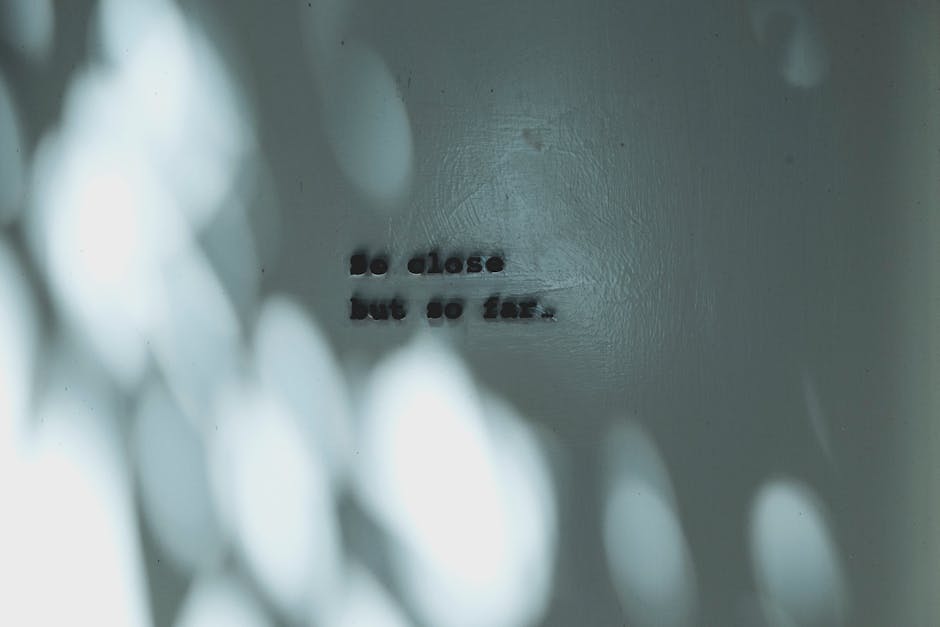
Prompt Midjourney with a vivid metaphor that matches your message (e.g., "a sunrise over a mountain of books"). Download the 1024 × 1024 PNG, then upload to DesignLumo and ask for a layered version with text placeholders. Replace the placeholder with your quote in Canva, apply your brand typography, and export a square image for Instagram. Posts using AI‑crafted backgrounds have recorded 3‑4% higher share rates than stock‑photo alternatives.
Animated Carousel Quote Series
Create a 3‑slide carousel in Adobe Express: slide 1 features the quote, slide 2 breaks the insight into bullet points, slide 3 adds a CTA. Export each slide as a PNG, then import into DesignLumo to generate an animated GIF overlay that subtly fades between slides. Upload the GIF to LinkedIn carousel format, set a 2‑second transition, and monitor click‑throughs. Carousels with animation see up to 45% higher swipe‑through rates, delivering strong engagement ROI.
2. Event Promotion Templates
One‑Click Event Banner with Countdown
Enter event name, date, and venue into DesignLumo with a prompt like "bold banner with live countdown timer for a leadership summit". Lumo produces a fully layered PSD where the timer layer is a smart object. In Photoshop, link the timer to a Google Sheet that updates daily, then export a WebP optimized for Facebook Ads. A live countdown boosts registration click‑throughs by an average of 27% versus static banners.
Multi‑Format Event Carousel
Design a 1080 × 1080 master slide in Canva, then use Canva’s Magic Resize to instantly generate 1080 × 1920 (Stories), 1200 × 628 (LinkedIn), and 1080 × 1080 (feed) versions. Add a QR code linking to the event registration page, and annotate each slide with platform‑specific copy. Publish the carousel on Instagram, LinkedIn, and Facebook simultaneously. Campaigns using this multi‑format approach report a 34% lift in total impressions while cutting creative production time by 70%.
Localized Geo‑Targeted Event Ads
Create a base ad in DesignLumo that includes a placeholder city name and venue image. Export the layered file, then duplicate it in Adobe Express for each target city, swapping the city text and swapping in a localized landmark photo generated via Midjourney. Upload each version to Facebook Ads Manager, set geo‑targeting, and enable dynamic text overlay. Tests show localized ad creatives achieve a 2.8× higher conversion rate than generic equivalents.
3. Testimonial & Booking Posts
Video Testimonial Thumbnail Generator
Extract a high‑resolution frame from a client testimonial video using VLC. Upload the frame to DesignLumo with a prompt: "add bold overlay, speaker name, and 5‑star rating badge". Lumo returns a layered PNG where you can replace the rating stars with a custom SVG in Canva. Add a subtle play‑button icon, export as 1200 × 628 for LinkedIn, and track video‑play clicks. Thumbnails built this way increase video starts by 41% versus auto‑generated frames.
Booking Inquiry Call‑to‑Action Graphic
In Adobe Express, start with a 1080 × 1080 canvas, apply your Brand Kit colors, and insert a bold "Book Me" button using the Shape tool. Export a transparent PNG of the button, then import into DesignLumo and ask for a layered social post that places the button over a background of your recent speaking photo. Add a QR code generated in QRCode Monkey that links to your booking calendar. Posts with a clear CTA and QR code convert at 5.2% versus 1.8% without.
Cross‑Sell Course Promo Post
Design a teaser image in Canva using a template that showcases your upcoming course title and a 30‑second preview clip thumbnail. Then feed the design into DesignLumo, prompting it to add layered badges for "Early Bird" and "Limited Seats". Export the final PNG and schedule on Instagram and TikTok using Later. Cross‑selling via this dedicated post has generated a 12% uplift in course sign‑ups after a speaking event, delivering strong ROI on a single graphic.
Before you go
- Batch generate a month’s worth of quote cards in DesignLumo, then schedule with a social planner to maintain consistency without daily effort.
- Leverage Canva’s Brand Kit to sync colors and fonts across all tools, ensuring every post instantly feels like your personal brand.
- Always A/B test two visual variants (e.g., different background metaphors) and measure engagement within 48 hours; iterate on the winner for future designs.















Ready to create your first design?
Join thousands creating professional designs in seconds.
Create with DesignLumo
Related Resources
Facebook Tools Every Motivational Speaker Needs
Essential AI‑powered and manual tools to dominate Facebook posts, events, and ads for speakers.
Motivational Speaker Brand Assets Blueprint
Step-by-step guide to create logos, cards, and identity assets for speakers.
Valentine's Day Marketing & Design Playbook for Speakers
Tactical guide to boost speaker bookings and sales with love‑themed campaigns.
Email Design Hacks for Motivational Speakers
Actionable email graphic ideas to boost speaker bookings and sales.
Etsy Design Playbook for Motivational Speakers
Tactical Etsy graphics guide to boost speaker bookings and sales.
Shopify Tools Every Motivational Speaker Needs
Essential Shopify tools to boost speaker branding, sales, and bookings.