Valentine's Day Beauty Marketing Blueprint
Valentine’s Day is the biggest sales window for beauty brands, driving up to 30% of annual revenue. To win, you need love‑themed visuals that convert across socials, email, and influencer channels. This guide shows you exact assets, tools, and workfl…


1. Social Media Visuals that Convert
AI‑Generated Love Palette Carousel
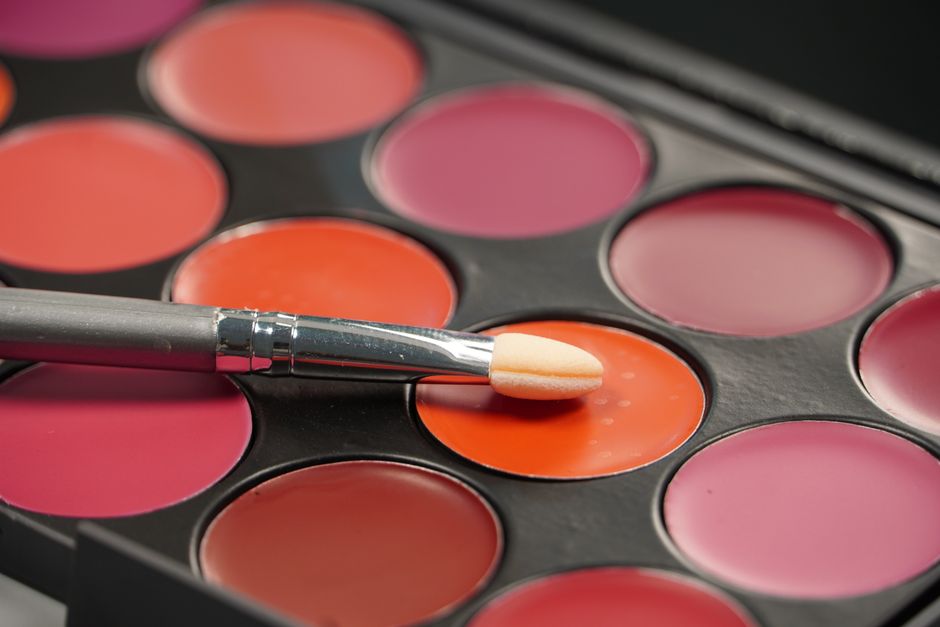
Research the top five V‑Day color trends using Instagram Insights (e.g., rose gold, soft mauve). Prompt DesignLumo: “Create a 5‑slide carousel showcasing each shade with hex code, romantic tagline, and product mockup, layered for full editability.” Export PNGs, import into Buffer, and schedule for peak engagement windows (7‑9 PM EST). Track slide‑through rate aiming for 4% engagement and a 1.2% click‑through rate. Adjust copy based on A/B test results. This workflow cuts design time from hours to minutes while keeping brand consistency.
Midjourney Moodboard for Romantic Skincare Reel

Enter the prompt “luxury spa scene, soft pink lighting, rose petals, high‑detail 4K” into Midjourney (V5) to generate three background options. Download the 1024×1024 PNGs, open each in DesignLumo, and replace background layers with brand‑specific product shots. Add animated sparkles using LottieFiles, then export a layered After Effects project for seamless integration into Premiere. Publish the Reel and aim for a 15% average watch‑through rate. This method blends AI‑generated art with brand assets for a unique, high‑impact video.
Canva Swipe‑Up Story Template for Gift Guides

Start with Canva’s “Valentine’s Day Gift Guide” story template. Replace placeholder colors with your brand kit, insert product images, and add a Lottie animation of floating hearts (via LottieFiles). Download the design as a PSD, then open it in DesignLumo to adjust text layers, swap fonts, and fine‑tune spacing without losing quality. Publish through Meta Business Suite, targeting a 5% swipe‑up rate. The hybrid workflow leverages Canva’s ease and DesignLumo’s editability for rapid, brand‑aligned stories.
2. Email & Paid Ads Creative Engine
DesignLumo Editable V‑Day Email Header

Prompt DesignLumo: “Elegant pink rose email header 600 px wide, featuring a new lipstick shade with glossy finish, layered for text editing.” The AI returns a PSD with separate layers for background, product image, and headline. Import into Klaviyo, add dynamic merge tags for first name, and schedule a send at 10 AM PST. Run an A/B test on subject lines, targeting a 22% open rate and a 3.5% click rate. This creates a high‑impact header in under five minutes.
Google Display Ad Bundle with Dynamic Remarketing
Create static 300×250, 728×90, and 160×600 ads in Adobe Express using your brand kit. Export each as a PSD, then open in DesignLumo to add editable product layers, custom discount tags, and a transparent overlay for dynamic price insertion. Link the assets to a Google Ads dynamic remarketing feed so that each viewer sees the exact product they browsed. Aim for a 0.45% conversion rate and a 3:1 ROAS. This pipeline merges Adobe’s quick layouts with DesignLumo’s layer control for personalized ads.
Facebook Carousel Ad for Couple Skincare Set
Design three carousel cards in Canva (product shot, ingredient spotlight, testimonial). Export as a single PSD, then load into DesignLumo to replace images per audience segment (e.g., millennial couples vs. Gen Z). Insert UTM parameters in the CTA layer and set up a split test in Facebook Ads Manager. Target a 1.8% ROAS during the 14‑day V‑Day window. The workflow lets you quickly iterate visuals while maintaining full editability for each demographic.
3. Influencer & UGC Campaign Toolkits
Influencer Reel Asset Kit via DesignLumo

Prompt DesignLumo: “TikTok‑style V‑Day makeup tutorial overlay with pink glitter borders, editable text layers for product names.” The AI returns a 1080×1920 layered file. Share the editable link with selected influencers so they can swap product images and update copy in seconds. Add a unique UTM for each creator and monitor click‑through. Aim for a 12% engagement lift versus baseline reels. This approach empowers creators while keeping brand guidelines intact.
UGC Photo Collage Template with Brand Kit
Generate a romantic background in Midjourney using the prompt “soft rose bokeh, vintage parchment texture.” Import the image into DesignLumo, add placeholder frames for user‑submitted photos, and apply your brand color overlay. Export as an Instagram carousel template and provide a QR code linking to a submission form. Promote the collage challenge on Instagram Stories, targeting 200+ user submissions. This method streamlines UGC collection while ensuring every collage stays on‑brand.
Affiliate Banner Pack for Blog Partners
Create three banner sizes (300×250, 728×90, 160×600) in Adobe Express using the V‑Day color palette. Export each as a PSD, then open in DesignLumo to insert affiliate‑specific coupon codes, adjust copy layers, and embed a tracking pixel. Zip the final files and send to affiliates with a short usage guide. Track performance via Google Analytics, aiming for a 5% lift in affiliate‑generated sales during the campaign period. This workflow automates personalization at scale.
Before you go
- Batch generate all visual assets in DesignLumo using a single brand‑kit prompt, then fine‑tune each piece rather than starting from scratch.
- Leverage UTM parameters on every clickable element to attribute traffic back to specific creatives; use a dashboard like Google Data Studio for real‑time ROI tracking.
- Schedule posts and emails based on historic Valentine’s Day engagement spikes (7‑9 PM EST for socials, 10 AM PST for email) to maximize open and click rates.















Ready to create your first design?
Join thousands creating professional designs in seconds.
Create with DesignLumo
Related Resources
Twitter/X Beauty Content Ideas That Convert
Actionable X post graphics, threads, and cards for beauty brands.
Etsy Beauty Brand Content Ideas Blueprint
Tactical Etsy graphics ideas for beauty brands to boost sales and engagement.
YouTube Visual Playbook for Beauty Brands
Actionable YouTube design ideas to boost beauty brand clicks and sales.
Back to School Beauty Marketing Playbook
Tactical AI‑driven assets for beauty brands launching fall student promos.
Spooktacular Halloween Marketing Guide for Beauty Brands
A tactical playbook to launch Halloween‑themed beauty campaigns that drive sales and buzz.
Essential Email Tools for Beauty Brands
Powerful tools and workflows to craft stunning email visuals for beauty and cosmetics marketers.