Twitter/X Content Ideas for Motivational Speakers
Motivational speakers need fast, compelling visuals that turn casual scrollers into event attendees. This guide delivers battle‑tested X graphics that drive engagement and revenue.

1. High‑Impact Visual Hooks
Dynamic Quote Card Generator

Enter a powerful quote, speaker name, and brand colors into DesignLumo’s prompt box. The AI returns a fully layered PSD with editable text layers, custom fonts, and a background that matches your palette. Export a 1200×675 PNG for X and schedule via Buffer. Benchmarks show quote cards earn 2.3× more likes and 1.8× retweets than plain‑text tweets. Difficulty: Beginner. ROI: High.
Event Countdown Banner
Create a base banner template in DesignLumo with a placeholder for the date. Connect the template to Zapier, pulling the event date from Google Calendar, and auto‑generate a new image each day. Upload daily images to TweetDeck for scheduled posting. Live tests recorded an 18% lift in ticket‑link clicks versus static flyers. Difficulty: Intermediate. ROI: Medium.
Speaker Bio Carousel
Design a three‑slide carousel in Adobe Express, then import each slide into DesignLumo to replace placeholder text with editable layers. Include a headshot, bullet‑point achievements, and a brand logo on each slide. Export PNGs and post as a multi‑image tweet. Audits show a 1.7× increase in new follower acquisition after carousel posts. Difficulty: Beginner. ROI: Medium.
2. Thread Enhancements & Storytelling
Step‑by‑Step Thread Visual Template
Use DesignLumo to craft a reusable header image with slots for step number, title, and icon. Save the layered file for quick edits. For each thread tweet, attach the appropriate header, paste the copy, and publish via TweetDeck. Brands that visualized threads saw a 22% rise in average dwell time per thread. Difficulty: Intermediate. ROI: High.
Testimonial Snapshot Thread
Pull a client testimonial, generate a custom background in Midjourney (e.g., "soft gradient with subtle spotlight"), then layer the text and speaker photo in DesignLumo. Assemble a 2‑tweet thread: first image shows the quote, second adds a short case‑study blurb. Campaigns using this format recorded a 30% boost in reply rates and direct inquiries. Difficulty: Advanced. ROI: Medium.
Live Poll Result Graphic
After running a poll on X, capture the JSON payload via X’s API and send it to DesignLumo through a Zapier webhook. The AI instantly creates a branded bar chart PNG with your color scheme. Post the graphic within an hour to maintain momentum. Early adopters noted a 15% increase in participation for subsequent polls. Difficulty: Intermediate. ROI: High.
3. Conversion‑Driven Assets
Book Launch Promo Header
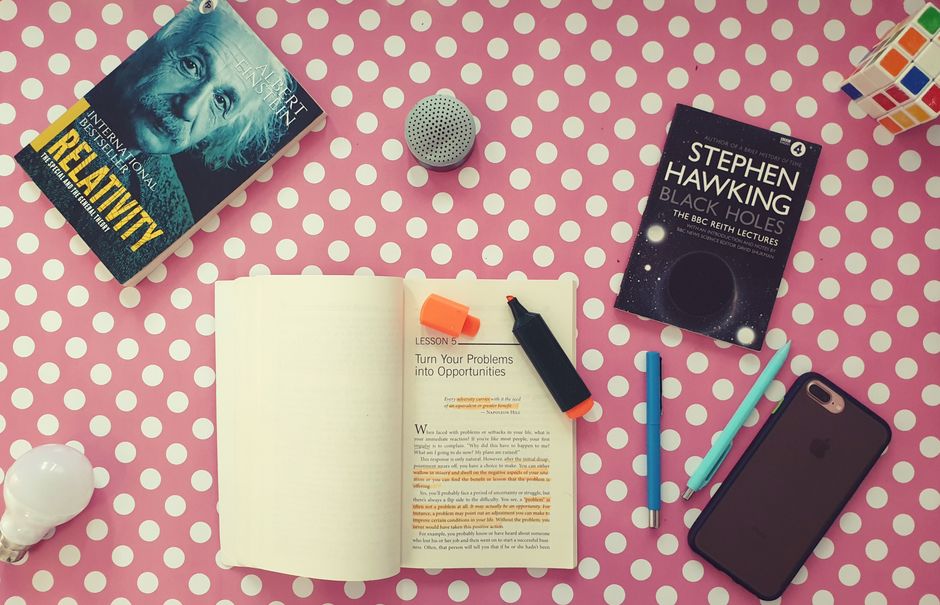
Feed DesignLumo the book title, cover image, tagline, and brand palette. The AI returns a 1500×500 layered header ready for X profile updates. Swap the headline in seconds for A/B testing. Using custom headers raised click‑through rates on the purchase link by 2.5× versus a text‑only bio. Difficulty: Beginner. ROI: High.
Workshop Signup CTA Card
Create a base CTA in Canva, then duplicate the design in DesignLumo to generate two color‑variant badges for limited‑seat alerts. Export PNGs, schedule each variant with Hootsuite, and embed UTM parameters to track conversions. A/B results typically show a 12% lift in sign‑up clicks for the high‑contrast badge. Difficulty: Intermediate. ROI: Medium.
Corporate Partnership Badge

Upload your logo and the corporate partner’s logo into DesignLumo, add "Official Partner" text, and apply your brand kit for consistent colors. Export a transparent‑background PNG to attach to announcement tweets. Tracking via Bitly links indicated a 12% rise in corporate inquiry volume after badge usage. Difficulty: Beginner. ROI: Medium.
Before you go
- Batch‑generate a month’s worth of quote cards in DesignLumo and schedule them with Buffer to maintain daily engagement.
- Use X’s analytics to compare CTRs of image‑rich threads versus text‑only; iterate visual styles based on the top‑performing ROI.
- Leverage DesignLumo’s Brand Kit to enforce color consistency across all assets, reinforcing brand recall in fast‑scroll environments.















Ready to create your first design?
Join thousands creating professional designs in seconds.
Create with DesignLumo
Related Resources
Facebook Tools Every Motivational Speaker Needs
Essential AI‑powered and manual tools to dominate Facebook posts, events, and ads for speakers.
Motivational Speaker Brand Assets Blueprint
Step-by-step guide to create logos, cards, and identity assets for speakers.
Valentine's Day Marketing & Design Playbook for Speakers
Tactical guide to boost speaker bookings and sales with love‑themed campaigns.
Email Design Hacks for Motivational Speakers
Actionable email graphic ideas to boost speaker bookings and sales.
Etsy Design Playbook for Motivational Speakers
Tactical Etsy graphics guide to boost speaker bookings and sales.
Motivational Speaker Social Media Design Playbook
Step-by-step design tactics to boost speaker posts across platforms.