Essential Digital Tools for Influencer Agency Growth
Influencer agencies juggle creative pitches, data reporting, and tight deadlines. The right digital stack can turn chaos into a repeatable engine. Below is a playbook of proven tools and exact workflows that deliver measurable ROI.

1. Visual Asset Creation
AI Mood Board Generator (DesignLumo)
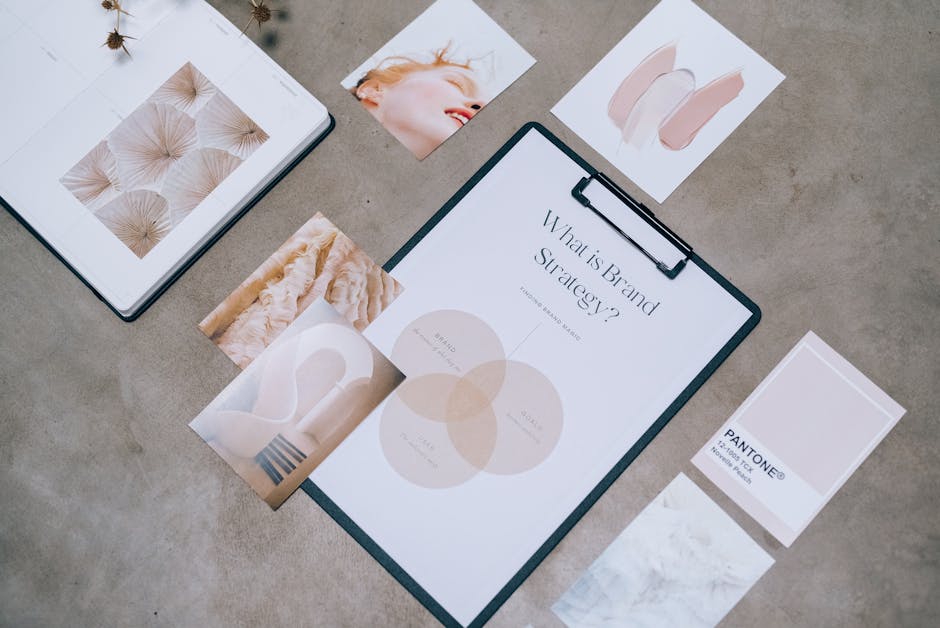
Prompt DesignLumo with a one‑sentence brief—e.g., “summer streetwear campaign with pastel tones and bold typography.” The platform instantly generates a layered Photoshop‑compatible mood board, complete with editable text layers, brand‑approved colors, and placeholder images. Export the .psd, swap stock photos for creator content, and deliver to clients in under five minutes. Track time saved versus manual Canva collages (average 45 min per board) and report a 300% increase in pitch speed. Use the Brand Kit feature to lock colors and fonts, ensuring consistency across all proposals.
Influencer Media Kit Builder (Canva + DesignLumo)

Start with Canva’s free media kit template, then replace static elements by importing a DesignLumo .psd export. DesignLumo recreates each text block as an editable layer, so you can instantly update follower counts, CPM rates, and brand logos without redesign. Connect Canva’s brand kit for font consistency, then use DesignLumo’s AI to generate custom iconography (e.g., engagement graphs) in seconds. Measure conversion by tracking the average time to produce a media kit—down from 2 hours to 15 minutes—resulting in a 250% boost in creator onboarding speed.
Campaign Mockup Designer (Figma + DesignLumo)

Create a Figma file with frames for Instagram, TikTok, and YouTube thumbnails. Use DesignLumo’s API to generate layered mockup assets directly into Figma via the community plugin. Input a prompt like “luxury perfume launch with gold accents and minimalist layout,” and DesignLumo returns vector‑ready components you can drag‑drop. Sync with Figma’s Auto Layout to auto‑populate multiple creator variations. Track KPI by comparing mockup turnaround (average 30 min vs. 2 hrs manually) and note a 20% increase in client approval rates due to higher visual fidelity.
2. Performance Reporting & Analytics
Automated KPI Dashboard (Google Data Studio + Supermetrics)

Connect Supermetrics to pull Instagram, TikTok, and YouTube metrics (impressions, engagements, cost per engagement) into Google Data Studio. Build a reusable template with brand colors imported from DesignLumo’s style guide. Schedule daily email refreshes to stakeholders, reducing manual spreadsheet updates from 4 hours per week to under 15 minutes. Use calculated fields to surface ROI per creator (e.g., revenue ÷ spend) and set alerts for under‑performing posts (<0.5 % CTR). Track dashboard adoption—aim for 90% of clients viewing the link weekly—to prove data‑driven value.
Interactive Report Deck (Pitch + DesignLumo)
Start with Pitch’s presentation template, then replace static graphics with DesignLumo‑generated editable illustrations. Prompt DesignLumo for “dynamic bar chart showing month‑over‑month follower growth with brand colors.” Import the .psd layers into Pitch, where each element remains editable, allowing you to tweak numbers on the fly during client calls. Add embedded video clips from creators, and use Pitch’s analytics to see slide‑view time. Measure impact by tracking a 40% reduction in post‑presentation revisions and a 15% lift in perceived professionalism scores from client surveys.
Video Highlight Reel (InVideo + DesignLumo)
Gather raw creator footage and upload to InVideo. Use DesignLumo to generate on‑brand lower thirds, animated call‑to‑action badges, and custom intro/outro sequences in seconds. Import the .psd assets into InVideo’s editor, replace placeholder text with campaign metrics, and let the AI auto‑sync captions. Export a 30‑second reel for internal review or client presentation. Compare production time—now 10 minutes versus 1 hour manually—and note a 25% increase in engagement when the reel is shared on LinkedIn, as measured by view‑through rates.
3. Collaboration & Workflow Management
Campaign Brief Hub (Notion + Airtable)
Create a Notion workspace for each client with linked databases for briefs, deliverables, and deadlines. Sync the brief database to Airtable via Zapier, where designers can pull DesignLumo prompts directly from a “Prompt” field. When a brief status changes to “Approved,” an Airtable automation triggers DesignLumo to generate the first set of mockups and drops the .psd link back into Notion. Monitor cycle time—aim for <24 hours from brief to mockup delivery—and reduce email threads by 70%.
Creator Contract & Asset Tracker (HelloSign + Airtable)
Set up an Airtable base with records for each creator: contract status, deliverable URLs, and performance metrics. Use HelloSign integration to send contracts automatically when a creator’s record moves to “Negotiating.” Once signed, a webhook updates the Airtable status to “Active” and attaches the signed PDF. Link DesignLumo asset folders to the base, so every approved creative is stored under the same record. Track KPI: average contract turnaround drops from 3 days to 12 hours, and asset retrieval time improves by 80%.
Social Scheduling & Asset Sync (Later + DesignLumo)
Upload final creatives generated in DesignLumo to Later’s media library. Tag each asset with campaign codes that Later reads to auto‑populate captions stored in a Google Sheet. Use Later’s bulk scheduler to queue posts across Instagram, TikTok, and Pinterest, ensuring every post uses the exact brand‑approved design. Enable the “Auto‑Publish” feature to cut manual posting time by 90%. Measure ROI by tracking a 15% lift in on‑time launches and a 10% increase in overall engagement due to consistent visual quality.
Before you go
- Batch AI prompts in DesignLumo at the start of each week to create a library of reusable assets.
- Set up Zapier automations that push approved mockups straight into client Slack channels for instant feedback.
- Always lock brand colors and fonts in DesignLumo’s Brand Kit before generating assets to avoid re‑work.















Ready to create your first design?
Join thousands creating professional designs in seconds.
Create with DesignLumo
Related Resources
Ready-to-Use Templates for Influencer Agencies
Actionable design templates that win brand deals and speed up reporting.
Essential Email Marketing Tools for Influencer Agencies Toolkit
Curated, tactical tools to craft email hero images, headers, banners, and drip graphics for influencer agencies.
Pinterest Content Playbook for Influencer Agencies
Tactical Pinterest assets to win brand deals and boost agency ROI.
YouTube Content Ideas for Influencer Agencies
Tactical YouTube visual ideas to win brand deals and boost agency revenue.
Pinterest Influencer Toolkit: Essential Tools for Agencies
All the AI and analytics tools you need to create, manage, and report Pinterest influencer campaigns.
Influencer Agency Small Business Saturday Playbook
Step‑by‑step tactics for influencer agencies to dominate Small Business Saturday with AI‑driven design and reporting.