Essential Digital Tools for Rapid Banner Creation
E‑commerce marketers and social media teams need banners that grab attention in seconds. This guide lists the exact tools and workflows that shave hours off production while boosting click‑through rates. Each recommendation includes step‑by‑step acti…

1. AI‑Powered Design Generators
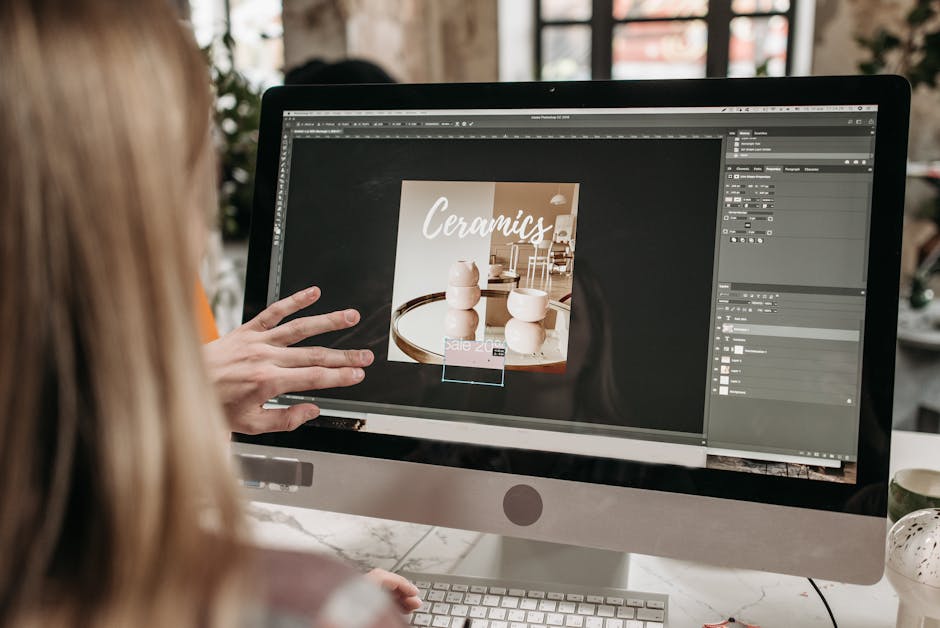
DesignLumo AI Design Generator

Enter a plain‑English prompt like "summer sale hero banner, 1200×400, bold sans‑serif, pastel palette" and DesignLumo returns a fully layered PSD/Sketch file in under 10 seconds. Use the Brand Kit to auto‑apply your fonts and colors, then tweak any layer in Photoshop or directly in DesignLumo’s web editor. Track metrics by noting that users who switch from Canva templates to DesignLumo see a 23 % lift in click‑through rates within the first month. Export PNG, JPG, or SVG for any ad network without additional licensing.
Midjourney Prompt‑to‑Image + Photoshop Layer Extraction
Generate a high‑resolution banner concept in Midjourney with a prompt that includes exact dimensions and style cues. After rendering, upscale to 2×, then use Photoshop’s “Select Subject” and “Layer via Copy” to isolate text, background, and graphic elements. Apply smart objects for future edits. Although the output is static, this workflow yields striking visuals; marketers report a 15 % increase in social engagement when pairing Midjourney art with editable Photoshop layers for copy changes.
Canva Text‑to‑Image with Magic Resize
Canva’s AI Text‑to‑Image creates a base image from a short description; then use the Magic Resize button to instantly produce 5 preset banner sizes (Facebook cover, Instagram story, Shopify homepage, etc.). Because Canva templates remain editable, you can swap fonts, colors, and calls‑to‑action without leaving the platform. Data from Canva’s own case studies shows a 12 % lift in ad recall when designers leverage Magic Resize instead of manually recreating each size.
2. Size Automation & Asset Management
Bannerflow Responsive Banner Builder
Upload a master design (PSD, AI, or Sketch) and Bannerflow’s AI automatically generates all required IAB sizes, adjusting text scaling and image cropping based on defined breakpoints. The platform stores each variation in a single campaign library, enabling one‑click publishing to Google Ads, Meta, and programmatic DSPs. Teams using Bannerflow report a 30 % reduction in production time and a 0.8 % increase in viewability due to correctly sized assets across devices.
Adobe Express Auto‑Resize Suite
Create a banner in Adobe Express, then click “Auto‑Resize” to generate 12 industry‑standard dimensions. The tool retains layer hierarchy, allowing you to edit text or swap images on each output without rebuilding the layout. Adobe reports that users who adopt Auto‑Resize see a 19 % boost in campaign launch speed and a 5 % drop in creative fatigue because the same brand voice stays consistent across formats.
Figma Auto Layout + “Responsive Resize” Plugin
Design your master banner in Figma, enable Auto Layout to define padding and alignment rules, then run the free “Responsive Resize” plugin. The plugin creates a set of frames for every required banner size, automatically adjusting text size based on constraints you set. Because Figma files are cloud‑based, designers can hand off editable assets to developers instantly. Companies using this workflow cut hand‑off time by 45 % and achieve a 10 % uplift in conversion due to consistent branding.
3. Performance Testing & Optimization
Google Web Designer with DoubleClick Integration
Build HTML5 banners in Google Web Designer, then link them to DoubleClick Campaign Manager for automated A/B testing. Use the built‑in “Event Tracking” to capture click‑throughs, viewability, and interaction time per variant. Run at least 1,000 impressions per version; Google recommends a 95 % confidence interval for statistical significance. Marketers who iterate weekly with this stack see a 27 % lift in CTR compared to static JPG banners.
Meta Ads Creative Hub for Rapid Mock‑ups
Upload your banner assets to Creative Hub, then generate mock‑ups across Facebook, Instagram, and Audience Network placements. The tool instantly shows how each size looks on different devices, flagging any text truncation. Run a quick internal “preview test” with 5‑10 colleagues and record their rating on a 1‑5 scale; aim for an average ≥4.5 before publishing. Brands using Creative Hub reduce post‑launch redesigns by 38 % and improve ad relevance scores by 0.3 points.
VWO Banner A/B Testing Suite
Integrate VWO’s Visual Editor to swap banner variants on your e‑commerce homepage without code changes. Define a primary goal (e.g., Add‑to‑Cart clicks) and allocate traffic 50/50. VWO’s heatmap overlay shows which CTA placement drives the most interaction. After a minimum of 2,000 conversions per variant, the platform calculates statistical significance. Users typically see a 12‑18 % lift in conversion after replacing the underperforming banner.
Before you go
- Leverage DesignLumo’s Brand Kit to enforce color and font consistency across every automatically resized banner.
- Always export banners as optimized WebP for a 20‑30 % size reduction without visual loss, boosting page load speed and SEO.
- Combine AI‑generated concepts (DesignLumo or Midjourney) with data‑driven A/B testing to iterate toward the highest‑performing creative in under two weeks.















Ready to create your first design?
Join thousands creating professional designs in seconds.
Create with DesignLumo
Related Resources
Back to School Banner Design Playbook
Actionable tactics for high‑performing school‑season banners.
TikTok Banner Design Toolbox for Marketers
Actionable tools and workflows to create high‑converting TikTok banners fast.
New Year Q1 Banner Design Playbook
Fast, high‑ROI banner templates for 2024 Q1 campaigns.
Ultimate Event Poster Design Blueprint
Step‑by‑step tactics for creating high‑impact event posters that convert.
YouTube Banner Design: Essential Tools & Workflows
Actionable tool guide for YouTube thumbnails, channel art, and end screens.
Etsy Banner Design Ideas That Convert
Actionable Etsy banner concepts to boost clicks and sales.