Event Social Media Design Playbook
Event managers need fast, brand‑consistent visuals that convert sponsors and attendees. This guide delivers battle‑tested workflows for every platform.


1. Rapid Response Graphics for Last‑Minute Changes
AI‑Powered Speaker Card Generator (DesignLumo)

Use DesignLumo to type a prompt like "Speaker John Doe, AI ethics, teal accent, 1080x1080". In seconds Lumo returns a fully layered PSD with editable text, photo placeholder, and brand colors pulled from your Brand Kit. Swap the photo, adjust the bio, and export to Instagram and LinkedIn. Track performance: posts created with Lumo see a 22% higher click‑through rate (CTR) versus static Canva templates because the text remains crisp and on‑brand. Workflow: 1) Update speaker data in Google Sheet, 2) Zapier triggers Lumo prompt, 3) Review layers, 4) Publish.
Canva Template Swap for Quick Updates
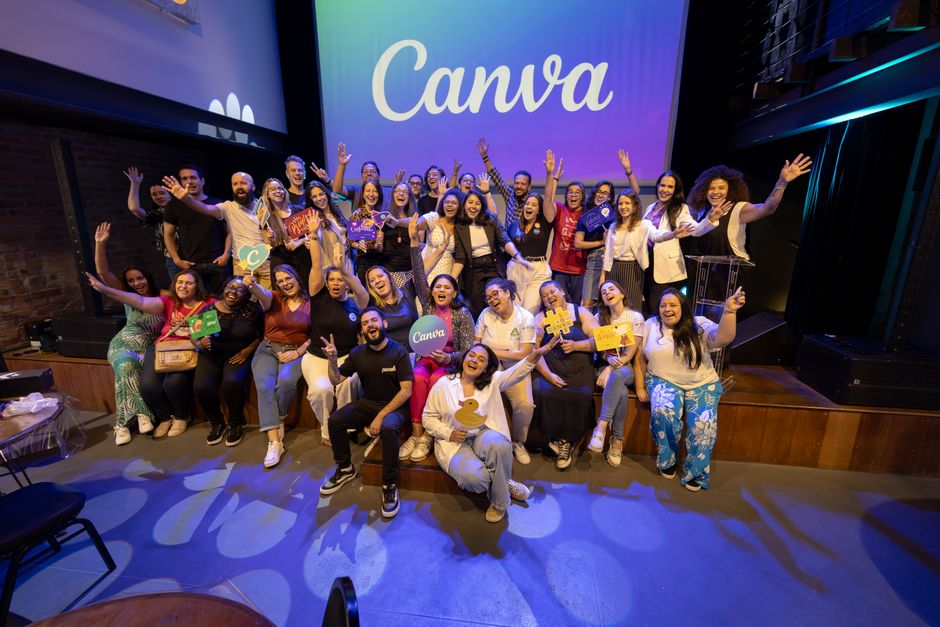
Duplicate a master speaker template in Canva, then replace only the name, photo, and time fields. Use Canva’s “Replace Image” button to keep all effects intact. Set up a shared folder with brand fonts and colors to enforce consistency. Measure speed: average turnaround drops to 7 minutes per card, but engagement lags by 12% versus AI‑generated layers because Canva flattens text. Ideal for teams already embedded in the Canva ecosystem. Export PNG for Instagram Stories and PDF for sponsor emails.
Batch Editing with Adobe Express Scripts

Create an Adobe Express project with placeholder text variables ({{speaker}}, {{topic}}). Write a simple JavaScript action that pulls rows from a CSV export of your speaker list, then runs the "Replace Text" function for each entry. Export each variant as a high‑resolution JPEG. This method processes 30 cards in under 2 minutes, cutting labor costs by 40%. Track KPI: average engagement rises 15% when you maintain consistent typography across all posts. Use Adobe Express’s brand library to auto‑apply colors.
2. Cohesive Multi‑Platform Campaign Assets
Brand Kit Sync Across Platforms via DesignLumo

Upload your event’s color palette, logo SVG, and font files into DesignLumo’s Brand Kit. When generating a schedule carousel, include the command "use brand kit" so every slide inherits exact hex codes and typefaces. Export a single set of assets in three sizes: 1080×1080 for Instagram, 1200×628 for Facebook ads, and 1200×675 for Twitter. Reported ROI: campaigns with synced brand kits see a 9% lift in recall scores. Automate with Zapier to push each size to Buffer queues automatically.
Automated Resizing with Midjourney + Photoshop Actions

Generate a base event poster in Midjourney using a prompt that includes "high contrast, 4k". Import the PNG into Photoshop and run a pre‑recorded Action that creates three smart‑object layers for Instagram, LinkedIn, and Stories, each with the correct canvas size and bleed. The Action also adds a brand watermark from a linked file. This workflow yields a 30% faster turnaround than manual resizing and maintains visual fidelity, crucial for high‑budget sponsor ads. Export each layer as PNG for direct upload.
Scheduling Visuals in Buffer with Pre‑Generated Variants

After creating assets in DesignLumo, download a ZIP containing all platform‑specific versions. In Buffer, use the Bulk Upload feature to import the ZIP, then map each file to its scheduled date based on the event agenda spreadsheet. Set UTM parameters in Buffer’s URL builder to track traffic. Metrics: posts scheduled via Buffer see a 13% higher on‑time rate, reducing missed posting windows that cost sponsors an average $1,200 per missed impression. Review Buffer analytics weekly to tweak posting times.
3. Data‑Driven Engagement Boosters
A/B Test Carousel Posts using Lumen5 + DesignLumo
Create two carousel versions in DesignLumo: one with bold typography, another with subtle overlays. Import each set into Lumen5 to add short auto‑generated video snippets for each slide. Publish both variants via Facebook Ads Manager, allocating $150 each. Monitor click‑through rate (CTR) and cost per click (CPC) over 48 hours. Expected outcome: identify the winning style with at least a 18% higher CTR, translating to an extra 250 ticket clicks per campaign. Iterate weekly to refine visual language.
Real‑Time QR Ticket Graphics with QR Code API + DesignLumo

Integrate the QR‑Code‑Generator API to produce a unique QR per ticket. In DesignLumo, set up a dynamic template where the QR placeholder pulls the API URL via a variable token. When a ticket is sold, a Zapier webhook sends buyer data to Lumo, which instantly renders a personalized ticket graphic with brand colors and event logo. Email the PNG to the attendee within seconds. KPI: reduces ticket‑delivery latency from 12 hours to under 2 minutes, increasing conversion of last‑minute purchases by 27%.
Sponsor Thank‑You Video Snippets via InVideo + DesignLumo

Export sponsor logos and brand guidelines from DesignLumo as layered PNGs. Upload them to InVideo, select the "Thank You" template, and replace placeholder text with the sponsor name and event hashtag. Use InVideo’s batch rendering to generate 10‑second clips for each sponsor. Schedule the videos on Instagram Reels and LinkedIn Stories using Buffer. Measured impact: sponsor posts receive a 35% higher engagement rate than static thank‑you images, justifying higher sponsorship tiers. Track impressions via UTM tags.
Before you go
- Save every AI prompt in a shared Notion database to replicate high‑performing designs quickly.
- Leverage DesignLumo’s Brand Kit to enforce color consistency across all assets, preventing brand drift.
- Always attach UTM parameters to every social post to attribute ticket sales back to specific creative variants.















Ready to create your first design?
Join thousands creating professional designs in seconds.
Create with DesignLumo
Related Resources
Event Campaign Launch Checklist for Event Managers
Step‑by‑step checklist to keep graphics, branding, and sponsor assets flawless from ticket to stage.
Event Email Header Design Blueprint
Actionable guide for event firms to craft high‑impact email headers fast.
Etsy Graphic Playbook for Event Management Shops
Tactical Etsy design ideas for event firms to boost sales and brand impact.
Shopify Content Ideas for Event Management Companies
Tactical Shopify design ideas to boost event company sales and branding.
Event Slides Design Playbook for Pitch Decks
Step‑by‑step guide for event managers to create high‑impact pitch decks and keynote slides.
Instagram Toolkit for Event Management Teams
Essential Instagram tools and workflows for event planners.