Small Business Saturday Agency Playbook
Small Business Saturday is a one‑day revenue surge that local merchants scramble to capture. As a web design agency, you can turn that surge into long‑term contracts by delivering hyper‑relevant assets fast. This playbook shows exactly which tools an…

1. Pre‑Launch Campaign Assets
AI‑Generated Hero Banner Pack

Prompt DesignLumo with a concise brief (e.g., "modern hero banner for a local bakery promoting Small Business Saturday, brand colors #D2691E and #FFF8E1") and enable Brand Kit sync to inherit the client’s fonts and palette. The AI returns a fully layered PSD with editable text layers, vector shapes, and smart objects. Download the PSD, drop it into Figma or Sketch, replace placeholder copy, and export web‑ready PNGs at 2x for retina. This workflow eliminates manual Photoshop mockups, delivering a production‑ready hero in under five minutes, which boosts client confidence and shortens the sales cycle.
Dynamic Placeholder Library with Midjourney + Lottie
Use Midjourney (v5) to generate a set of 10 niche‑specific placeholder images (e.g., "hand‑drawn coffee shop interior, 4k, transparent background"). Export each image as PNG, then run them through LottieFiles' free converter to create lightweight JSON animations. Host the JSON files on a CDN, and embed them via the Lottie web player in your HTML mockups. This gives developers ready‑to‑use animated placeholders that load under 30 KB, improving page‑speed scores during client demos and demonstrating a higher‑fidelity prototype without custom code.
Canva‑Based Social Media Swipe Deck
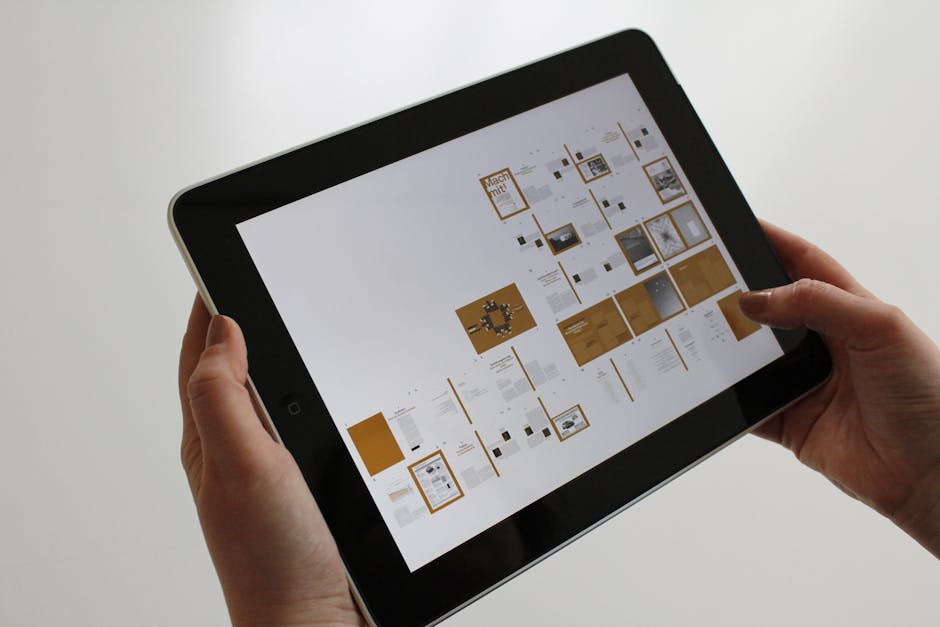
Start a Canva brand kit for the client, then select the 1080×1920 Instagram Story template. Use Canva’s built‑in copy‑generation AI to draft three swipe‑up offers (e.g., "20% off on Saturday", "Free delivery", "Buy one get one"). Replace the placeholder graphics with the Midjourney assets from the previous step, then click "Export > PDF Print" and choose "Flattened PDF". Convert the PDF to a multi‑page PSD using Adobe Acrobat’s export, preserving layers for later tweaks in Photoshop. This fast‑track method gives you a ready‑to‑post carousel that agencies can showcase in proposals.
2. Live‑Day Conversion Boosters
Live Countdown Timer with Webflow Integration
Generate a lightweight JavaScript countdown widget on CodePen (set target date to 2024‑11‑30 23:59 PT). Export the minified script and embed it in a Webflow Embed element on the landing page hero. Connect the timer’s "onFinish" event to a Webflow Interaction that reveals a hidden coupon code overlay. Track clicks with Google Tag Manager, aiming for a 2‑3% lift in conversion rate versus a static hero. This real‑time urgency element can be deployed in under ten minutes and is fully editable in Webflow’s Designer.
AI‑Powered Email Header via DesignLumo

In DesignLumo, type a prompt like "email header for a neighborhood boutique announcing Small Business Saturday sale, pastel palette, 600 px wide" and enable the "Export for Email" toggle. The AI returns a layered PSD with separate background, logo, and CTA button layers. Export the PSD as a PNG, then import it into MJML's <mj-image> component, adding alt text and a tracked URL. Test rendering across Outlook, Gmail, and Apple Mail using Litmus; aim for a <20 KB file size to keep email load times under 2 seconds.
Real‑Time Promo Popup using Elementor + Zapier
Build a full‑screen Elementor popup with a custom HTML form that captures email and ZIP code. Connect the form’s webhook URL to a Zapier trigger that adds the lead to a Mailchimp audience tagged "SBS2024" and sends an automated SMS coupon via Twilio. Set the popup to display on exit‑intent and after 5 seconds on page load. Use Google Analytics Event Tracking to measure the popup’s conversion rate; a well‑targeted popup should achieve a 4‑6% sign‑up rate on a local‑business landing page.
3. Post‑Event Retention Engines
Client Success Case Study Template in Notion
Duplicate the free Notion case‑study template (search "SBS Case Study" in Notion’s template gallery). Populate it with pre‑filled sections: "Challenge", "Solution (include AI‑generated hero assets)", "Results" (track metrics like +15% traffic, +12% sales uplift). Embed the live Notion page in a private client portal using an iFrame, allowing the client to comment directly. This transparent showcase reduces churn and provides a reusable sales asset for future pitches.
Automated Review Request Flow with Make.com
Create a Make.com scenario that triggers 48 hours after a client’s Small Business Saturday checkout (via Shopify webhook). The scenario sends a personalized email using SendGrid, linking to a Google Review form pre‑filled with the business name. Add a conditional branch: if the review score is ≥4, send a thank‑you SMS with a 10% discount code for the next project. Aim for a 30% review response rate; the automated flow runs without manual oversight and feeds social proof back into your agency’s portfolio.
Upsell Landing Page Blueprint using DesignLumo + Figma
Prompt DesignLumo to create a layered upsell landing page mockup titled "Extend Your SBS Success: Monthly SEO Retainer" with placeholders for client logo, testimonial carousel, and pricing table. Export the PSD, import it into Figma, and replace placeholders with the client’s actual assets. Use Figma’s Auto Layout to make the page fully responsive, then hand off to developers via Zeplin with CSS snippets already generated. This end‑to‑end workflow cuts design time from 8 hours to under 2 hours and provides a high‑converting upsell that can be A/B tested within a week.
Before you go
- Batch generate all visual assets in DesignLumo before the week starts; export as layered PSDs to keep them editable throughout the campaign.
- Use UTM parameters with a consistent "sbs2024" source to attribute every click, enabling precise ROI calculations for each client.
- Leverage local SEO schema in the landing page HTML to capture organic traffic beyond the one‑day promotion, extending the campaign’s lifespan.















Ready to create your first design?
Join thousands creating professional designs in seconds.
Create with DesignLumo
Related Resources
Ultimate Event Poster Design Guide for Agencies
Step-by-step tactics to craft high‑impact event posters that win clients.
Winning Design Content Ideas for Web Agencies
Actionable design content ideas to boost agency pitches, speed development, and win clients.
Essential Digital Tools for Agency Growth
Powerful, tactical tools to speed mockups, assets, and workflow for web design agencies.
LinkedIn Toolkit for Web Design Agencies
Tactical LinkedIn assets to win clients, showcase work, and hire talent.
Winning Pitch Deck Blueprint for Agencies
Step‑by‑step slide design system that boosts agency win rates.
Email Header Design Guide for Agencies
Tactical steps to craft high‑converting email hero graphics fast.