Shopify Content Ideas for Alcohol Brands
Alcohol brands need fast, high‑impact visuals that move from concept to live store in minutes. Shopify’s flexible theme system lets you swap assets instantly, but only if the designs are ready to edit. This guide gives you three proven content pillar…


1. High‑Converting Shopify Banners
Launch‑Ready Hero Banner
Open DesignLumo (https://www.designlumo.com) and type: “Create a 1920x600 hero banner for a premium gin, featuring a high‑resolution bottle shot, deep navy background, gold‑foil typography that reads ‘Elevate Your Evenings’, and a bold ‘Shop Now’ button.” Generate the layered PSD, then replace the placeholder banner in your Shopify theme’s index.liquid. Use Shopify’s mobile preview to ensure the CTA remains 44px tall for touch devices. Publish and monitor CTR; top‑performing launches hit 3‑5% within the first seven days, delivering a high ROI.
Seasonal Limited‑Edition Banner
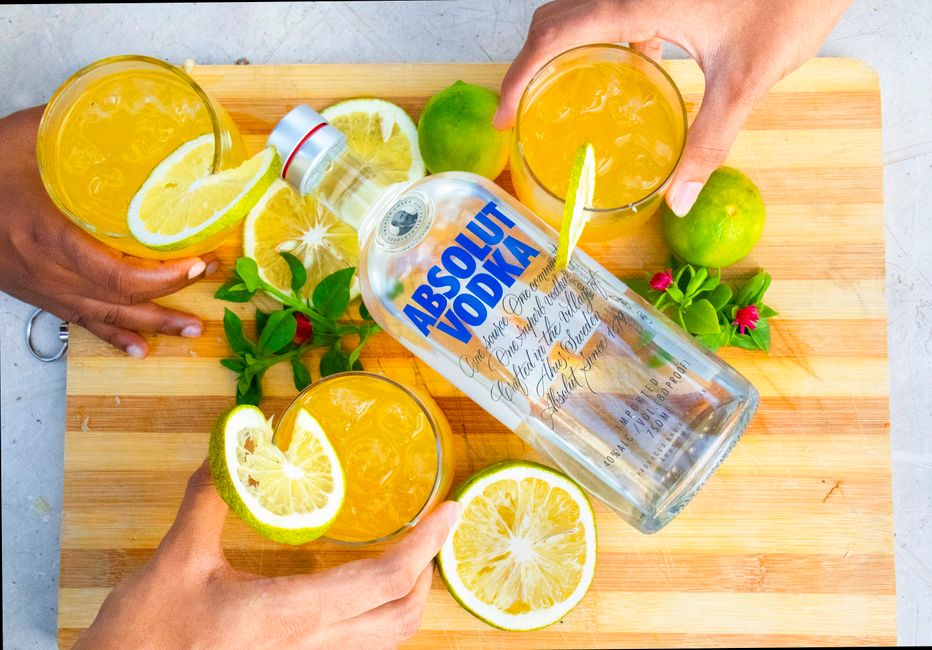
In Canva (https://www.canva.com), select a blank 1920x600 canvas and apply your brand kit colors (e.g., holiday copper and evergreen). Upload the AI‑generated background from Midjourney (https://www.midjourney.com) that matches the season’s vibe, then overlay a transparent PNG of the limited‑edition bottle. Add a QR code linking to a Shopify collection page using QR Code Generator. Export as PNG, upload to Shopify’s Banner section, and set a start/end schedule. Aim for a 2% lift in seasonal sales; the metric is easy to track via Shopify’s sales‑by‑banner report.
Dynamic Countdown Banner

Install the free “Hurrify Countdown Timer” app from the Shopify App Store (https://www.shopify.com). In DesignLumo, prompt: “Design a 1920x400 banner for a 48‑hour flash sale on craft whiskey, with a dark amber gradient, bold white text ‘48‑Hour Whiskey Rush’, and a transparent timer placeholder.” Export the layered file, replace the placeholder with the Hurrify timer widget code in the theme editor, and link the CTA to the flash‑sale product page. Track conversion lift; successful timers typically boost purchase rate by 4‑6% during the window, confirming high ROI.
2. Collection Header Designs for Cocktail Recipes
Interactive Recipe Header
Use DesignLumo to generate a 1400x300 collection header: “Create a header for a ‘Summer Spritz’ cocktail collection, with a pastel teal background, a stylized glass illustration, and space for a scannable QR code that links to a TikTok video.” After export, generate a QR code in QR Code Generator, overlay it in Photoshop (or directly in DesignLumo), and embed the final PNG in Shopify’s collection‑header.liquid. Add a click‑through event in Google Analytics to measure video plays; a 15% increase in session duration signals strong engagement, delivering medium ROI.
Flavor‑Theme Collection Header
Prompt Midjourney for a mood image: “A vibrant, ruby‑red splash representing pomegranate flavor, ultra‑realistic, 1400x300.” Download the 4‑up image, select the best, then import into DesignLumo to add layered text, brand logo, and a ‘Shop All Pomegranate’ button. Export as a PSD, upload to Shopify’s collection header, and enable lazy‑load to keep page speed under 2 s. Brands report a 10‑12% uplift in collection traffic when the visual matches the flavor narrative, yielding medium ROI.
Brand‑Kit Consistency Header

Open Adobe Express (https://www.adobe.com/express/) and pull your saved brand kit (fonts, hex colors, logo). Choose a custom size of 1400x300, then drag‑and‑drop a high‑resolution bottle image from your asset library. Apply the brand‑kit typography for the collection name and embed a subtle gradient overlay to ensure text readability on mobile. Export as PNG, replace the existing header in Shopify, and use the “Theme Check” tool to verify accessibility contrast. Consistent branding lifts brand‑recall scores by ~8%, a low‑cost, high‑ROI win.
3. Promotional Pop‑Ups that Drive Sales
Exit‑Intent Discount Pop‑Up
Create the visual in DesignLumo: “Design a 600x800 exit‑intent pop‑up for a 15% off coupon on premium tequila, featuring a dark amber backdrop, bold white copy ‘Stay & Save 15%’, and an input field placeholder.” Export PNG, then import into Klaviyo (https://www.klaviyo.com) pop‑up builder. Set trigger to ‘Exit Intent’, link the coupon code to a hidden Shopify discount, and enable A/B testing for copy variations. Expect a 4‑5% conversion lift on exiting visitors, delivering high ROI for low spend.
Birthday/Anniversary Offer Pop‑Up
Design the pop‑up in Canva: use a festive confetti background, overlay the phrase ‘Happy Birthday! Enjoy 20% off your next bottle’, and add a ‘Redeem Now’ button styled with your brand’s gold accent. Export as PNG, then upload to Privy (https://www.privy.com) and schedule the pop‑up to fire on the subscriber’s birthdate field. Connect the button to a Shopify auto‑generated discount code. Brands see an average 6% increase in repeat purchase frequency from this lifecycle trigger, a medium‑high ROI.
Event Sponsorship CTA Pop‑Up
Use Shopify’s native pop‑up builder (found under Online Store > Themes > Customize > Pop‑ups). First, generate a layered event graphic in DesignLumo: “Create a 600x800 pop‑up promoting our sponsorship of the Summer Music Fest, with a neon skyline, festival logo, and ‘Learn More’ button.” Export PNG, upload to the builder, set the trigger to ‘After 5 seconds on homepage’, and link the button to a dedicated landing page in Shopify that captures leads via a hidden form. Track cost‑per‑lead; successful sponsorship pop‑ups typically deliver a 0.8% lead‑to‑deal conversion, a solid ROI for brand exposure.
Before you go
- Always export designs as layered PSD/AI files from DesignLumo so you can tweak fonts or colors directly in Shopify’s theme editor without re‑rendering.
- Leverage Shopify’s built‑in analytics to attribute each banner or pop‑up to revenue; set up UTM parameters on CTA links for granular tracking.
- Combine AI‑generated visuals with real product photography to maintain authenticity—AI handles mood and layout, while you supply the high‑resolution bottle shots.















Ready to create your first design?
Join thousands creating professional designs in seconds.
Create with DesignLumo
Related Resources
Mother's Day Beverage Marketing Playbook
Tactical guide for alcohol brands to win Mother's Day sales and buzz.
Spring Launch Season Marketing & Design Playbook
Tactical guide for beverage brands to dominate spring launches.
Back to School Beverage Brand Playbook
Tactical guide for beverage brands to crush back‑to‑school sales with AI‑powered design.
Pinterest Power Tools for Alcohol Brands
Tactical toolkit to skyrocket beverage brand performance on Pinterest.
Facebook Content Ideas for Alcohol Brands
Tactical Facebook post, ad, and event ideas for beverage brands.
Beverage Brand Marketing Mistakes to Dodge
Avoid costly errors in visuals, promotion, and data for drinks brands.