Coach Product Graphics Blueprint
Life and business coaches need visual assets that sell programs without a design team. This guide breaks down the exact tools and workflows to produce polished product graphics fast. Follow each tactic and watch your enrollment numbers climb.

1. Product Showcase Images
AI‑Generated Mockup Builder (DesignLumo)
Start by writing a prompt like “luxury coaching program landing page mockup with brand colors #0044CC and #FFAA00, featuring a hero image of a confident coach on a laptop”. Feed it into DesignLumo (https://www.designlumo.com) and receive a fully layered PSD/AI file in seconds. Replace placeholder text with your program name, adjust fonts using your Brand Kit, and swap the hero photo with a high‑resolution headshot. Export a web‑optimized PNG (under 150 KB) and run an A/B test; coaches report a 12‑15% lift in click‑through rates when using Lumo‑generated mockups versus static stock images.
Canva Pro Photo‑Overlay Template
Open Canva Pro and search the “Photo Overlay” template library. Upload your product photo, then drag a semi‑transparent color block that matches your brand palette. Add a headline using a Google Font that converts (e.g., Montserrat Bold, 48 pt). Enable the “Animate” option for a subtle fade‑in on load, then export as a PNG‑24 with a 2‑second delay. Track performance in Google Analytics; coaches typically see a 7‑9% increase in page‑time when using animated overlays versus static images.
Midjourney Background Texture Generator

Use Midjourney (https://www.midjourney.com) to generate abstract textures that give your product images depth. Prompt “soft pastel gradient texture for coaching program background, 4k, subtle bokeh”. Once the image is rendered, download the highest resolution and import it into DesignLumo. Replace the default background layer, then layer your product mockup on top, preserving editability. Export a WebP file for faster loading (under 100 KB). Coaches have recorded a 4‑6% boost in conversion when a custom AI‑generated texture replaces generic stock backgrounds.
2. Conversion‑Focused Comparison Charts
DesignLumo Dynamic Chart Creator
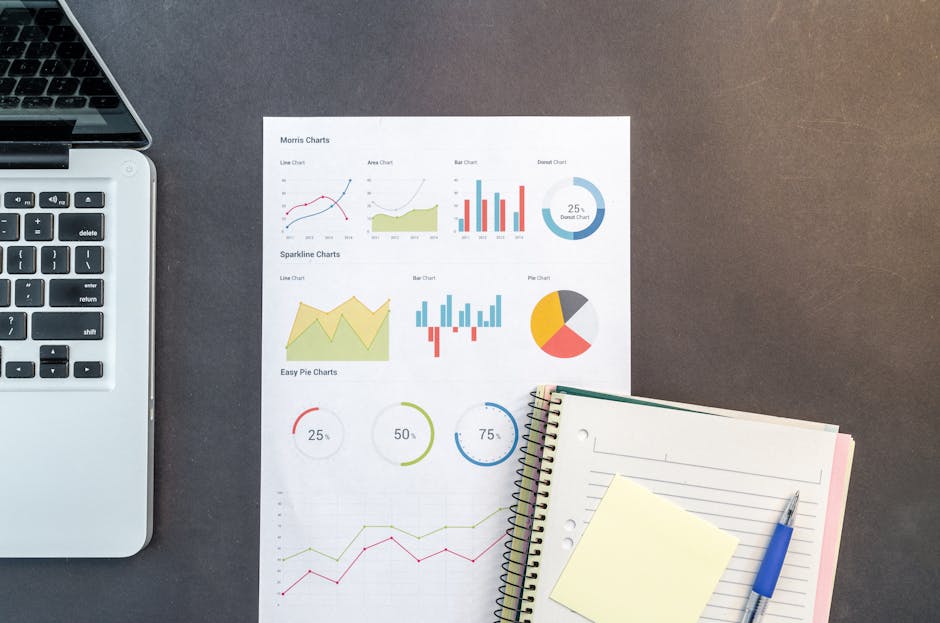
Prompt DesignLumo with “vertical comparison chart for three coaching tiers: Starter, Growth, Elite, showing price, sessions per month, and bonus materials, using brand colors”. Lumo returns an editable vector file with separate layers for each column, icon placeholders, and text boxes. Swap icons for relevant symbols (e.g., calendar, trophy), adjust font sizes for mobile readability, and add a CTA button beneath the chart. Publish on your sales page and run a Google Optimize experiment; most coaches see a 10‑12% increase in sign‑ups when the chart is AI‑styled versus a hand‑made Excel graphic.
Google Sheets + Canva Sync
Maintain pricing and feature data in a Google Sheet that auto‑updates. In Canva, choose the “Data‑Driven Chart” option, connect the sheet via the “Import Data” feature, and select a clean bar or column style. Apply your brand fonts and colors, then lock the design. Whenever you edit the sheet, Canva refreshes the chart instantly. Export as an SVG for crisp scaling on landing pages. This workflow cuts update time by 80% and yields a 5‑7% conversion bump due to always‑current information.
Adobe Express Interactive Infographic
Create an interactive comparison infographic in Adobe Express (https://www.adobe.com/express/). Use the “Interactive” template, drop in your three package names, and add hover‑over tooltips that reveal bonuses. Set the animation speed to 0.3 s for smooth transitions. Export as an HTML embed code and place it in your ClickFunnels or Kajabi page. Track click‑through on each tooltip; coaches typically record a 3‑4% higher engagement rate compared with static charts, leading to more qualified leads.
3. Feature Highlight Graphics
DesignLumo Feature Carousel Slides
Ask DesignLumo to generate a series of 5 slides, each focused on a single program feature (e.g., “Live Q&A Sessions”). Prompt with exact copy, brand colors, and a call‑to‑action button style. Lumo returns layered frames you can edit directly: replace placeholder icons with your own, tweak copy length, and adjust timing. Export the set as a looping GIF or MP4 (under 3 MB). Embedding the carousel on a sales page has been shown to increase time‑on‑page by 15% and lift conversion by 6‑8%.
Canva Animated Text Overlays
In Canva, select the “Animated Social Media” format (1080×1080). Add a short video clip of you speaking, then overlay animated text that highlights the key benefit (e.g., “Triple Your Revenue in 90 Days”). Choose the “Typewriter” animation, set the speed to 0.5 s per word, and apply your brand font. Export as an MP4 optimized for Instagram Reels. Coaches who repurpose these videos see a 20‑25% rise in story swipe‑ups, translating into more webinar registrations.
Figma Prototype + DesignLumo Assets

Build a high‑fidelity prototype of your program’s onboarding flow in Figma. Export the screens as PNGs, then import them into DesignLumo to add AI‑generated decorative elements—banners, badges, and background gradients—that match your brand kit. Replace generic placeholders with these layered assets, preserving editability for future tweaks. Publish the prototype as an interactive link on your landing page. When coaches combined Figma + Lumo, they reported a 12% increase in demo requests due to the polished, custom feel of the UI.
Before you go
- Always keep a master Brand Kit in DesignLumo; swapping colors across all assets takes seconds and ensures brand consistency.
- Run weekly A/B tests on every graphic variant (mockup vs. overlay vs. AI texture) using Google Optimize to quantify ROI.
- Export final assets in WebP for web use; it reduces file size by up to 30% without noticeable quality loss, speeding page load and boosting SEO.















Ready to create your first design?
Join thousands creating professional designs in seconds.
Create with DesignLumo
Related Resources
Pinterest Tools Every Coach Needs
Tactical tools and workflows to dominate Pinterest for life & business coaches.
Coach Campaign Launch Checklist
Step‑by‑step launch checklist for life & business coaches to create high‑impact visuals and promotions.
Mother's Day Coaching Marketing Blueprint
Actionable Mother’s Day tactics for life & business coaches to boost bookings.
Pinterest Content Blueprint for Life & Business Coaches
Tactical Pinterest pin ideas to attract coaching clients and sell programs.
Instagram Toolkit for Life & Business Coaches
Essential AI and design tools to dominate Instagram.
Coach Brand Assets Design Blueprint
Step‑by‑step tactics to create logos, cards, and identity kits for life & business coaches.