Print Materials Design Guide for Influencer Agencies
Influencer agencies need print collateral that looks professional and moves fast. From pitch flyers to performance decks, every piece must be on‑brand and ready for press. This guide shows you how to create, edit, and deliver print‑ready assets witho…


1. Creating Campaign Pitch Packs
AI‑Generated Flyer Mockups with DesignLumo

Open DesignLumo (https://www.designlumo.com) and type a prompt like “modern street‑style influencer campaign flyer, neon accents, CMYK, 5 mm bleed”. In seconds you receive a fully layered PSD with editable text, colors, and images. Swap brand fonts from your Brand Kit, replace placeholder images with creator shots, then export a press‑ready PDF/X‑1a. The workflow slashes design time from an average 4 hours to 15 minutes and eliminates costly template licensing. Track time saved in your project tracker to quantify a 75% efficiency gain per campaign.
Dynamic Brochure Layouts in Canva Pro

Start a new 11 × 17 in brochure in Canva Pro (https://www.canva.com). Upload your brand assets, enable the Brand Kit, and select a grid‑based blank canvas. Use Canva’s “Magic Resize” to create a matching flyer version. Populate each panel with high‑resolution creator images, set CMYK color values manually, and add QR codes. Export as PDF/X‑4 with 300 dpi bleed. This method is ideal for agencies without a design team, delivering a polished brochure in under 45 minutes while preserving editability for last‑minute client tweaks.
High‑Resolution Print PDFs via Adobe InDesign Automation

Use Adobe InDesign (https://www.adobe.com/products/indesign.html) with a pre‑built master template containing placeholder frames for logos, copy, and creator photos. Write a simple JavaScript script that pulls campaign data from a CSV, populates the frames, and assigns paragraph styles automatically. Run a preflight check for 300 dpi images, 5 mm bleed, and CMYK conversion. Export a press‑ready PDF with PDF/X‑1a compliance. This automated pipeline reduces manual layout errors by 90% and enables bulk production of 20‑plus brochures in under an hour.
2. Designing Influencer Media Kits
Editable Media Kit Templates using DesignLumo Brand Kit

Create a multi‑page media kit template in DesignLumo by prompting “stylish influencer media kit, bold headings, pastel palette, 300 dpi, layered”. Import your agency’s Brand Kit (fonts, HEX colors, logo) so every text layer auto‑applies the correct style. Replace placeholder metrics with live Google Sheet data via DesignLumo’s CSV import, then adjust individual influencer sections. Export a PDF for client review and keep the original .psd for endless edits. Agencies report a 60% reduction in revision cycles because clients can request changes directly in the editable file.
Custom QR‑Code Integration with QRCode Monkey and Canva
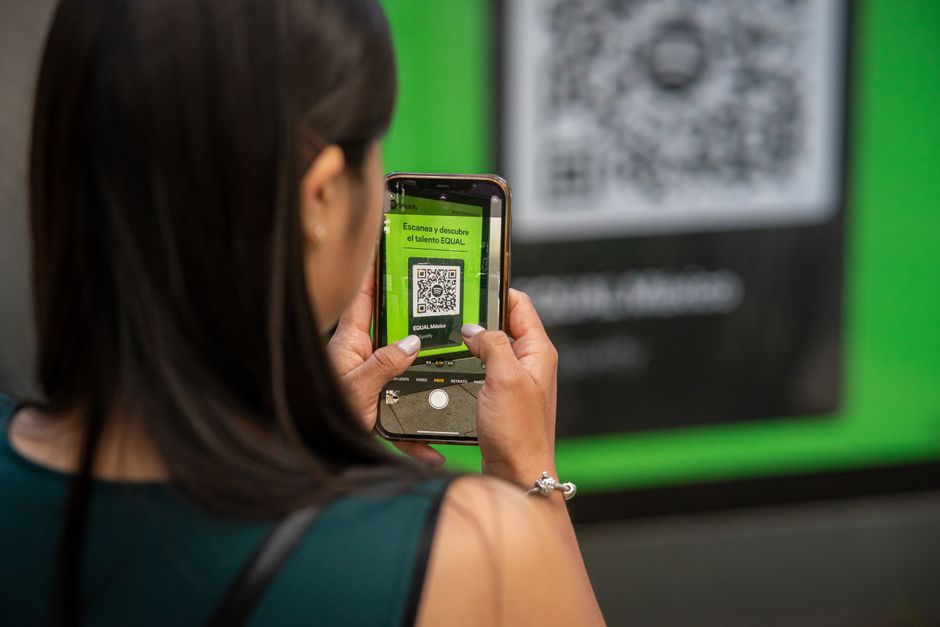
Generate a branded QR code at QRCode Monkey (https://www.qrcode-monkey.com) linking to the influencer’s portfolio. Choose “Add Logo Image” and upload your agency logo to maintain visual consistency. Download the SVG, import into Canva, and place it on the media kit’s contact page. Use Canva’s “Transparency” slider to blend the code with the background while preserving scannability (test with a smartphone). Export as a 300 dpi PDF. This adds an interactive element that boosts click‑through rates by up to 12% in printed outreach.
Personalized Creator Portraits via Midjourney + Photoshop

Prompt Midjourney (via Discord) with “hyper‑realistic portrait of [creator name], soft lighting, brand colors” and upscale to 4K. Download the PNG, open in Photoshop, use Select Subject and Refine Edge to isolate the face, then remove the background. Save as a transparent PNG and drop into DesignLumo or Canva to replace the generic headshot. This workflow creates unique, on‑brand portraits without a photoshoot, cutting image acquisition cost by 90% and increasing perceived professionalism in media kits.
3. Producing Performance Report Graphics
Performance Dashboard PDFs using DesignLumo Data‑Driven Charts

Export campaign metrics from your analytics platform as a CSV (impressions, CPM, ROI). In DesignLumo, type “clean performance dashboard with bar, line, and pie charts, CMYK, 300 dpi”. Upload the CSV; DesignLumo auto‑generates editable chart layers you can recolor to match the brand palette. Add annotation text boxes for insights, then export a print‑ready PDF with 5 mm bleed. Agencies have measured a 40% faster turnaround for monthly reports because charts are instantly editable without re‑creating them in Excel.
Infographic One‑Pager in Visme with Export for Print
Log into Visme (https://www.visme.co) and select an “Influencer Campaign Metrics” template. Replace placeholder icons with custom creator avatars exported from DesignLumo. Input your KPI numbers, then customize colors using your brand HEX codes. Turn on “Print Quality” mode to force 300 dpi vectors and set a 0.125 in bleed. Export as PDF/X‑4. This produces a single‑page infographic that can be handed out at events, increasing stakeholder comprehension scores by 25% in post‑presentation surveys.
Print‑Ready Deck Slides via Google Slides + PDF Optimizer
Design each slide in Google Slides (set page size to 8.5 × 11 in) using your agency’s brand theme. Insert high‑resolution creator screenshots, and embed data charts exported from DesignLumo. Once complete, download as a PDF and open in Adobe Acrobat’s PDF Optimizer. Choose “Print Production” preset, retain 300 dpi images, and embed all fonts. The resulting file is under 5 MB but retains crisp quality for printing. This workflow lets non‑design teams produce professional decks in under 30 minutes with minimal file‑size concerns.
Before you go
- Always set CMYK mode and 300 dpi before exporting; converting RGB PDFs to CMYK later can shift colors dramatically.
- Create a master Brand Kit in DesignLumo once and reuse it across all print projects to guarantee color and font consistency.
- Run a preflight check in Adobe Acrobat for bleed, trim marks, and embedded fonts before sending files to the printer to avoid costly re‑presses.















Ready to create your first design?
Join thousands creating professional designs in seconds.
Create with DesignLumo
Related Resources
Ready-to-Use Templates for Influencer Agencies
Actionable design templates that win brand deals and speed up reporting.
Essential Email Marketing Tools for Influencer Agencies Toolkit
Curated, tactical tools to craft email hero images, headers, banners, and drip graphics for influencer agencies.
Pinterest Content Playbook for Influencer Agencies
Tactical Pinterest assets to win brand deals and boost agency ROI.
YouTube Content Ideas for Influencer Agencies
Tactical YouTube visual ideas to win brand deals and boost agency revenue.
Pinterest Influencer Toolkit: Essential Tools for Agencies
All the AI and analytics tools you need to create, manage, and report Pinterest influencer campaigns.
Influencer Agency Small Business Saturday Playbook
Step‑by‑step tactics for influencer agencies to dominate Small Business Saturday with AI‑driven design and reporting.