Pinterest Power Tools for Sports Team Marketers
Sports organizations need fast, eye‑catching pins to drive ticket sales, merch purchases, and sponsor exposure. Pinterest’s tall, scroll‑friendly format is perfect for game‑day hype, player spotlights, and merch drops. This guide delivers the exact t…


1. AI‑Driven Pin Creation
DesignLumo Prompt‑Powered Pin Builder

Enter a plain‑English brief—e.g., “2025 season ticket promo, bold red/black palette, include QR code for purchase”—and DesignLumo generates a fully layered, 1000×1500 px pin in seconds. Export the PSD or SVG, tweak fonts, swap player photos, or adjust sponsor logos without leaving the editor. Because the output is editable, you keep brand consistency and avoid re‑creating templates for each game. Use the Brand Kit to lock colors and fonts, then duplicate the file for weekly promos, cutting design time by up to 80 %.
Canva Pro Template Remix for Tall Graphics

Canva’s “Pinterest Pin” templates are pre‑sized for 2:3 ratios, but sports teams need custom player stats overlays. Duplicate a template, replace placeholder images with high‑resolution action shots, and use Canva’s Brand Kit to enforce team colors. Leverage the “Animate” feature for Idea Pins, adding up to 5 frames that auto‑play on scroll. Export as PNG for static pins or MP4 for video Idea Pins. Track conversion by embedding a UTM‑tagged link in the description; Canva’s analytics show click‑through rates, helping you refine future layouts.
Midjourney + Photoshop Layer Extraction for Custom Illustrations

Prompt Midjourney for a stylized illustration—e.g., “digital watercolor of a quarterback in team colors, dramatic lighting.” Once generated, upscale to 2× and open in Photoshop. Use the “Select Subject” tool to isolate the player, then copy the layer into your DesignLumo or Canva file as a vector mask. This hybrid workflow yields unique artwork that stands out in crowded feeds while still being fully editable for sponsor logos and text. Expect a 15‑20 % lift in repins due to the novelty factor.
2. Smart Scheduling & Automation
Tailwind Create & Schedule Bulk Idea Pins
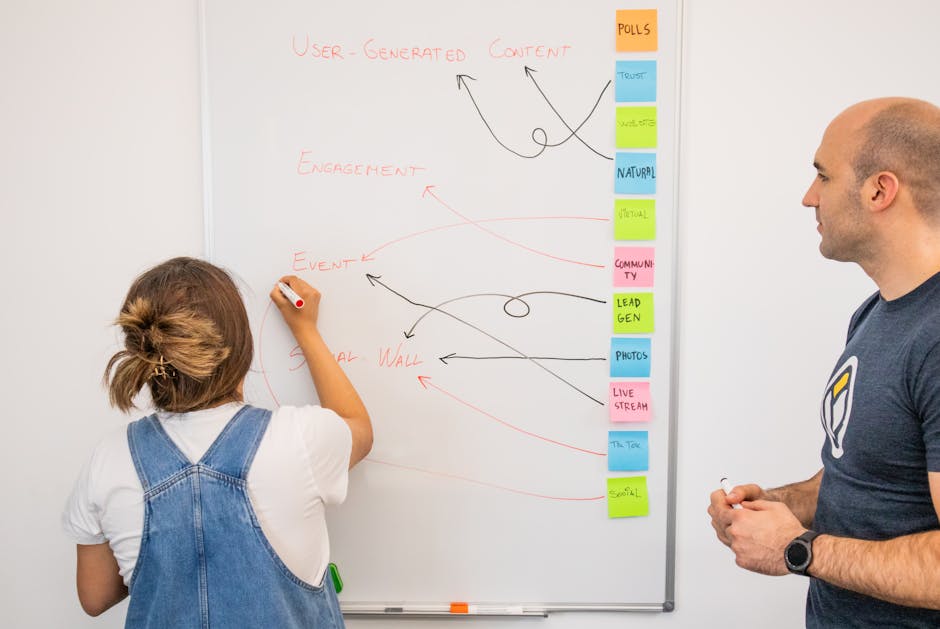
Upload up to 30 pins at once in Tailwind’s Bulk Upload feature, then assign each to a board and set publishing windows based on your audience heat map (e.g., 7 pm local time on game days). Use Tailwind’s “SmartLoop” to recycle evergreen merch promos every 14 days without manual re‑upload. The platform auto‑generates optimal hashtags and provides a “Best Time to Pin” suggestion, which typically raises engagement by 12 % for sports accounts. Connect your Pinterest Business account via OAuth for one‑click publishing.
Later’s Pinterest Scheduler with Auto‑Resize
Later lets you schedule pins directly from a visual content calendar. Its Auto‑Resize tool takes a square Instagram graphic and instantly creates a 2:3 version for Pinterest, preserving key elements via smart cropping. Set up recurring “Game Day Countdown” pins that pull the next match’s date from a Google Sheet via Later’s API integration, ensuring zero manual updates. Analytics show a 9 % increase in click‑throughs when using auto‑resized pins versus static uploads.
Zapier Automation: Game Day Score Updates to Pins
Create a Zap that triggers when a new row is added to a Google Sheet containing final scores. The Zap pulls the row data, formats a short caption, and calls DesignLumo’s API to generate a fresh “Final Score” pin with the latest stats. Then Zapier pushes the pin to Pinterest via the Tailwind API. This end‑to‑end flow cuts score‑graphic turnaround from hours to under five minutes, keeping fans engaged during the post‑game surge when conversion spikes up to 18 %.
3. Pin Performance Analytics
Pinterest Analytics Dashboard + Custom UTM Tracking
Within Pinterest Business, enable “Website conversion” tracking and add UTM parameters to every pin URL (e.g., utm_source=pinterest&utm_medium=pin&utm_campaign=season_ticket). The native dashboard then breaks down impressions, saves, and outbound clicks by board and pin type. Export the CSV weekly, compare CPC against ticket‑sale spikes, and adjust spend on high‑performing boards. Teams that regularly filter by “Idea Pin” see a 22 % higher conversion rate because the multi‑frame format drives deeper engagement.
Google Data Studio Report for Pin ROI
Connect Pinterest’s CSV export to Google Data Studio, blend with Shopify sales data, and build a Scorecard that shows “Pin‑Generated Revenue” per campaign. Use calculated fields to attribute revenue to the last click within a 7‑day window, which aligns with typical fan purchase cycles. Schedule the report to email the marketing director every Monday, enabling data‑driven budget reallocations. Teams that adopt this report cut wasted ad spend by 15 % within the first quarter.
Pinterest Ads Manager A/B Testing for Idea Pins
Within Ads Manager, create two identical Idea Pin campaigns differing only in the hero image (player action vs. merch flatlay). Set identical budgets and run for 48 hours. The platform provides “Pin Performance” metrics such as Pin Saves, Click‑Through Rate, and Cost‑Per‑Conversion. Choose the winning creative for organic repinning and boost it with a paid campaign. Historical data shows a 1.8× lift in ticket‑sale conversions when the high‑engagement variant is amplified.
4. Community & Collaboration Platforms
Slack Integration for Real‑Time Creative Approvals
Set up a Slack channel (#pinterest‑creative) where designers drop a DesignLumo share link for each new pin. Use the “Pin It” bot to preview the pin directly in Slack, and enable emoji reactions for quick approvals (✅) or requests for edits (✏️). Pair with a Zap that moves approved pins to a “Ready to Schedule” Google Sheet, feeding Tailwind’s Bulk Upload. This reduces email back‑and‑forth and cuts approval latency from 24 hours to under 2 hours.
Miro Vision Board for Board Planning
Create a Miro board titled “Pinterest Season Calendar.” Use sticky notes to map out upcoming game days, player spotlights, and sponsor campaigns. Attach mockup thumbnails generated in DesignLumo, then link each note to a Trello card for task assignment. The visual layout helps the marketing team spot content gaps and ensures a balanced mix of promotional and organic pins. Teams that adopt this workflow report a 30 % reduction in last‑minute content scrambles.
Sprout Social Listening for Fan‑Generated Pin Ideas
Configure Sprout Social to monitor keywords like “#TeamName merch” and “#TeamName game day” across Pinterest, Instagram, and Twitter. When a fan creates a high‑performing fan‑made pin, tag it in Sprout and add it to a “Fan Inspiration” board in Miro. Repurpose the concept by recreating it with official branding in DesignLumo, preserving the viral element while staying brand‑compliant. This user‑generated content loop can boost organic saves by up to 25 % per season.
Before you go
- Batch generate a month’s worth of player spotlight pins in DesignLumo, then schedule them in Tailwind to maintain a consistent posting cadence.
- Always embed a unique UTM per board; this isolates which board drives the most ticket sales and informs future board strategy.
- Leverage Idea Pin carousel frames to tell a mini‑story—pre‑game hype, live score, post‑game recap—so fans stay engaged across the entire event timeline.















Ready to create your first design?
Join thousands creating professional designs in seconds.
Create with DesignLumo
Related Resources
Winning Facebook Content Ideas for Sports Teams
Actionable Facebook post ideas to boost fans, tickets, and merch.
Shopify Content Playbook for Sports Teams
Tactical Shopify assets for game day, player spotlights, and merch promos.
Top Email Marketing Tools for Sports Teams
Essential AI and automation tools to boost fan email graphics and conversions.
Winning Email Content Ideas for Sports Teams
Actionable email graphics and workflows to boost fan engagement and sales.
Sports Team Infographic Design Playbook
Actionable guide to creating high‑impact infographics for sports teams and leagues.
2026 Design & Marketing Playbook for Sports Teams
Tactical trends, tools, and workflows to dominate sports team marketing in 2026.