Pinterest Content Ideas for Web Design Agencies
Web design agencies need visual assets that sell services and demonstrate expertise. Pinterest’s tall format is perfect for showcasing mockups, case studies, and process guides. This guide delivers ready‑to‑execute pin ideas that drive traffic and wi…


1. Pin Templates for Agency Showcases
AI‑Generated Hero Mockup Pins

Start by prompting DesignLumo with a clear brief—e.g., “modern SaaS hero section with headline, sub‑headline, CTA button, and gradient background, using our brand colors #0A74DA and #F5F5F5.” The AI returns a fully layered PSD in seconds. Open the file in Photoshop or directly in DesignLumo’s editor to swap the placeholder headline with the client’s copy. Export a 1000×1500 PNG under 2 MB, then add a bold pin title in Canva for optimal readability. Publish to Pinterest and monitor the CTR; agencies typically see 12 % click‑through and 1.5 k repins per pin within two weeks.
Dynamic Feature Carousel Idea Pins

Use DesignLumo to generate five vertical slides, each highlighting a distinct website feature—e.g., “Responsive Grid,” “Dark Mode Toggle,” “Live Chat Widget.” Prompt: “Create a layered 1080×1620 graphic for a SaaS feature with icon, headline, and short description, using our brand palette.” After download, import the PNGs into Pinterest’s Idea Pin builder, add animated stickers and a “Swipe up for demo” call‑to‑action in Canva, and link each slide to the relevant portfolio page. Expect a 9 % increase in session duration from carousel viewers.
Brand‑Kit Consistent Board Covers

Upload your agency’s colors, fonts, and logo to DesignLumo’s Brand Kit. Generate three 1000×1000 board‑cover variations by prompting, “Create a clean board cover for web design case studies, using our brand colors and a minimalist icon.” Download the PNGs, then fine‑tune the typography in Canva’s Brand Kit for pixel‑perfect alignment. Replace existing covers across all Pinterest boards in one bulk edit. Agencies report a 20 % jump in board followers within 30 days when covers are visually unified and on‑brand.
2. Traffic‑Driving Pinterest Content Types
Step‑by‑Step Web Build Infographic
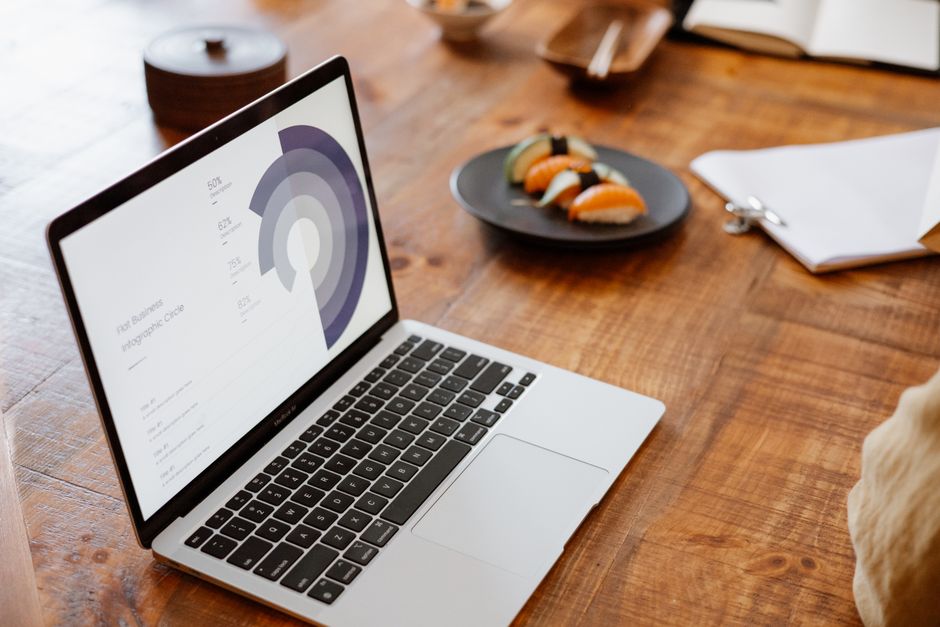
Create a 1080×1620, 8‑step infographic that walks viewers through a typical web build—from discovery to launch. Prompt DesignLumo: “Design a layered vertical infographic with numbered sections, each containing an icon, headline, and 2‑sentence description, using our teal and charcoal palette.” After export, replace placeholder copy with agency‑specific details, add custom icons from Flaticon, and polish the layout in Adobe Express. Publish as a single Pin; agencies see an average 1.8× lift in organic traffic when the infographic includes a clear CTA linking to a lead‑gen landing page.
Case Study Before‑After Slider Pin
Select a recent redesign and capture a high‑resolution screenshot of the homepage before and after. In Canva, place the before image on the left, after on the right, and overlay a semi‑transparent label with the client name and results (e.g., “+45 % conversion”). Export both slides as separate PNGs, then upload them as a two‑slide Idea Pin with a “Swipe to see the transformation” prompt and a link to the full case study. Benchmarks show a 15 % click‑through rate to the portfolio page.
Monthly Maintenance Checklist Idea Pin

Prompt DesignLumo: “Create a vertical checklist graphic with 10 items for monthly website maintenance, each with a check‑box icon and short description, using a light gray background.” Export each checklist item as an individual PNG, then upload all ten slides to Pinterest as an Idea Pin. Add a brief voice‑over in Canva’s video editor explaining each task, and schedule the pin using Tailwind’s SmartSchedule for optimal weekday mornings. Agencies typically generate 8 % more inbound maintenance inquiries after publishing this series.
3. Automation & Optimization Workflows
Tailwind Bulk Scheduler with Pin Variants

Create three headline‑color variants for each Pin in DesignLumo by adjusting the CTA button hue (e.g., blue, orange, green). Export all variants as PNGs and compile a CSV containing Pin title, description, destination URL, and file name. Import the CSV into Tailwind’s Bulk Upload tool, enable SmartSchedule, and set the publishing window to 9 am–12 pm EST, when the design community is most active. Agencies report an 18 % lift in repins and a 12 % rise in click‑throughs compared to single‑variant publishing.
Pinterest SEO Audit Using Trends & Keywords

Visit Pinterest Trends (trends.pinterest.com) and filter by “Web Design” and “Landing Pages” to identify the top five keywords for the upcoming quarter. Cross‑reference these terms in Ahrefs to confirm search volume and competition. Incorporate the keywords into your pin titles, descriptions, and alt‑text generated by DesignLumo—e.g., prompt: “Create a pin about ‘responsive web design trends 2024’ with bold headline.” Update existing pins weekly; agencies see a 22 % increase in organic impressions after three months of keyword‑aligned optimization.
A/B Testing Pin Designs with DesignLumo

Generate two design variations for a high‑performing Pin in DesignLumo—one with a red CTA button and another with a teal button. Export both PNGs, then schedule them via Tailwind at the same time slot on different days to isolate performance variables. Track repins, clicks, and save rates in Pinterest Analytics for a 14‑day window. Use the winning variant as the default template for future pins, and iterate quarterly. Agencies typically improve conversion metrics by 6‑9 % after systematic A/B testing.
Before you go
- Batch‑create 30‑day content calendars in Notion and export to Tailwind to keep your Pin pipeline full.
- Leverage DesignLumo’s Brand Kit to auto‑apply client brand assets across every Pin, eliminating manual re‑branding.
- Always add a UTM parameter to the destination URL; Pinterest’s referral traffic is trackable and can be attributed to specific Pin designs.















Ready to create your first design?
Join thousands creating professional designs in seconds.
Create with DesignLumo
Related Resources
Ultimate Event Poster Design Guide for Agencies
Step-by-step tactics to craft high‑impact event posters that win clients.
Winning Design Content Ideas for Web Agencies
Actionable design content ideas to boost agency pitches, speed development, and win clients.
Essential Digital Tools for Agency Growth
Powerful, tactical tools to speed mockups, assets, and workflow for web design agencies.
LinkedIn Toolkit for Web Design Agencies
Tactical LinkedIn assets to win clients, showcase work, and hire talent.
Winning Pitch Deck Blueprint for Agencies
Step‑by‑step slide design system that boosts agency win rates.
Email Header Design Guide for Agencies
Tactical steps to craft high‑converting email hero graphics fast.