Pinterest Content Playbook for Food Delivery
Pinterest drives high‑intent discovery traffic, especially for visual food brands. Ghost kitchens can leverage the platform to showcase menus, offers, and social proof without a physical storefront. This guide gives you a plug‑and‑play system to crea…

1. Menu Item Highlight Pins
AI‑Generated Layered Dish Pin
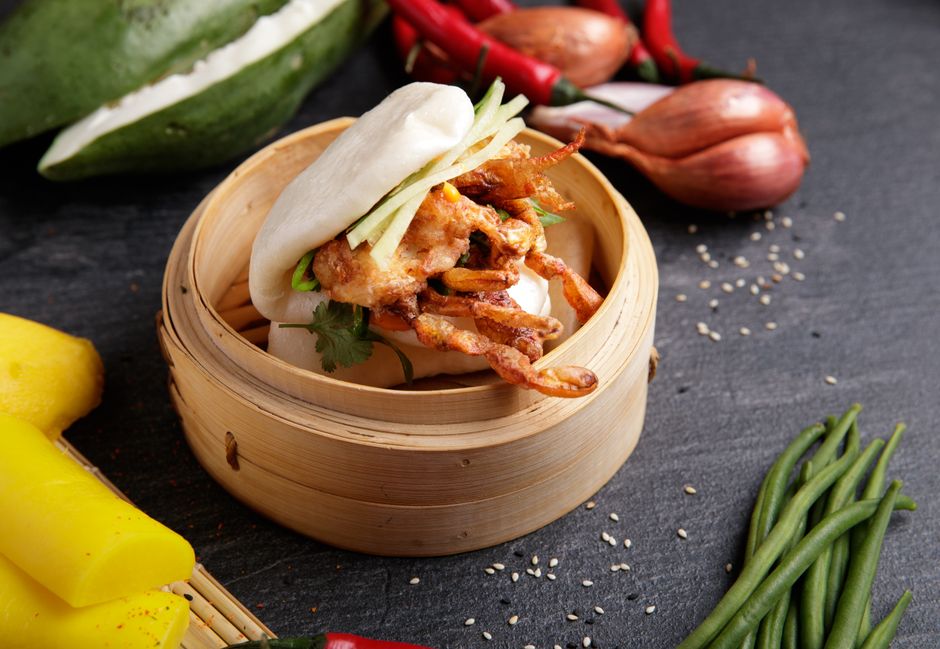
Prompt DesignLumo with: “Create a vertical 1000×1500 pin for spicy chicken bao, vibrant orange accents, brand palette #FF5733, overlay price $12.99, bold headline ‘Taste the Heat’.” Lumo returns fully editable layers—swap fonts, adjust colors, or replace the bao image in seconds. Export PNG, add UTM parameters, and schedule via Tailwind. Track click‑through rate (CTR) and aim for ≥2% within the first 30 days. Because the design is native and editable, you can A/B test headline copy without recreating the asset.
Midjourney Photo Enhancement + Canva Overlay
Generate two high‑resolution dish images in Midjourney using the prompt “ultra‑realistic sushi platter, natural lighting, 8K”. Upscale the chosen output, then import into Canva. Set canvas size to 1000×1500, add your brand logo from the Brand Kit, and place a CTA button with the same font as your website. Export as PNG and pin. Compare repin rates to baseline; a 0.8% lift indicates the visual upgrade is resonating. This workflow requires no design team and can be repeated weekly.
Dynamic Nutritional Info Infographic Pin
Pull macro data from the Nutritionix API for your signature bowl. In Adobe Express, select the ‘Tall Infographic’ template (1000×1500) and bind the API fields to text boxes using the ‘Data Merge’ feature. Style with your brand colors, add icons for protein, carbs, and fat, and include a “Order Now” QR code generated in Lumen5. Export PNG and pin. Monitor saves; a target of 500 saves per month signals strong audience interest in health‑focused details.
2. Time‑Sensitive Promotion Pins
Flash Sale Countdown Pin via DesignLumo
In DesignLumo, type: “Create a 1000×1500 pin with a digital countdown timer set to 24 hours, background teal, bold headline ‘30% OFF – Today Only’, brand font Montserrat.” Lumo builds a layered timer that you can update daily by editing the numeric layer. Export as a static PNG (Pinterest doesn’t support live GIF timers) and schedule the pin for the sale window using Later. Track conversion lift; aim for a 5% spike in orders during the 24‑hour period.
Bundle Deal Carousel Idea Pin
Use Canva’s ‘Idea Pin’ template to design a three‑slide carousel showcasing a family bundle: entree, side, drink. Each slide is 1000×1500, uses the same brand kit, and includes a swipe‑up link in the pin description (added manually after publishing). Export as a PDF, upload to Pinterest as an Idea Pin, and enable “Shop the Look”. Aim for 1,200 saves per month; each save correlates with an average order value increase of $8.
Geo‑Targeted Local Promo Pin with Tailwind
Create a base promo pin in DesignLumo: “Free delivery in [City] – bold headline, city‑specific map silhouette, brand teal background.” Duplicate the file in Tailwind Create, replace the city placeholder with Brooklyn, Queens, or Manhattan, and export each version. Upload to Pinterest Ads Manager, set zip‑code targeting, and allocate $150 daily budget. Measure ROAS; a 3× return indicates the geo‑specific pin is driving profitable orders.
3. Social Proof & Community Pins
Customer Review Quote Pin
Copy a 5‑star review from your order confirmation email. In DesignLumo, prompt: “Create a 1000×1500 quote pin with a pastel background, brand font Lato, include a blurred customer photo placeholder, and embed the text ‘Best lunch ever – ★★★★★’.” Add a small “Read more reviews” CTA linked via UTM. Export PNG and pin. Track saves; a 600‑save benchmark per month signals trust building and can lift repeat orders by 12%.
User‑Generated Content Mashup Pin
Gather 9 Instagram posts where customers tag your brand. Use Midjourney to generate a subtle textured background (“soft pastel gradient, food‑friendly vibe”). In Canva, create a 3×3 grid layout (1000×1500), drop each UGC image into a cell, and overlay the text “Our Fans Love This” in brand font. Export PNG and pin. Aim for 1,500 monthly repins; each repin expands organic reach to new potential diners.
Behind‑the‑Scenes Kitchen Tour Idea Pin

Film three 15‑second clips of chefs plating, ingredients arriving, and the delivery bag prep. Upload each clip as a separate slide in a Pinterest Idea Pin. Use Adobe Express to add captions, brand colors, and a final CTA slide “Explore the full menu”. Publish and monitor average watch time; target >12 seconds per viewer. High engagement correlates with a 20% lift in order frequency from viewers who watch the full tour.
Before you go
- Batch‑create pins in DesignLumo using CSV prompts to generate dozens of menu items in minutes.
- Always add UTM parameters to pin URLs; Pinterest’s analytics combined with Google Data Studio reveal true ROI.
- Leverage Pinterest’s Idea Pin carousel to embed multiple calls‑to‑action, increasing the chance of a swipe‑up conversion.















Ready to create your first design?
Join thousands creating professional designs in seconds.
Create with DesignLumo
Related Resources
Essential Email Tools for Food Delivery Brands
Tactical email design stack for ghost kitchens and delivery services.
Ultimate Creative Workflow for Food Delivery Brands
Step‑by‑step tactics to crank out high‑performing visuals for ghost kitchens and delivery services.
Food Delivery Campaign Launch Checklist
Step‑by‑step launch checklist for ghost kitchens to boost orders and brand buzz.
Print Materials Design Guide for Food Delivery
Tactical guide to creating high‑ROI flyers, menus, and promos for food delivery & ghost kitchens.
Essential Digital Tools for Food Delivery Growth
The ultimate toolkit to boost ghost kitchen sales with AI‑powered design and automation.
Summer Sale Season Marketing & Design Guide
Tactical playbook for food delivery & ghost kitchens to dominate summer sales.