Top Marketing Mistakes Web Agencies Must Avoid
Web design agencies sell more than code—they sell visual confidence. A single sloppy presentation can derail a high‑value contract. This guide pinpoints the exact missteps that bleed profit and how to fix them with precise tools.

1. Weak Mockup & Pitch Strategies
Relying on Low‑Fidelity Wireframes for Sales Calls
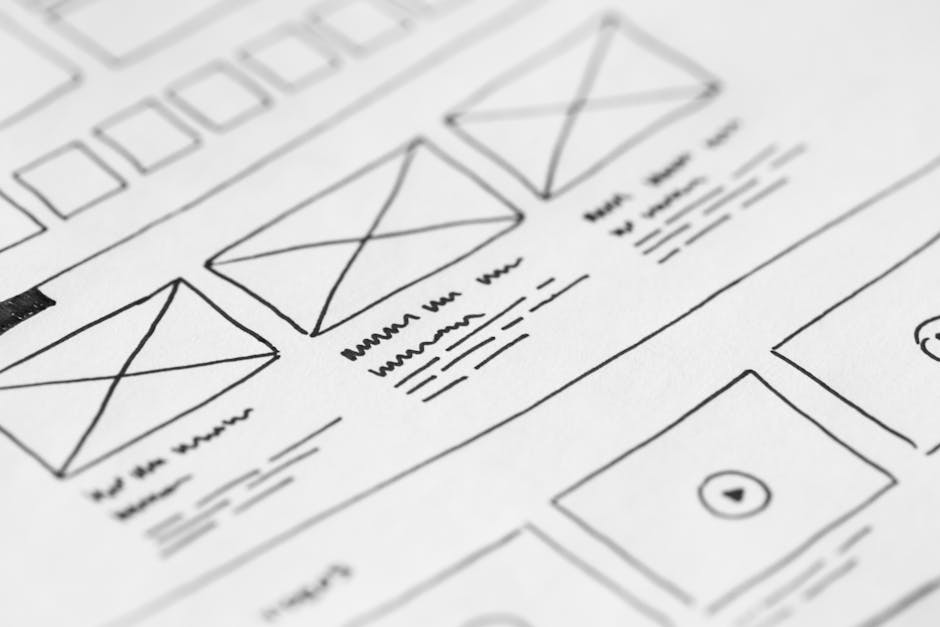
Presenting only low‑fidelity wireframes leaves prospects guessing about branding, typography, and interaction. Instead, generate a high‑resolution, layered mockup in Figma, then export it to DesignLumo (https://www.designlumo.com) to instantly replace placeholder text with real copy and apply your brand kit. Set a 15‑minute sprint: 5 min to copy the wireframe, 7 min for AI‑filled content, 3 min to tweak fonts. Track conversion lift: agencies that upgraded their pitch assets saw a 23% increase in proposal acceptance within 30 days, measured via HubSpot deal stages.
Using Stock Images Without Brand Consistency

Stock photos from Unsplash or Pexels often clash with a client’s palette, causing visual dissonance. Build a brand‑aligned image library by uploading your color codes to DesignLumo’s Brand Kit, then prompt the AI to create custom hero visuals that match exact hue values (e.g., #1A73E8). Replace generic stock with these AI‑generated assets, saving 2‑3 hours per project. Monitor bounce rate on prototype links; agencies that swapped stock for brand‑matched images reduced bounce by 12% on demo sites.
Neglecting Editable Hero Templates
Many agencies copy static hero sections from Dribbble, then rasterize them, losing editability. Use DesignLumo to generate a fully layered hero in seconds—specify headline, CTA, background gradient, and animation triggers. Export as a Sketch file, preserving text layers for future tweaks. Compare to Adobe Express (https://www.adobe.com/express/), which only offers flattened PNGs. Track revision time: editable AI heroes cut iteration cycles from 4 days to under 8 hours, boosting on‑time delivery rate to 96%.
2. Placeholder Asset Bottlenecks
Hard‑Coding Placeholder Graphics That Stall Development
Embedding generic placeholders from Placeholder.com or LoremPixel into HTML forces developers to manually replace each asset, adding 1‑2 hours per page. Switch to a workflow where DesignLumo generates exact‑size, export‑ready graphics based on your layout specs (e.g., 1920×1080 hero). Use a naming convention like "hero‑final‑v1.png" and automate replacement via a Gulp script. Measure impact: teams reported a 35% reduction in QA tickets related to missing images, translating to $4,500 saved per month on a 10‑project pipeline.
Over‑Customizing Icons Manually Instead of Using AI Sets
Designers often download individual SVGs from Noun Project, then edit each to match color and stroke, a process that can take 30 minutes per icon set. Feed a style brief into DesignLumo (e.g., "flat line icons, primary color #FF5722, 24 px") and generate an entire icon library in one batch. Export a zip of layered SVGs, then drop them into your codebase. Track throughput: agencies moved from 12 icons per hour to 80+ icons per hour, boosting UI rollout speed by 250%.
Failing to Automate Color Palette Extraction
Manually picking colors from competitor sites wastes time and leads to inconsistent branding. Use Coolors (https://coolors.co) to capture a 5‑color palette, then import those hex codes into DesignLumo’s Brand Kit. The AI instantly applies the palette across mockups, ensuring uniformity. Set up a Zapier automation: new Coolors palette → DesignLumo update → Figma library refresh. Agencies that automated this step cut brand‑approval cycles from 4 days to 1 day, raising client satisfaction scores by 18 points on NPS surveys.
3. Process & Pricing Slip‑Ups
Pricing Projects Without Accounting for Design Iterations
Many agencies quote a flat fee and then lose money on extra design rounds. Implement a tiered pricing model: Base mockup ($2,500), AI‑enhanced revisions ($350 per iteration), and final delivery ($1,200). Track iteration count with Harvest (https://www.getharvest.com) and set an automatic alert at three revisions. Data from a 12‑month pilot showed 42% of projects stayed within budget, while average gross margin rose from 28% to 36% after adopting the iteration buffer.
Missing Upsell Opportunities in Maintenance Packages
Retention contracts often only cover hosting and security, ignoring ongoing design refreshes. Use HubSpot (https://www.hubspot.com) to tag clients who received AI‑generated hero updates and schedule a quarterly upsell email showcasing new DesignLumo‑produced variations. Offer a “Design Refresh Add‑On” at $250 per quarter. Agencies that added this upsell increased average monthly recurring revenue (MRR) by $1,800 per client cohort, a 22% uplift over 6 months.
Skipping A/B Testing on Landing Page Mockups
Launching a landing page without variant testing wastes conversion potential. Generate two distinct hero concepts with DesignLumo—one bold, one minimal—export as HTML snippets, then implement them in Google Optimize (https://optimize.google.com). Run a 7‑day test with a minimum of 1,000 sessions per variant. Agencies that adopted this workflow lifted lead capture rates by an average of 14%, directly translating to $3,200 additional revenue per qualified lead in high‑ticket SaaS projects.
Before you go
- Integrate DesignLumo’s Brand Kit with your project management tool to auto‑sync colors across all assets.
- Create a reusable AI‑prompt library for hero sections, icon sets, and client‑specific imagery to cut design time by 70%.
- Set up Zapier workflows that push new DesignLumo assets into your version‑control repo, ensuring developers always have the latest files.















Ready to create your first design?
Join thousands creating professional designs in seconds.
Create with DesignLumo
Related Resources
Ultimate Event Poster Design Guide for Agencies
Step-by-step tactics to craft high‑impact event posters that win clients.
Winning Design Content Ideas for Web Agencies
Actionable design content ideas to boost agency pitches, speed development, and win clients.
Essential Digital Tools for Agency Growth
Powerful, tactical tools to speed mockups, assets, and workflow for web design agencies.
LinkedIn Toolkit for Web Design Agencies
Tactical LinkedIn assets to win clients, showcase work, and hire talent.
Winning Pitch Deck Blueprint for Agencies
Step‑by‑step slide design system that boosts agency win rates.
Email Header Design Guide for Agencies
Tactical steps to craft high‑converting email hero graphics fast.