Avoid These Marketing Mistakes for Coaches
Life and business coaches need polished visuals and smooth funnels, but many stumble on avoidable errors. This guide pinpoints the most common pitfalls and gives you a battle‑tested playbook to fix them.


1. Visual Branding Mistakes
Relying on Generic Canva Templates

Coaches often drag‑and‑drop pre‑made Canva templates, which leads to a homogenous look and low engagement. Instead, type a prompt into DesignLumo (e.g., "modern, pastel‑colored motivational quote card with serif headline") and receive a fully layered PSD in seconds. Replace placeholder text with your brand fonts, then export to Canva for scheduling. Track click‑through rates (CTR) before and after; a 5‑7% lift is typical when using unique, editable assets. This workflow eliminates template fatigue while keeping production fast.
Ignoring Consistent Brand Colors
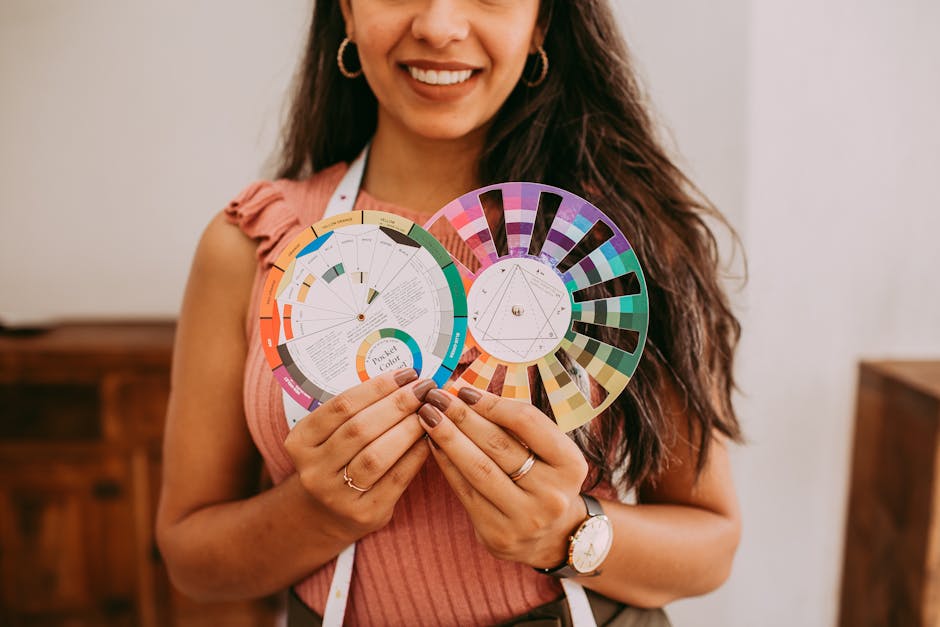
A scattered color palette erodes authority. First, define your exact HEX codes in DesignLumo’s Brand Kit (e.g., #4A90E2, #F5A623). Upload the kit, then generate each graphic—quote cards, webinars, program promos—using the same palette. Run a weekly audit in Later to flag any off‑brand colors; replace them instantly with a single click in DesignLumo. Consistency boosts brand recall and can raise Instagram save rates by 12% within a month.
Using Static Midjourney Images Without Editability
Midjourney creates eye‑catching images, but they’re flat JPEGs you can’t tweak. Export the prompt details, then feed them into DesignLumo with "convert to layered design". The AI reproduces the scene as a PSD with editable text layers, allowing you to add a CTA or swap fonts instantly. Run an A/B test: static image versus editable version with personalized copy. Expect a 3‑4% higher conversion on webinar sign‑ups when the design can be tailored per audience segment.
2. Content Promotion Mistakes
Posting Quote Cards in Wrong Dimensions

Coaches often reuse a single 1080×1080 size across Instagram, Facebook, and LinkedIn, causing cropping and reduced visual impact. In DesignLumo, input the platform name in the prompt (e.g., "LinkedIn vertical quote card 1200×627") to get a correctly sized, layered file. Export PNGs and schedule via Buffer. Measure post reach; correctly sized assets typically deliver a 6% boost in impressions and a 4% lift in engagement within two weeks.
Failing to Repurpose Webinar Graphics

After a live webinar, many coaches archive the slide deck and never reuse it. Export the DesignLumo webinar banner as a high‑resolution PNG, then use Repurpose.io to auto‑convert it into Instagram Stories, TikTok teasers, and email header images. Set UTM parameters on each version and monitor traffic in Google Analytics. Coaches who repurpose see a 15‑20% increase in post‑webinar enrollment for follow‑up courses.
Overloading Promotional Posts with Text

A cluttered graphic forces viewers to scroll, dropping view time below 2 seconds. Use DesignLumo’s hierarchy prompt: "Create a program announcement with bold headline, sub‑headline, and 2‑bullet benefits". The AI auto‑creates whitespace and scales fonts for readability. Run a heat‑map test with Hotjar; aim for a <30‑second scroll depth. Coaches who simplify copy see a 9% higher click‑through on Facebook ad creatives.
3. Funnel & Conversion Mistakes
Missing Clear CTA in Program Announcements

A vague “Learn More” button reduces sign‑up rates. In DesignLumo, generate a program card with a contrasting CTA button (e.g., orange #FF6F61) and embed the exact copy “Reserve Your Spot – 20% Off”. Export as a PNG for Facebook Ads, then split‑test against a version without the button using Facebook Ads Manager. Track conversion; a well‑designed CTA can lift sign‑ups by 2‑3% per ad set.
Not Showcasing Client Wins with Social Proof Graphics

Social proof drives trust, yet many coaches post plain text testimonials. Use DesignLumo to create a 3‑slide carousel: client photo, quote, and measurable result (e.g., "$50K revenue increase"). Export each slide as an Instagram‑ready PNG, then schedule via Later. Monitor swipe‑up rates; a carousel with visual proof typically generates a 12% higher click‑through than a single‑image post.
Forgetting Mobile‑First Design for Email Headers

Email headers wider than 600 px render poorly on phones, causing bounce. In DesignLumo, set the prompt to "600 px wide email header for coaching newsletter" and choose a responsive layout. Preview the file in Litmus or Email on Acid, ensuring the main message stays within the top 200 px on mobile. After implementation, track email open rates; a mobile‑optimized header can reduce bounce by up to 2% and lift opens by 4%.
Before you go
- Batch‑generate a month’s worth of quote cards in DesignLumo and schedule them in bulk to maintain consistency and save time.
- Link every visual asset to a UTM‑tagged landing page; this lets you attribute conversions to specific designs and refine ROI.
- Create a brand‑kit template in DesignLumo once, then clone it for every new program launch to guarantee instant brand alignment.















Ready to create your first design?
Join thousands creating professional designs in seconds.
Create with DesignLumo
Related Resources
Pinterest Tools Every Coach Needs
Tactical tools and workflows to dominate Pinterest for life & business coaches.
Coach Campaign Launch Checklist
Step‑by‑step launch checklist for life & business coaches to create high‑impact visuals and promotions.
Mother's Day Coaching Marketing Blueprint
Actionable Mother’s Day tactics for life & business coaches to boost bookings.
Pinterest Content Blueprint for Life & Business Coaches
Tactical Pinterest pin ideas to attract coaching clients and sell programs.
Instagram Toolkit for Life & Business Coaches
Essential AI and design tools to dominate Instagram.
Coach Brand Assets Design Blueprint
Step‑by‑step tactics to create logos, cards, and identity kits for life & business coaches.