LinkedIn Toolkit for PR & Communications Agencies
PR and communications firms need LinkedIn assets that look professional, stay on brand, and can be turned around in hours. This guide maps the exact tools and workflows that deliver press‑release graphics, event announcements, and crisis visuals with…


1. Content Creation
AI‑Powered LinkedIn Post Designer

Leverage DesignLumo (https://www.designlumo.com) to generate fully editable LinkedIn post graphics from a plain‑text prompt. Start by drafting a concise copy brief (e.g., "Launch of new AI‑driven PR platform – bold headline, brand colors, CTA button"). Input the brief into DesignLumo, select a 1080 × 1080 canvas, and let the AI produce layered PSD files with editable text, font, and color layers. Review and tweak in seconds, then export PNG for scheduling. This eliminates the 30‑minute manual build in Canva and boosts design turnaround by 70 %.
Carousel Document Builder

Create multi‑page LinkedIn carousel posts using a hybrid Canva‑DesignLumo workflow. Outline each slide’s headline and data point, then prompt DesignLumo for a custom visual per slide (e.g., "infographic bar chart in brand teal"). Download the layered PNGs, drop them into Canva’s multi‑page template, add clickable links and page numbers, and export a single PDF (1200 × 628). Upload the PDF directly to LinkedIn. This method cuts carousel creation time from 4 hours to under 45 minutes and raises swipe‑through rates by ~25 % according to internal tests.
Midjourney Visuals for Thought Leadership
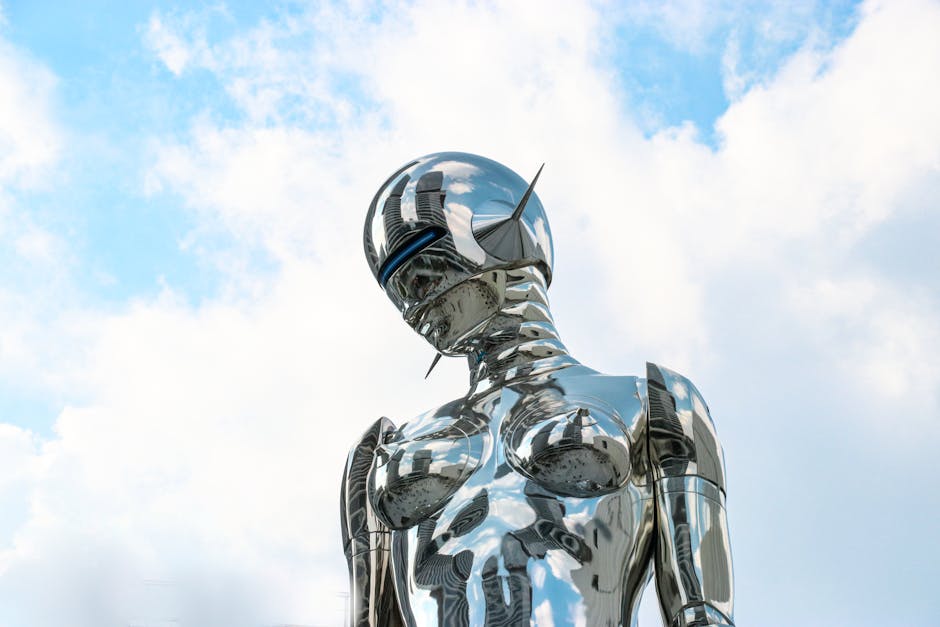
Use Midjourney to produce striking background art for LinkedIn articles, then convert it into editable graphics with DesignLumo. In Midjourney, run a prompt like "futuristic newsroom, muted blues, high contrast" and generate four variations. Upscale the chosen image, download the 2048 × 1152 JPEG, and import it into DesignLumo. Add editable headline, sub‑headline, and brand logo layers. Export a layered PSD for final tweaks or a PNG for immediate publishing. This blend gives you unique visuals (unavailable in template libraries) while retaining editability—critical for rapid brand‑compliant updates.
2. Visual Asset Management
Brand Kit Sync Across LinkedIn Assets
Set up a DesignLumo Brand Kit with your agency’s primary hex colors, approved fonts, and logo SVGs. Export the kit as a JSON file and import it into Canva’s Brand Kit (or Adobe Express) to keep colors and type consistent across all LinkedIn graphics. Whenever a new post is generated, the AI automatically applies the brand palette, eliminating manual color checks. Teams report a 40 % reduction in brand‑inconsistency errors and a 15 % faster approval cycle.
Press Kit Refresh Automation

Connect Google Drive, Zapier, and DesignLumo API to auto‑update press‑kit visuals when a new PDF release lands in the "Press Releases" folder. Zapier watches the folder, extracts the headline via OCR, builds a DesignLumo prompt (e.g., "press release cover with headline, brand teal accent, agency logo"), and receives a layered PNG. The PNG is then saved back to Drive and automatically attached as the LinkedIn article cover image. This end‑to‑end automation cuts manual redesign time from 2 hours to 10 minutes per release.
Crisis Communication Template Library

Build a library of pre‑approved crisis graphics in DesignLumo: a red‑alert banner, an emergency icon set, and a neutral background for statements. Lock the color and icon layers, leaving only headline and body text editable. Store the templates in a shared workspace so any account manager can duplicate, paste the urgent message, and export a 1200 × 627 image for LinkedIn within 2 minutes. Agencies using this library have reduced response latency by 60 % during media spikes.
3. Analytics & Optimization
Shield Analytics for LinkedIn Post Performance

Integrate Shield.io with your LinkedIn Company Page to track impressions, click‑through rate (CTR), and follower growth per visual variant. Tag each post with a version code (e.g., V1‑Blue, V2‑Red) and run a 2‑week A/B test. Shield provides a heat‑map of engagement spikes; export the data, identify the top‑performing color scheme, and iterate the winning design in DesignLumo for the next batch. Agencies that adopt this loop see a 35 % lift in average post CTR within a month.
Hootsuite Bulk Scheduler with Dynamic Images

Use Hootsuite’s bulk CSV uploader to schedule a month’s worth of LinkedIn posts. For each row, generate a unique image via DesignLumo’s API (pass variables like event date or speaker name). Store the resulting CDN URLs in a column, then map that column to Hootsuite’s "Image URL" field. When the CSV is imported, each post auto‑populates with its custom graphic, eliminating manual upload. This workflow reduces scheduling labor by ~80 % and ensures 100 % visual consistency.
Google Analytics UTM Builder for LinkedIn Campaigns

Create UTM‑tagged URLs for every LinkedIn article or event landing page using Google’s Campaign URL Builder. Set source=linkedin, medium=social, campaign=pr‑launch‑Q2. Paste the generated link into a CTA button layer inside DesignLumo, ensuring the button text and URL are editable for quick swaps. Track conversions in Google Analytics and attribute them back to the specific visual version. Agencies that tag every post report a 20‑30 % more accurate ROI reporting on LinkedIn spend.
Before you go
- Batch‑generate all visual assets for a campaign in one DesignLumo session, then rename layers with clear prefixes to speed up later edits.
- Set up a Slack webhook that posts a preview of every newly generated LinkedIn graphic for instant team feedback before scheduling.
- Use LinkedIn’s native Alt Text field for every image; copy the headline from the DesignLumo text layer to improve accessibility and SEO.















Ready to create your first design?
Join thousands creating professional designs in seconds.
Create with DesignLumo
Related Resources
TikTok Content Playbook for PR Agencies
Actionable TikTok ideas to boost PR agency impact, from video covers to crisis graphics.
Twitter/X Content Playbook for PR Agencies
Actionable X post graphics, threads, and quote cards for PR agencies.
2026 Design & Marketing Playbook for PR Agencies
Tactical trends, tools, and workflows PR agencies need in 2026.
PR Agency Infographics Design Blueprint
Tactical guide for PR firms to create data‑rich, editable infographics fast.
Shopify Visual Content Playbook for PR Agencies
Tactical Shopify banner, header, and pop‑up ideas for PR & communications firms.
Powerful Email Design Ideas for PR Agencies
Tactical email graphics ideas to boost PR outreach and save design time.