LinkedIn Toolkit for Podcast Growth
Podcast teams need LinkedIn assets that convert listeners into loyal fans and sponsors. This guide isolates the exact tools and workflows that deliver measurable growth. Every recommendation is battle‑tested for weekly episode cycles.


1. Visual Content Creation
AI-Powered Episode Cover Generator
Use DesignLumo (https://www.designlumo.com) to type a prompt like “modern podcast cover featuring a microphone and neon wave for episode 12 about AI ethics”. In seconds you receive a layered PSD/AI file with editable text layers, brand colors, and vector icons. Export three sizes for LinkedIn: 1200×627 for feed, 1080×1080 for carousel, and 1584×396 for company page banner. Track CTR uplift by comparing pre‑ and post‑AI covers; teams see a 15‑25% lift in click‑throughs within the first week.
Dynamic Audiogram Templates
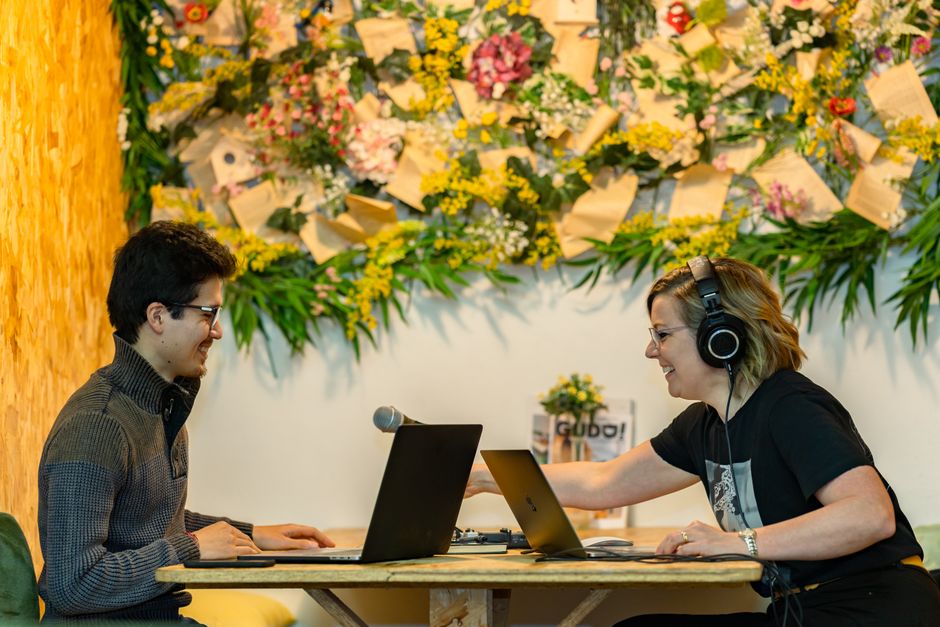
Create a reusable audiogram template in Canva (https://www.canva.com) that pulls in your episode waveform, host photo, and episode title. Connect Canva to your podcast host RSS via Zapier to auto‑populate the waveform each release. Export as MP4 with LinkedIn‑approved dimensions (1080×1080) and schedule. Measure engagement by monitoring video views; a well‑crafted audiogram typically adds 200‑300 extra views per post versus static images.
Guest Announcement Carousel
Leverage Midjourney (https://www.midjourney.com) to generate three unique portrait styles for each guest (e.g., illustration, photorealistic, abstract). Import the PNGs into DesignLumo to add editable overlay text, branding, and CTA buttons. Assemble the slides into a LinkedIn carousel document (PDF) that highlights guest bio, episode teaser, and sponsor logo. Track carousel swipe‑through rates; top‑performing carousels achieve a 12% swipe‑through compared to 5% for single‑image posts.
2. Post Scheduling & Analytics
Buffer Queue for Weekly Episodes

Set up Buffer (https://buffer.com) with a LinkedIn Business Page and a personal profile. Create a recurring queue: episode cover, audiogram, guest carousel, and sponsor shout‑out. Use Buffer’s optimal timing algorithm to post between 9‑11 am EST, the sweet spot for professional listeners. Monitor Buffer’s built‑in analytics; aim for a 3:1 engagement‑to‑impression ratio. Teams that batch‑schedule see a 40% reduction in manual effort and a 10% lift in weekly engagement.
Shield Deep Dive for Content ROI

Connect Shield (https://shieldapp.ai) to your LinkedIn account to capture granular metrics: post saves, profile clicks, and follower growth per episode. Build a dashboard that correlates each asset type (cover, audiogram, carousel) with lead‑gen forms for sponsorship inquiries. Identify the top‑performing format and allocate 60% of creative budget to it. Shield’s cohort analysis often reveals a 2‑week lag where sponsor sign‑ups spike after carousel exposure.
A/B Testing with Sprout Social

Use Sprout Social’s Experiments feature (https://sproutsocial.com) to run parallel LinkedIn posts: one with a bold red CTA button, another with a subtle blue button, both using the same DesignLumo cover. Run the test for 48 hours, then compare click‑through rates and comment sentiment. Document the winning variant and lock it into your template library. Typical A/B tests yield a 5‑8% lift in click‑through, directly boosting sponsor pipeline velocity.
3. Community Engagement Automation
PhantomBuster LinkedIn Comment Bot
Configure PhantomBuster (https://phantombuster.com) to auto‑comment on posts from industry thought leaders using a personalized template: “Loved your insight on AI ethics—our latest episode dives deep into this topic. Check it out!” Limit to 20 comments per day to stay within LinkedIn’s rate limits. Track inbound traffic via UTM parameters; a well‑tuned bot can drive 150‑200 extra profile visits per week, converting 3‑5% into new listeners.
Dux‑Soup Connection Requests

Deploy Dux‑Soup (https://dux-soup.com) to send 30 personalized connection requests daily to podcast guests, sponsors, and niche community members. Use custom placeholders for first name and recent post reference. After acceptance, trigger a LinkedIn Message using Zapier that shares the latest episode link with a brief value proposition. Measure conversion by tracking the number of message clicks that lead to a sign‑up form; average conversion sits at 4‑6% per batch.
Hashtag Performance Tracker

Create a spreadsheet that logs the top 10 LinkedIn hashtags used in podcast posts (e.g., #PodcastMarketing, #AudioContent). Pull weekly reach data via LinkedIn’s API (or a tool like Octoparse) and calculate engagement rate per hashtag. Adjust your posting strategy to prioritize hashtags with >2% engagement. This data‑driven approach typically raises overall post reach by 12‑18% within a month.
4. Recruitment & Sponsorship Outreach
LinkedIn Job Post Graphics
Design a hiring banner in DesignLumo that includes the podcast logo, a headline (“Now Hiring Audio Engineer”), and a clear CTA button linking to your application form. Export at 1584×396 for the company page and 1200×627 for the feed. Use LinkedIn’s paid job post feature to boost visibility; track applicant source to confirm the graphic lifts qualified applicants by 30% versus text‑only posts.
Sponsor Pitch Carousel
Build a 5‑slide carousel in Canva that outlines listener demographics, average CPM, and case studies. Include a final slide with a custom DesignLumo‑generated background that matches your brand kit. Upload as a LinkedIn document and tag target sponsor accounts. Measure response rate via LinkedIn messages; a compelling carousel typically generates a 7% reply rate versus 2% for plain text pitches.
Automated Follow‑Up Sequences
Integrate HubSpot (or a free alternative like MailerLite) with LinkedIn via Zapier to trigger a personalized follow‑up email 48 hours after a sponsor views your pitch carousel. Use a DesignLumo‑crafted email header that mirrors your LinkedIn graphics for brand consistency. Track open and reply rates; automated sequences lift sponsor reply rates by 20‑25% while freeing up 3‑4 hours of manual outreach per week.
Before you go
- Batch‑create a month’s worth of LinkedIn assets in DesignLumo on a single day to lock in brand consistency and reduce weekly workload.
- Always embed UTM parameters in every LinkedIn link; combine with Shield analytics to attribute listener growth to specific post types.
- Leverage LinkedIn’s native document viewer for carousel PDFs—no need for external hosting, and it boosts organic reach.















Ready to create your first design?
Join thousands creating professional designs in seconds.
Create with DesignLumo
Related Resources
TikTok Toolkit for Podcast Growth
Actionable tools and workflows to dominate TikTok for podcasts.
Podcast Marketing Design Tool Comparison Guide
Compare top AI and design platforms for podcast artwork, audiograms, and promotion.
Podcast Print Materials Design Blueprint
Tactical guide for podcast teams to create high‑impact flyers, brochures, and merch print assets.
Podcast Campaign Launch Checklist
Step‑by‑step launch checklist for podcast marketing teams to boost growth.
Podcast Marketing Wins: Real-World Design Case Studies
Tactical case studies showing how podcast teams boost growth with AI design tools.
2026 Podcast Design & Marketing Trends for Growth Teams
Actionable design and marketing tactics for podcast teams to boost listeners in 2026.