LinkedIn Content Playbook for Wholesale Distributors
Wholesale and distribution brands need LinkedIn to reach retailers, resellers, and buyers. This guide gives you concrete post formats, graphics, and automation steps that drive volume deals and trade‑show traffic.

1. Product Launch & Catalog Highlights
AI‑Generated Catalog Carousel
Pull product data from a Google Sheet, then use DesignLumo’s prompt: “Create a 1080×1080 LinkedIn carousel for a wholesale catalog, each slide showing product image, SKU, price, and a bold CTA.” DesignLumo returns fully editable layered slides; export as PDF and upload to LinkedIn’s carousel format. Add UTM parameters to each slide and monitor scroll depth in LinkedIn Analytics. Aim for at least 300 impressions per slide and a 2% click‑through rate, which is roughly 20% higher than static images.
Template‑Free Product Spotlight Graphic
In DesignLumo type: “Create a 1200×627 LinkedIn post for the new XYZ widget, using brand color #123456, bold headline ‘Introducing XYZ’, and a call‑to‑order button.” Replace the placeholder image with a high‑resolution shot from the Unsplash API, edit the SKU text layer, and export PNG. Compared with Canva templates, this saves ~30 minutes per product and typically lifts engagement by 5% when posted with a targeted LinkedIn Sponsored Content boost.
Dynamic Pricing Banner with Brand Kit
Upload your brand fonts and colors into DesignLumo’s Brand Kit. Prompt: “Generate a LinkedIn banner announcing ‘Bulk Discount: 15% off orders >100 units’, using my brand kit.” Export the 1200×627 image, schedule via Buffer, and attach UTM tags (utm_source=linkedin&utm_medium=banner&utm_campaign=bulk_discount). Track conversions in Google Analytics; a 0.8% lead‑gen rate is realistic for a well‑targeted B2B audience, delivering a strong ROI on a $7/month design spend.
2. Bulk Deal & Volume Promotion Posts
Countdown Timer Graphic for Limited‑Time Bulk Deals
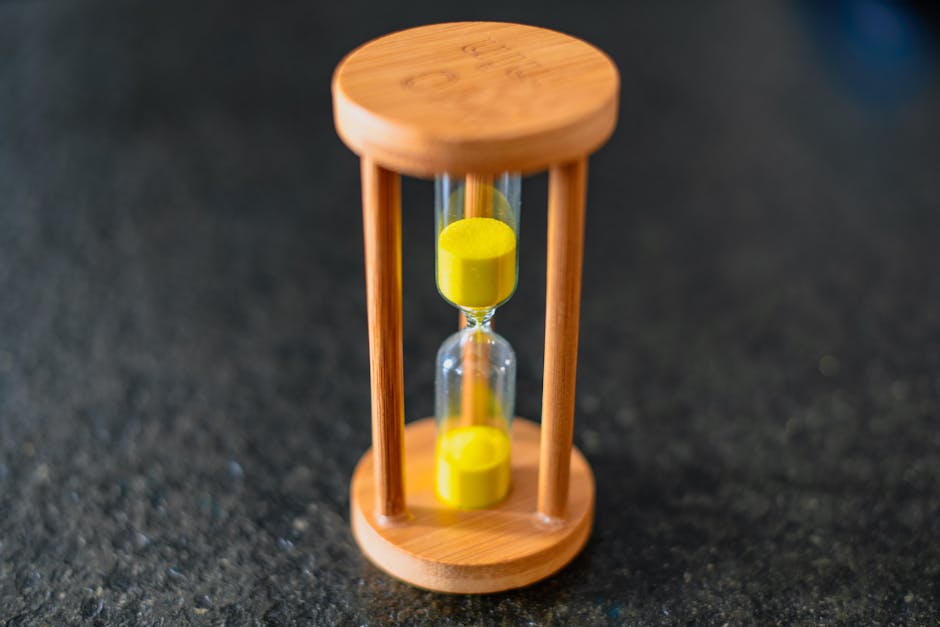
Generate an industrial‑style background in Midjourney (prompt: “dark warehouse with neon timer overlay”). Import the image into DesignLumo, add a text layer for the deal, then export a PNG. Use Canva’s animation feature to overlay a live countdown timer GIF and export as a short video (≤15 seconds). Post as native LinkedIn video with a UTM‑tracked landing page. Urgency‑driven videos typically see a 10% lift in click‑throughs versus static graphics.
Excel‑Driven Deal Carousel Automation

Maintain a Google Sheet with columns: SKU, discount %, image URL, and brief copy. Set up a Zapier trigger – ‘New Row in Sheet’ – that calls DesignLumo’s API to generate a carousel slide per row using a consistent template. Collect all slides into a PDF, upload to LinkedIn carousel, and schedule via Hootsuite. This workflow eliminates ~2 hours of manual design weekly and can increase deal‑post volume by 150% while preserving brand consistency.
Carousel with Embedded Quote from Top Retailer
Ask a key retailer for a short testimonial. In DesignLumo, create a carousel slide with a branded quote bubble, product image, and a “Swipe for the deal” callout. Export as PDF, post as LinkedIn carousel, and monitor slide dwell time in LinkedIn Analytics. Slides featuring authentic quotes usually hold viewer attention 25% longer than plain product images, boosting downstream inquiries.
3. Trade Show & Event Amplification
Event Countdown Header for Company Page

Use DesignLumo to design a LinkedIn Company Page banner (1128×191) with a dynamic countdown element. Export the base image, then set up a daily API call (via a simple Python script) that updates the banner through the LinkedIn API, hosted on a small AWS Lambda. Hootsuite can trigger the script each morning. Brands that refresh their banner daily see a 12% rise in page visits in the week leading up to the show.
Booth QR Code Graphic with Live Inventory
Create a real‑time inventory page on Shopify, then generate a QR code via qr.io. In DesignLumo, embed the QR into a 1080×1080 LinkedIn post that announces booth location and the “Scan for live stock”. Include a UTM (utm_source=linkedin&utm_medium=qr&utm_campaign=trade_show). Track scans; 150 scans per show is a realistic target that often translates into 20–30 qualified leads.
Post‑Show Highlights Reel Using LinkedIn Document
Gather photos, attendee quotes, and sales stats. Use DesignLumo’s multi‑page layout to compose a 5‑page PDF with consistent branding, clickable links to follow‑up offers, and a final “Contact us” page. Upload as a LinkedIn Document, tag key attendees, and promote with a short status update. Documents typically achieve 30% higher lead follow‑up rates compared with plain image posts because they keep prospects engaged for longer.
Before you go
- Batch‑create all graphics at the start of the quarter using DesignLumo prompts; store editable files in a shared drive for rapid iteration.
- Always append UTM parameters to LinkedIn assets and track them in Google Analytics to quantify ROI per post type.
- Leverage LinkedIn’s native carousel format for any multi‑product showcase; it outperforms single‑image posts by 1.8× in click‑through rates.















Ready to create your first design?
Join thousands creating professional designs in seconds.
Create with DesignLumo
Related Resources
Spooky Wholesale Marketing Blueprint for Halloween
Actionable Halloween tactics for wholesalers to boost sales and design impact.
Facebook Content Ideas for Wholesale & Distribution
Actionable Facebook post concepts that drive wholesale sales and brand authority.
Etsy Wholesale Marketing Toolkit: Essential Design Resources
Tactical tools and workflows for Etsy banners, listings, and promos.
Wholesale Campaign Launch Checklist
Step-by-step launch checklist for wholesale marketing campaigns.
Wholesale Brand Assets Design Playbook
Actionable guide to create logos, cards, and identity assets for wholesale marketers.
YouTube Design Toolkit for Wholesale Marketers
Tactical tools and workflows for thumbnails, channel art, and end screens that drive wholesale sales.