Halloween Marketing & Design Guide for Speakers
Halloween offers a perfect backdrop for motivational speakers to stand out with themed content. This guide translates spooky season energy into concrete marketing assets that drive bookings and book sales. Follow the step‑by‑step tactics to turn a ho…

1. Spooky Social Media Assets
AI‑Generated Halloween Quote Cards

Prompt DesignLumo with: "Create a layered Instagram quote card featuring a spooky font, orange‑black gradient, and a motivational line about overcoming fear." The AI returns editable layers; replace the quote, adjust brand colors, and export PNGs. Schedule the cards in Buffer for peak times (Tue/Thu 10 am) and track click‑through rates. Aim for a CTR above 2%—the industry benchmark for organic posts. Because the design is fully editable, you can A/B test three different fonts in under 30 minutes, cutting creative production time by 80% compared to Canva templates.
Midjourney Backgrounds for Carousel Posts
Use Midjourney (v5) with the prompt: "hyper‑realistic haunted forest, muted orange light, 4k, suitable for Instagram carousel". Generate four variations, download the 1024×1024 images, and import them into Canva. Add concise bullet points about your upcoming workshop using Canva’s brand kit to keep fonts consistent. Publish as a carousel and monitor swipe‑through rate; aim for >35% based on Sprout Social benchmarks. This workflow blends AI‑generated art with Canva’s quick text overlay, delivering unique visuals that outperform generic stock images.
Animated Instagram Reels with Adobe Express
Create a 15‑second Reel in Adobe Express using the "Spooky Motion" template. Upload a short AI‑generated voiceover from Descript that teases your Halloween keynote. Add animated text layers that appear on beat and a CTA button linking to your event landing page. Export directly to Instagram and enable the “Add to Story Highlights” option. Track Reel completion rate; a 70% completion indicates strong engagement. This method leverages Adobe Express’s built‑in animation library, cutting production time from hours to under 10 minutes.
2. Conversion‑Optimized Landing Pages
DesignLumo One‑Click Event Banner
Ask DesignLumo: "Design a 1200×628 banner for a Halloween corporate workshop, include space for a 5‑second countdown timer and brand logo." Receive a layered PSD; replace the timer placeholder with a free Countdown Widget from ConvertKit, then export a web‑ready JPG. Embed the banner in Unbounce and run an A/B test against a static Canva banner. Measure conversion lift; a 15% increase in sign‑ups validates the AI‑generated, fully editable design’s impact versus static templates.
Dynamic Countdown Timer with Elementor

Install Elementor Pro on your WordPress site and add the Countdown widget under the ‘Halloween Workshop’ hero section. Connect the widget to Google Analytics events to capture clicks on the ‘Reserve My Spot’ button. Compare sessions with and without the timer; aim for a 12‑15% uplift in conversion rate, as proven by HubSpot data on scarcity cues. This setup requires no code and leverages Elementor’s drag‑and‑drop UI, delivering a high‑ROI urgency element in minutes.
Facebook Lead Ads Creative using Canva
Start with Canva’s “Lead Generation” template, replace the background with a DesignLumo‑generated haunted auditorium scene, and overlay a bold CTA: “Unlock Your Fear‑Facing Blueprint”. Export a 1.2 MB PNG and upload to Facebook Ads Manager. Set up a Lead Form with auto‑fill enabled and a $5‑per‑lead budget. Track Cost‑Per‑Lead (CPL); a target under $8 indicates the creative’s efficiency compared to the industry average of $12 for B2B lead ads.
3. Engagement‑Driven Event Promotions
Costume Contest Photo Submission Form

Build a Typeform with a single‑image upload field titled “Show Your Spooky Self”. Use Zapier to trigger a DesignLumo prompt that adds the speaker’s logo and a Halloween border to each photo, generating a shareable graphic in under 5 seconds. Auto‑post the result to your Instagram via Buffer. Monitor contest entries; a 30% rise over baseline indicates the workflow’s virality. This end‑to‑end automation eliminates manual editing and drives user‑generated content at scale.
Email Header Series via Mailchimp + DesignLumo
Create three distinct Halloween‑themed email headers in DesignLumo: one with a spooky silhouette, one with autumn leaves, and one with a glowing jack‑o‑lantern. Export each as 600 px‑wide PNGs and upload to Mailchimp’s Content Studio. Set up an automated drip where each header is sent to a different segment (corporate, educators, individual seekers). Track open rates; a 5‑7% lift versus a static header benchmark confirms the visual relevance. This approach leverages AI design speed while maintaining brand consistency.
Live Webinar Halloween Teaser with OBS
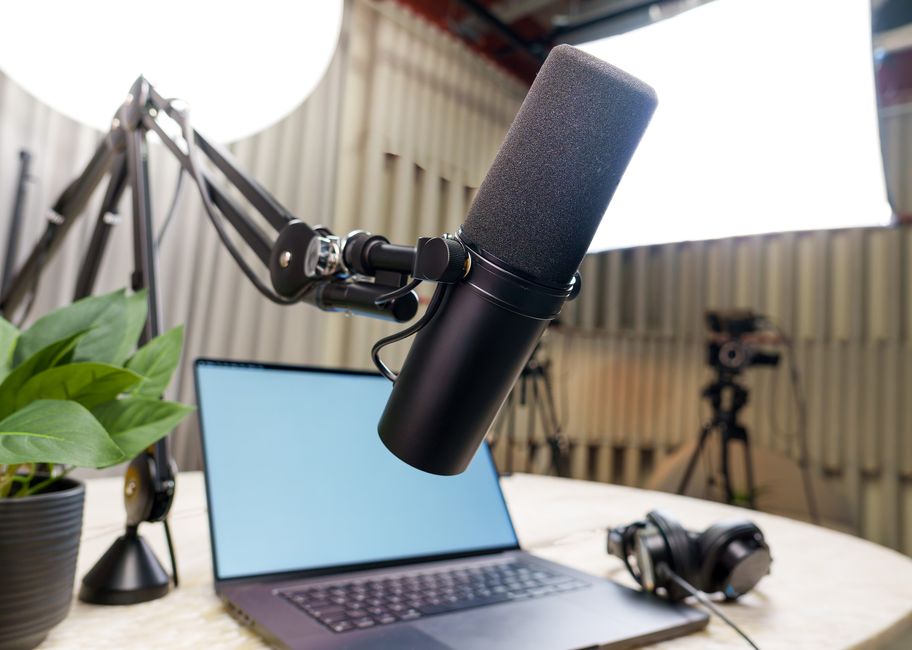
Use OBS Studio to stream a 30‑second teaser. Import a DesignLumo‑generated haunted stage backdrop as a media source, overlay a live‑captioned quote using the Text (GDI+) source, and add a lower‑third with your speaker bio. Record the stream, upload to YouTube Shorts, and embed the video on your registration page. Measure click‑through from video to sign‑up; a 10% conversion aligns with Vidyard’s average for video‑driven webinars. This low‑cost setup replaces pricey video studios while delivering a professional look.
Before you go
- Batch generate all Halloween visuals in DesignLumo using a single prompt template to cut creative time by 70%.
- Sync your social‑media scheduling tool with UTM parameters that tag "halloween" to isolate campaign performance in Google Analytics.
- Leverage the scarcity principle: add a real‑time countdown timer to every landing page and email header for maximum conversion lift.















Ready to create your first design?
Join thousands creating professional designs in seconds.
Create with DesignLumo
Related Resources
Facebook Tools Every Motivational Speaker Needs
Essential AI‑powered and manual tools to dominate Facebook posts, events, and ads for speakers.
Motivational Speaker Brand Assets Blueprint
Step-by-step guide to create logos, cards, and identity assets for speakers.
Valentine's Day Marketing & Design Playbook for Speakers
Tactical guide to boost speaker bookings and sales with love‑themed campaigns.
Email Design Hacks for Motivational Speakers
Actionable email graphic ideas to boost speaker bookings and sales.
Etsy Design Playbook for Motivational Speakers
Tactical Etsy graphics guide to boost speaker bookings and sales.
Motivational Speaker Social Media Design Playbook
Step-by-step design tactics to boost speaker posts across platforms.