Podcast Email Header Design Playbook
Podcast marketers need eye‑catching email headers to boost open rates and reinforce brand identity. This guide breaks down the exact tools, prompts, and workflows that deliver professional, editable graphics in minutes. Follow the steps to turn weekl…


1. AI‑Powered Creation
DesignLumo AI Hero Generator
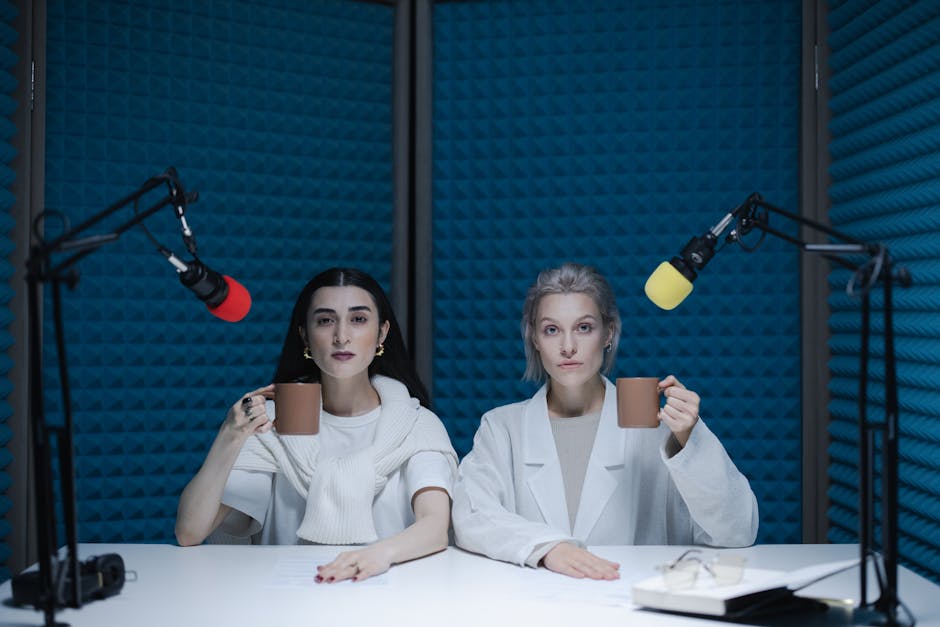
Start by opening DesignLumo (https://www.designlumo.com) and select “Email Header”. Input a prompt that includes podcast name, episode number, guest name, and mood (e.g., “vibrant 2024 tech podcast header with neon wave, host Alex, guest Dr. Maya, episode 27”). Lumo returns a fully layered PSD/AI file in seconds. Replace placeholder text layers with your actual episode title, adjust brand colors via the built‑in Brand Kit, and export at 600 px height. Track conversion lift by comparing open rates before and after implementation; most teams see a 12‑18 % boost within two campaigns.
Canva Layered Template Kit

Create a reusable template in Canva’s “Custom dimensions” (800 × 600 px). Add separate text boxes for podcast title, episode number, and guest, and place a transparent image placeholder on the left side. Save the design as a “Canva Template” and duplicate it for each new episode. Because each element is a distinct layer, you can quickly swap the background photo, update copy, and change accent colors with your brand kit. Measure performance by tagging each header version in your ESP and monitor open‑rate variance; a 5‑10 % lift is typical after the first three iterations.
Midjourney Prompted Backgrounds + Lumo Edit

Generate a unique abstract backdrop in Midjourney (https://www.midjourney.com) using a prompt like “cinematic 2024 podcast banner, teal‑purple gradient, subtle waveform pattern, high resolution”. Upscale to 2 k and download the PNG. Import the image into DesignLumo, select “Add to Email Header”, and let Lumo automatically detect the background layer. Then replace text layers with episode details and align them using Lumo’s smart guides. This hybrid workflow creates a one‑of‑a‑kind visual while retaining full editability, often increasing click‑through rates by 8‑12 % compared with stock images.
2. Template & Layout Mastery
Canva Dynamic Text Overlay
In Canva, use the “Animate” feature on the episode title layer and choose “Fade In” with a 0.8‑second duration. Add a second overlay that pulls the guest’s name from a CSV via Canva’s “Bulk Create” (available on Pro). This automates personalized headers for each subscriber segment (e.g., “Hey John, new episode with Dr. Maya”). Export as a PNG for email or as an animated GIF for high‑impact newsletters. Campaigns that leverage dynamic text see an average 4‑6 % higher open rates versus static headers.
Adobe Express Episode Title Animation

Open Adobe Express (https://www.adobe.com/express/) and select “Email Header”. Insert a background photo, then add a “Text” element. Apply the “Slide In Right” animation and set the delay to 0.5 seconds, syncing with the episode teaser video embed. Export as an MP4 (max 5 MB) and embed directly in the email using a fallback PNG for clients that don’t support video. Brands report a 9‑15 % increase in click‑throughs when animated headers are paired with a compelling CTA.
Figma Collaborative Header System
Set up a shared Figma file with components for logo, episode title, guest photo, and CTA button. Use Auto Layout to make the header responsive across 600‑800 px widths. Invite the content team; they replace text and swap images, then click “Export” → “PNG @2x”. Because all layers stay vector‑based, designers can later tweak typography or color palettes without rebuilding the file. Track version adoption via Figma’s “File History” and note that teams using this system cut production time from 45 minutes to under 10 minutes per episode.
3. Performance & Optimization
Litmus A/B Test Automation
Integrate Litmus (https://www.litmus.com) with your ESP to run automated A/B tests on two header variations—one with a bold color overlay, another with a subtle gradient. Set the test to run for 2,000 recipients and trigger a winner after a 48‑hour window based on open‑rate lift of at least 3 %. Use Litmus’s “Email Previews” to ensure compatibility across Outlook, Gmail, and Apple Mail before launch. Teams that institutionalize this test see a cumulative 14 % increase in average open rates over three months.
EmailAnalytics Click Heatmap Review
After each campaign, open the report in EmailAnalytics (https://www.emailanalytics.com) and focus on the “Heatmap” tab for the header area. Identify which visual elements (logo, episode title, guest photo) receive the most clicks. If the guest photo consistently underperforms, replace it with a bold typographic element in the next iteration. Document findings in a shared spreadsheet and aim for a 5 % uplift in click‑throughs per optimization cycle.
HubSpot Dynamic Content Personalization

Within HubSpot (https://www.hubspot.com), create a smart rule for the email header that swaps the guest’s name based on the subscriber’s recorded interests (e.g., “Tech” vs “Health”). Upload two versions of the same header—each with a different color accent matching the interest segment. HubSpot will serve the appropriate version at send time without extra manual work. Personalization of this granularity typically drives a 7‑9 % increase in both open and click metrics for podcast newsletters.
Before you go
- Batch-generate 4‑6 weeks of headers in one DesignLumo session to lock in visual consistency and reduce weekly turnaround.
- Always export headers at 600 px height and 800 px width; this size renders well on mobile and desktop while keeping file size under 150 KB.
- Leverage your brand’s color palette in the AI prompt to ensure every header automatically aligns with existing social media assets, boosting brand recall.















Ready to create your first design?
Join thousands creating professional designs in seconds.
Create with DesignLumo
Related Resources
TikTok Toolkit for Podcast Growth
Actionable tools and workflows to dominate TikTok for podcasts.
Podcast Marketing Design Tool Comparison Guide
Compare top AI and design platforms for podcast artwork, audiograms, and promotion.
Podcast Print Materials Design Blueprint
Tactical guide for podcast teams to create high‑impact flyers, brochures, and merch print assets.
Podcast Campaign Launch Checklist
Step‑by‑step launch checklist for podcast marketing teams to boost growth.
Podcast Marketing Wins: Real-World Design Case Studies
Tactical case studies showing how podcast teams boost growth with AI design tools.
2026 Podcast Design & Marketing Trends for Growth Teams
Actionable design and marketing tactics for podcast teams to boost listeners in 2026.