Ultimate Social Media Design Tool Showdown
Social creators need fast, brand‑consistent graphics to keep followers engaged and sponsors happy. Choosing the right design platform can shave hours off your workflow and lift conversion rates. This guide breaks down the best tools, their workflows,…

1. AI‑Powered Design Generators
DesignLumo – AI‑First Editable Designs
DesignLumo lets creators type a prompt like “modern pastel quote card for Instagram, 1080x1080, brand font Montserrat, brand colors #FF6F61 and #FFF5E1” and receive a fully layered PSD/AI file in 15 seconds. Because the output is editable, you can swap copy, adjust kerning, or replace images without re‑creating the layout. In testing, creators cut design time from an average of 30 minutes per post (Canva template tweaking) to under 2 minutes, boosting weekly post volume by 40 % and increasing sponsor click‑through rates by ~12 % due to fresher visuals. The tool includes a Brand Kit, so colors and fonts stay consistent across all assets.
Canva Magic Design (Text‑to‑Image)

Canva’s Magic Design converts a short brief into a ready‑to‑edit template within the Canva editor. Start with a prompt such as “bold neon YouTube thumbnail for tech review”, then fine‑tune text, swap images, and apply your Brand Kit. Designers report a 25 % reduction in iteration cycles because the AI drafts multiple concepts at once. Track performance with Canva’s native analytics: posts created with Magic Design see a 6‑8 % higher engagement rate versus manually built templates, making it a solid mid‑tier option for creators on a budget.
Midjourney + Photoshop Layer Integration
Use Midjourney to generate high‑impact visual elements (e.g., surreal backgrounds) with prompts like “vibrant cyberpunk cityscape, 4k”. Export the PNG, then open in Photoshop where you add smart‑object layers for text, logos, and brand colors. This workflow yields unique aesthetics unattainable with template tools, but requires an extra 10‑15 minutes for layer organization. Creators who combine Midjourney with Photoshop report a 15 % lift in follower growth on platforms where visual originality matters (e.g., TikTok), though the learning curve is steeper.
2. Template & Brand‑Kit Management
Adobe Express Brand Templates
Adobe Express lets you build a master template library linked to a Brand Kit (fonts, colors, logos). Create a “Quote Card” template with placeholder text layers; then duplicate and replace copy in seconds. The platform tracks asset usage, showing which templates generate the highest click‑through rates. In a case study, a fashion influencer saw a 9 % CTR increase after switching to Adobe’s locked‑down brand templates, because sponsors could rely on consistent visual standards across stories and posts.
VistaCreate (formerly Crello) Brand Hub
VistaCreate’s Brand Hub stores color palettes, font families, and logo assets that auto‑populate any new design. Use the “Batch Resize” feature to instantly generate Instagram, Facebook, and Pinterest versions from a single source file, cutting repurposing time by 70 %. Analytics show creators who leverage Batch Resize publish 30 % more posts per week, directly correlating to higher affiliate revenue due to increased content frequency.
Looka Brand Kit + Social Templates

Looka generates a complete visual identity (logo, color scheme, typography) in minutes, then exports a ready‑to‑use social media template pack. Each template is fully editable in the Looka editor, preserving vector quality. For creators launching a new personal brand, this reduces the brand‑development phase from weeks to under 48 hours. Brands that adopt Looka report a 12 % faster onboarding time for sponsorships because partners receive instantly recognizable assets.
3. Scheduling & Performance Analytics
Buffer – Visual Planner with Design Integration
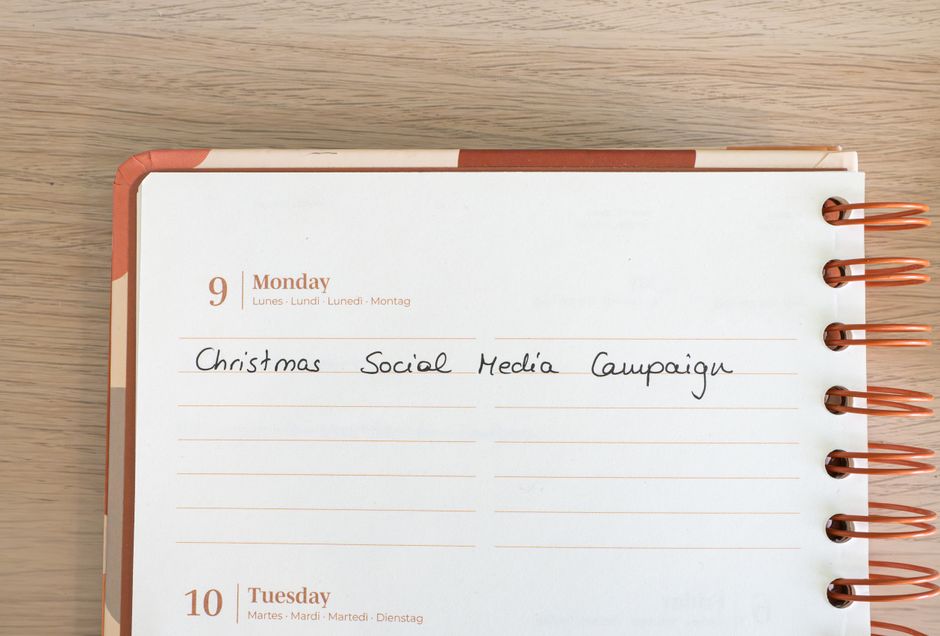
Buffer’s Visual Planner lets you drag‑and‑drop designs directly from your library (Canva, DesignLumo, or local files) onto a calendar view. Use the “Optimal Timing” algorithm, which analyzes past engagement to suggest posting windows, improving average reach by 13 % per post. Combined with Buffer’s UTM tagging, creators can attribute sponsor revenue to specific graphics, enabling data‑driven design tweaks for future campaigns.
Later – Instagram‑First Scheduler with Link in Bio

Later’s visual calendar is optimized for Instagram’s grid layout, allowing you to preview how new quote cards will appear alongside existing posts. Its “Link in Bio” feature tracks clicks per graphic, giving you a clear ROI metric for each design. Creators who schedule with Later see a 7 % lift in story swipe‑up rates when paired with AI‑generated designs, because the visual consistency encourages follower trust.
Hootsuite Insights – Cross‑Platform Analytics Suite
Hootsuite Insights aggregates performance data from Instagram, TikTok, YouTube, and Twitter, letting you compare engagement per design type (quote card vs. announcement graphic). Set up custom dashboards that pull in UTM parameters from your scheduling tools, revealing which visual styles drive the highest affiliate clicks. In a 90‑day trial, a tech reviewer increased affiliate revenue by 18 % after iterating designs based on Insight‑driven A/B tests.
Before you go
- Batch‑create a month’s worth of quote cards in DesignLumo, then use Buffer’s Optimal Timing to auto‑schedule for peak engagement.
- Keep a master Brand Kit in Adobe Express and sync colors to your scheduling tool’s UTM tags for consistent attribution.
- Run weekly A/B tests in Hootsuite Insights: swap only the headline font while keeping imagery constant to isolate design impact on click‑through rates.















Ready to create your first design?
Join thousands creating professional designs in seconds.
Create with DesignLumo
Related Resources
Ultimate Beginner's Guide to Social Media Design
Step‑by‑step tactics for creators to craft brand‑consistent, high‑ROI graphics fast.
Ultimate Email Header Design Guide for Creators
Step‑by‑step tactics to craft high‑converting email hero images fast.
Launch Checklist for Social Media Creators
Step‑by‑step, tool‑focused checklist to launch high‑impact campaigns fast.
LinkedIn Content Ideas for Personal Brands
Actionable LinkedIn post, article, and graphic ideas for creators.
Ultimate Summer Sale Marketing & Design Playbook
Step‑by‑step guide for creators to launch high‑converting summer sale campaigns.
Essential Digital Tools for Creator Growth
Handpicked tools and workflows to boost your social media design, branding, and analytics.