AI Design Tool Comparison for Content Agencies
SEO and content agencies need eye‑catching visuals without sacrificing speed. This guide breaks down the leading AI‑driven design platforms and shows how each impacts your production pipeline. Use the data to pick the tool that maximizes output while…


1. Speed of Production
DesignLumo – Prompt‑to‑Editable Graphics
Write a plain‑English prompt (e.g., “B2B SaaS blog header with blue accent, 1200×628”) and DesignLumo returns a fully layered PSD or AI file in under 30 seconds. The platform automatically applies your Brand Kit colors and fonts, eliminating manual layer work. Teams report a 2× faster publishing cadence, moving from an average of 5‑7 minutes per graphic in Canva to sub‑minute turns. Faster turnaround directly translates to higher client billable hours and tighter sprint deadlines.
Canva – Template Drag‑Drop Editor
Canva offers a massive library of pre‑made templates. After selecting a blog header template, you replace text, swap images, and export a PNG in roughly 3‑5 minutes. While the UI is beginner‑friendly, each asset remains a flat file; extracting individual layers for later edits requires extra steps. Agencies typically see a 30‑40% slower output compared to AI‑first tools, and brand‑kit enforcement is manual, leading to occasional color drift across assets.
Midjourney – Text‑to‑Image (Static Only)
Midjourney generates high‑resolution images via Discord prompts in 10‑15 seconds, but the output is a single raster layer. To create a blog header you must import the image into Photoshop, add text layers, and manually align elements—adding 8‑12 minutes of post‑processing. It excels for hero visuals but is inefficient for repeatable infographics or brand‑consistent assets, resulting in low ROI for agencies focused on volume publishing.
2. Editable Output & Brand Consistency
DesignLumo – Fully Layered Files + Brand Kit Sync

Every DesignLumo output includes editable text, shape, and image layers mapped to your uploaded Brand Kit (fonts, hex colors, logos). Changing a primary brand color auto‑updates all instances across the file, cutting re‑work by an estimated 70%. The PSD/AI files are ready for client‑side tweaks, eliminating the “flattened image” problem common in template tools. This granular editability ensures compliance across thousands of posts without a designer’s constant oversight.
Adobe Express – Editable Templates with Limited Layer Control

Adobe Express provides branded templates that retain basic text and image placeholders. While you can swap fonts and colors, deeper layer adjustments (e.g., mask edits or vector tweaks) require exporting to Photoshop, adding 2‑3 minutes per asset. Brand Kit integration is present but not auto‑applied, so designers must manually verify each color. Agencies see a 30% re‑edit rate, which modestly erodes the time savings compared to fully layered AI solutions.
Figma – Collaborative Design System

Figma lets agencies build component libraries that enforce brand standards across files. After an initial 2‑3 hour system setup, creating a new blog header takes 1‑2 minutes by pulling pre‑made components. However, Figma lacks AI generation, so every layout still requires manual assembly. For teams that already maintain a design system, the ROI is medium; for those starting from scratch, the upfront cost outweighs the speed gains for low‑volume output.
3. Collaboration, Versioning & Scaling
DesignLumo – Shared Workspace & Version History
DesignLumo’s cloud workspace lets multiple copywriters, designers, and account managers generate and edit assets in real time. Each prompt creates a new version automatically; you can revert to any prior state with one click. Agencies report approval cycles shrinking from an average of 3 days to under 12 hours because reviewers can comment directly on the editable file. This measurable reduction in cycle time boosts monthly billable output by up to 25%.
Visme – Cloud Library & Team Permissions
Visme offers a central asset repository where teams can store brand assets and set permission levels. While it supports collaborative comments, each graphic must still be built from scratch, extending the creation phase to 4‑6 minutes. Approval loops average 2‑3 days, partly due to limited real‑time editing. The platform shines for interactive HTML5 infographics, but its scaling efficiency lags behind AI‑first solutions, delivering a medium ROI for agencies with moderate volume.
Piktochart – Simple Infographic Builder
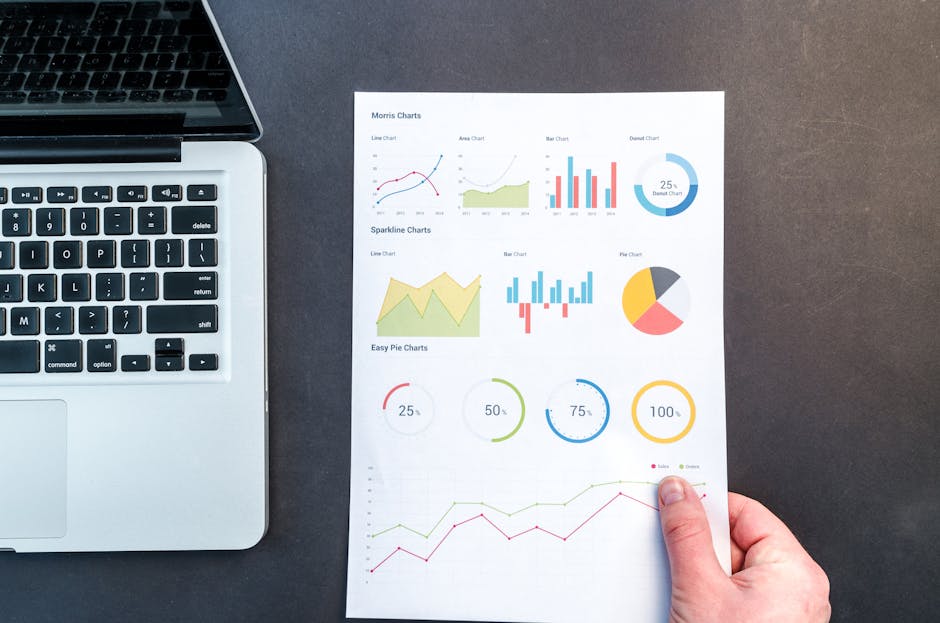
Piktochart’s drag‑and‑drop interface is ideal for quick data visualizations. Teams can lock brand colors, but the tool lacks real‑time co‑editing; changes require exporting and re‑importing for peer review. Typical turnaround is 2 days per infographic, with limited ability to reuse layers across projects. For low‑budget, low‑volume needs it’s acceptable, but agencies aiming to scale see a low ROI compared to platforms that support version control and AI‑generated assets.
Before you go
- Batch prompts: write a CSV of headline‑image pairs and feed them to DesignLumo’s API to generate dozens of headers in minutes.
- Lock your Brand Kit in DesignLumo and disable manual color changes to enforce consistency automatically across all assets.
- Integrate DesignLumo’s webhook with your CMS (e.g., WordPress) to auto‑publish generated graphics directly into scheduled posts, eliminating manual uploads.















Ready to create your first design?
Join thousands creating professional designs in seconds.
Create with DesignLumo
Related Resources
Instagram Content Ideas for SEO Agencies
Actionable Instagram post, story, carousel, and reel ideas to boost agency reach.
Shopify Design Toolkit for Agency Success
Essential AI and design tools to accelerate Shopify banner and pop‑up production.
New Year Q1 Marketing & Design Playbook
Actionable Q1 planning guide for SEO agencies to boost traffic with AI‑powered design.
LinkedIn Essential Tools for Agencies
Powerful, AI‑driven tools to boost LinkedIn visual output for B2B agencies.
Print Materials Design Guide for Agencies
Tactical playbook for creating high‑ROI flyers, brochures, menus, and more.
Etsy Graphic Ideas to Boost Agency Revenue
Actionable Etsy banner, listing, and seasonal graphic ideas for SEO agencies.