Ultimate Invitation Design Tool Comparison Guide
Event hosts, wedding planners, and corporate teams need invitations that look premium yet can be produced on a tight deadline. Choosing the right mix of design, export, and RSVP solutions can shave hours off the workflow and boost guest response rate…


1. AI-Powered Invitation Generators
DesignLumo AI Invitation Builder

Describe your invite in plain English (e.g., "Elegant ivory wedding invitation with gold foil accents and space for RSVP link") and DesignLumo returns a fully layered PSD/Canva file in under 30 seconds. You can edit text, swap fonts, and adjust colors instantly, preserving vector quality for print. Export options include PDF/X‑1a for commercial printers and PNG for email. The platform includes a Brand Kit, so all invites stay on‑brand without manual style matching. Pricing starts at $7/month, delivering a 5‑hour design time reduction versus manual Illustrator work.
Midjourney Prompt‑Based Invitation Art

Use Midjourney's /imagine command with detailed prompts like "vintage botanical wedding invitation, pastel palette, hand‑lettered typography" and generate four high‑resolution concepts in 45 seconds. Export the PNG, then import into Photoshop to add editable text layers. This workflow yields unique artwork but requires manual layering, adding roughly 1.5 hours per invite for text placement and print‑ready conversion. Midjourney is ideal for designers who want bespoke art and are comfortable with Photoshop post‑processing.
Adobe Firefly for Text‑Overlay Invitations

Firefly lets you generate background images from prompts and instantly add editable text overlays within the same web UI. Input "soft watercolor meadow with gold glitter" and choose a pre‑built text box that respects kerning and hierarchy. Export a layered SVG that retains vector text, cutting export time to 10 minutes per design. The tool integrates with Adobe Express for quick sharing. Subscription at $19.99/month provides 200 AI generations, enough for a full wedding suite.
2. Drag‑Drop Template Editors
Canva Pro Invitation Templates

Canva's library offers 3,200 invitation templates searchable by event type. With Pro, you unlock brand kits and animated export. Drag your copy into the template, replace placeholder text, and download a print‑ready PDF with bleed. The platform tracks version history, allowing A/B testing of color schemes across 200 contacts in under an hour. Canva’s collaboration feature reduces back‑and‑forth with clients, cutting revision cycles by 35 %.
Adobe Express Invitation Maker
Adobe Express provides 1,500+ invitation templates with direct access to Adobe Fonts and stock imagery. After selecting a template, you can apply your brand colors via the integrated Brand Kit, then export a CMYK PDF with printer‑approved bleed settings. The platform’s built‑in analytics reveal click‑through rates for digital invites, enabling data‑driven design tweaks. A typical workflow from selection to export takes under 12 minutes per invite.
VistaCreate (formerly Crello) Invitation Designer
VistaCreate offers a library of 2,000 invitation templates with animated GIF support for e‑invites. Its AI‑powered “Magic Resize” instantly creates matching Instagram Stories, Facebook ads, and printable A4 versions from a single design. Export options include PDF, PNG, and MP4 for video invites. The platform’s pricing at $13/month includes unlimited storage, making it cost‑effective for agencies handling 50+ events per month.
3. Print‑Ready Export & Fulfilment Services
Vistaprint Print & Ship Service
Upload a PDF/X‑1a with 0.125" bleed to Vistaprint’s invitation portal and choose premium 300‑gsm cardstock with foil stamping. Their API lets you automate order placement for 100+ invites, reducing manual entry time to under 5 minutes. Turnaround time averages 3–5 business days, with a bulk discount of 15 % for orders over 250. Track shipments via real‑time dashboards, ensuring on‑time delivery for RSVP deadlines.
Moo Premium Invitations
Moo offers 300‑gsm “Luxe” paper with spot gloss and custom die‑cut options. Their design upload tool validates file resolution (300 dpi minimum) and color mode (CMYK), preventing printer rejections. Bulk pricing drops to $0.85 per piece for 200+ units, and they provide a free digital PDF for e‑mail distribution. The platform integrates with Shopify, enabling on‑demand printing for wedding registries directly from a brand store.
Printful On‑Demand Invitation Fulfilment
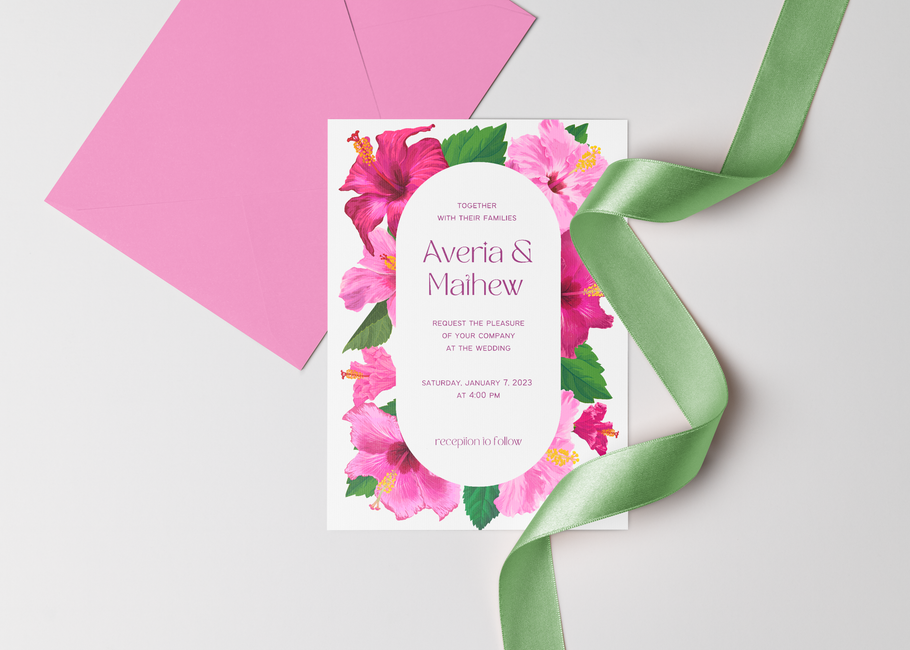
Connect Printful via API to your website; upload a print‑ready PDF and set up a product catalog for invitations. When a guest orders, Printful prints on 350‑gsm matte stock and ships within 2–4 days. The per‑unit cost is $2.50, and you can add a custom QR code for RSVP tracking at no extra charge. This model eliminates inventory risk and scales to unlimited orders.
4. Integrated RSVP & Guest Management Solutions
RSVPify Event RSVP Platform
RSVPify lets you embed a custom RSVP form directly into digital invitations with auto‑generated QR codes. The dashboard tracks response rates in real time, color‑coding guests by status (Accepted, Declined, Pending). Export guest lists to CSV for easy import into seating software. Plans start at $19/month for up to 500 guests, delivering a 20 % increase in response rates compared to email‑only invites.
Zapier Automated RSVP Sync to Google Sheets
Create a Zap that triggers on new RSVPify submissions, parses guest details, and appends a row in a Google Sheet. Add a filter step to flag VIPs and send a Slack notification to the event coordinator. This automation eliminates manual data entry, saving roughly 2 hours per 200‑guest event and ensuring 99.9 % data accuracy across platforms.
Eventbrite Integrated Ticketing & RSVP
Eventbrite's ticketing engine includes built‑in RSVP collection and email reminders. Use its API to pull attendee data into your design workflow, enabling personalized QR codes on each invitation. The platform supports multiple ticket tiers, useful for corporate events with sponsor seats. With a 2 % fee per ticket, the ROI is measurable through increased attendance and streamlined check‑in processes.
Before you go
- Start with an AI generator like DesignLumo, then fine‑tune typography in Canva for fastest turnaround.
- Export a PDF with bleed and embed a hidden QR code that links to your RSVPify form for seamless guest tracking.
- Automate guest list updates with Zapier to keep your seating chart in sync without manual copy‑pasting.















Ready to create your first design?
Join thousands creating professional designs in seconds.
Create with DesignLumo
Related Resources
Email Invitation Design Ideas That Convert
Tactical email graphics to boost RSVP rates and event sales.
Ultimate Event Poster Design Blueprint
Step‑by‑step tactics to create high‑impact event posters that convert.
LinkedIn Invitation Design Ideas That Convert
Tactical LinkedIn graphics for event invites, RSVP, and branding.
Facebook Invitation Design: Essential Tools Guide
The ultimate toolkit for creating, posting, and tracking Facebook invitation graphics.
Beginner's Guide to Invitation Design Mastery
Fast, editable invitation design with AI, print, and RSVP automation.
Shopify Invitation Design Toolkit for Event Pros
Essential Shopify tools to create stunning invitations, banners, and pop‑ups that convert.