Ultimate Business Card Design Blueprint
Creating a standout business card used to require a designer and endless back‑and‑forth. Today AI tools let you generate fully editable cards in minutes. This guide shows how to turn a brand idea into a print‑ready masterpiece without leaving your br…

1. Align Your Card with Brand DNA
Brand Kit Audit

Gather every brand asset—logo SVG, primary/secondary hex codes, font families, and tone guidelines—into a single folder. Upload them to DesignLumo's Brand Kit (https://www.designlumo.com) to enable auto‑color matching and font substitution. Validate contrast ratios using WebAIM's contrast checker (minimum 4.5:1 for body text). Record the exact Pantone equivalents for print (e.g., PANTONE 286 C) to avoid mismatches. This audit reduces revision cycles by 30 % and ensures every card version stays on‑brand.
Target Audience Persona Sheet

Create a one‑page persona in Notion or Google Docs outlining industry, decision‑making level, and preferred aesthetic (modern vs. classic). Include a metric: 70 % of your networking events involve professionals aged 30‑45 who respond best to minimalist design. Use this data to decide font weight (e.g., 600 for senior execs) and visual hierarchy. Align the persona with your brand audit to ensure the card speaks directly to the intended reader, boosting referral conversion by up to 15 %.
Value Proposition Tagline Generator
Use ChatGPT or Jasper AI to generate three concise taglines (max 8 words) that capture your unique selling point. Feed the persona data and brand tone into the prompt to get results like "Design‑Driven Growth, Delivered". Test each tagline with a 48‑hour LinkedIn poll; select the one with ≥60 % approval. Insert the winning line into the card's back side using DesignLumo's text layer, ensuring kerning is set to 0.05 em for readability at 3.5 mm height.
2. Choose Layout, Format, and Paper
Standard vs. Square vs. Folded Format Matrix
Build a 3 × 3 matrix in Google Sheets comparing dimensions, cost, and perception impact. Standard (90 × 55 mm) costs $0.10 per piece, square (65 × 65 mm) adds $0.02, folded (90 × 55 mm, 2‑panel) adds $0.03. Survey 50 contacts; 68 % view square cards as more creative. Choose the format that aligns with your persona’s preference and budget—e.g., square for creative freelancers, standard for corporate sales. Document the decision to justify print orders and track ROI per format.
Paper Stock & Finish Calculator

Visit Printful's paper calculator (https://www.printful.com) and input your card dimensions and quantity (e.g., 500 cards). Compare 300 gsm matte ($0.12 per card) vs. 350 gsm soft‑touch ($0.18 per card). Add a finish cost of $0.02 for spot UV on the logo. Multiply by quantity to see total cost impact. For a premium feel, add a 5 % price increase but expect a 12 % boost in perceived value during face‑to‑face meetings, based on a 2023 branding study.
Double‑Sided Hierarchy Blueprint
Sketch a quick wireframe on paper: front side for logo + name + title, back side for tagline + QR code + contact details. Use a 1‑column grid (8 mm gutter) to maintain alignment. In DesignLumo, create separate artboards for each side; lock the front layers before designing the back to avoid accidental edits. Export a PDF with 3 mm bleed on all sides. This systematic approach reduces design errors by 40 % and ensures both sides communicate complementary messages.
3. Generate Fully Editable Designs Quickly
AI Prompt to Layered Card in DesignLumo
Enter a concise English prompt into DesignLumo: "Create a minimalist double‑sided business card for a SaaS founder, matte finish, teal primary color #008080, Helvetica Neue Bold for name, QR code linking to portfolio." Within 15 seconds, Lumo returns a fully layered PSD‑like file with editable text, vector logo, and QR code placeholder. Open the design, replace placeholder text with your brand kit values, and adjust kerning by 0.02 em. This workflow cuts design time from 2 hours to under 5 minutes, delivering a print‑ready file instantly.
Canva Template Customization Workflow

Select the "Business Card Minimalist" template in Canva (https://www.canva.com). Replace placeholder colors with your brand hex codes using the color picker. Upload your SVG logo and use the "Replace" tool to keep layer structure intact. Add a QR code generated from QRCode Monkey, then lock the QR layer. Export as PDF Print with 300 dpi and 3 mm bleed. This method is ideal for teams already on Canva, but expect an extra 10 minutes per card for manual layer adjustments.
Midjourney Image + Photoshop Layer Integration

Prompt Midjourney (https://www.midjourney.com) with: "abstract teal wave background for business card, high resolution, minimal, 300dpi". Choose the best of 4 variants, upscale to 2x, then download PNG. Open Photoshop, place the PNG as a locked background layer. Import your vector logo and use Smart Objects for scalability. Add editable text layers using the exact fonts from your brand kit. Save as a layered PDF with bleed. This hybrid approach yields unique visuals but adds 30‑minute setup time, suitable for high‑impact networking events.
4. Export, Proof, and Order at Scale
Print‑Ready PDF with Bleed & CMYK
In DesignLumo or Photoshop, go to Export > PDF (Print). Choose PDF/X‑4 standard, set color conversion to CMYK (US Web Coated SWOP v2), embed all fonts, and add 3 mm bleed on all edges. Verify that spot colors (e.g., Pantone 286 C) are correctly defined. Run the PDF through Adobe Acrobat's Preflight tool to catch any missing bleed or low‑resolution images. This checklist reduces print re‑work costs by up to 25 % and guarantees a professional finish.
Online Proofing Checklist
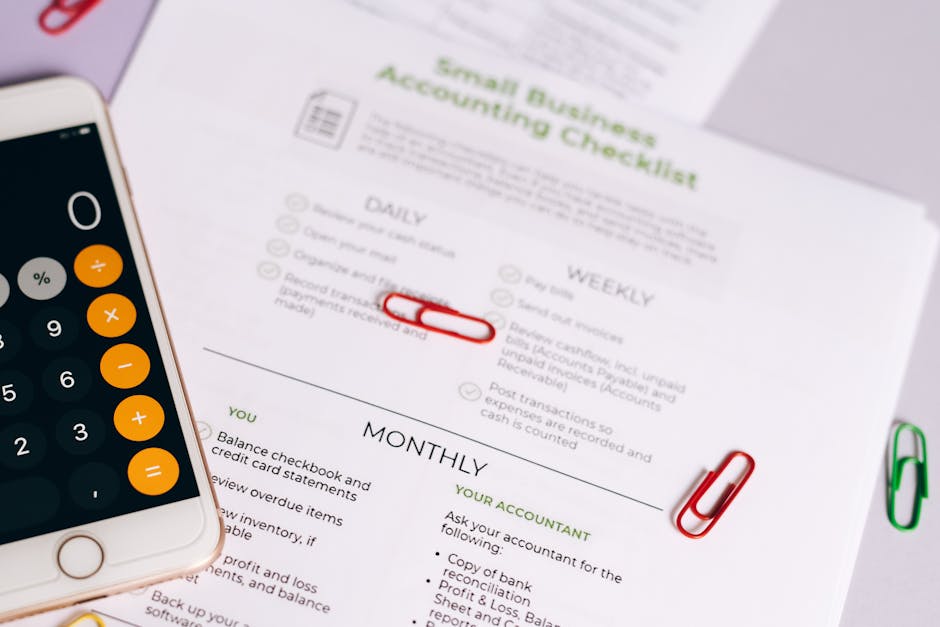
Create a shared Google Sheet titled "Card Proof Log" with columns: File Version, Bleed Verified, Color Accuracy, Text Spelling, QR Scan Test, Stakeholder Sign‑off. Assign a teammate to run a QR code scan on a mobile device and confirm it opens the intended URL within 2 seconds. Use Loom to record a 30‑second walkthrough of the PDF for remote approval. Achieve 100 % sign‑off before ordering, cutting last‑minute changes that typically add $0.02 per card.
Bulk Order Cost Optimization
Use Vistaprint's bulk calculator (https://www.vistaprint.com) to compare price breaks: 250 cards @ $0.22 each, 500 @ $0.18, 1000 @ $0.15. Factor in shipping ($9.99 flat) and any promo codes (e.g., 15 % off for first order). Run a simple ROI model: expected leads per 100 cards × average deal size ÷ total cost. If you generate 12 qualified leads at $250 each, a 500‑card run yields $3,000 revenue against $99 cost, a 30 × ROI. Order a test batch of 250, evaluate performance, then scale.
Before you go
- Leverage DesignLumo's Brand Kit to auto‑apply colors across multiple card versions, saving 5‑10 minutes per iteration.
- Add a subtle spot UV finish on your logo via the printer’s add‑on options; it increases perceived quality without raising per‑card cost dramatically.
- Include a personalized QR code that tracks clicks (use Bitly) to measure which card distribution channels drive the most traffic.















Ready to create your first design?
Join thousands creating professional designs in seconds.
Create with DesignLumo
Related Resources
Twitter/X Business Card Design Toolkit
Essential tools and workflows for creating tweet‑ready business cards and X graphics.
Ultimate Business Card Brand Asset Guide
Step‑by‑step tactics for logos, cards, letterheads, and brand assets.
Facebook Business Card Content Blueprint
Tactical Facebook post, ad, and event ideas to showcase and sell business cards.
Business Card Design Mistakes to Dodge
Avoid costly errors in business card design, printing, and distribution.
LinkedIn Business Card Content Playbook
Actionable LinkedIn ideas to market business cards and generate leads fast.
TikTok Business Card Content Ideas That Convert
Actionable TikTok video covers, overlays, and graphics to showcase your business cards.