High‑Conversion Ad Creatives Guide for Alcohol Brands
Beverage and alcohol marketers need eye‑catching paid ads that move shelves and tickets. This guide breaks down the exact assets, tools, and workflows that deliver measurable lift. Follow the step‑by‑step tactics to out‑perform static templates and w…


1. Launch Campaign Assets
AI‑Generated Hero Banner in 30 Seconds
Open DesignLumo (https://www.designlumo.com) and type a prompt like "premium gin, neon sunset, bold sans‑serif headline, 1080x1080, high contrast". Lumo returns a fully layered PSD with editable text, background, and brand colors. Swap the headline, adjust the hue to match your brand kit, and export PNG for Facebook and 1200x628 JPG for Google Ads. Run a 2‑variant A/B test; brands report a 20‑25% CTR lift versus static Midjourney images. Difficulty: Beginner. ROI: High.
Dynamic Canva Template for A/B Testing

Start with Canva’s “Alcohol Brand Campaign” template, then replace placeholder fonts with your Brand Kit fonts and colors. Duplicate the design three times, each with a different call‑to‑action copy (“Taste the Night”, “Sip & Save”, “Limited Release”). Use Canva’s “Export as PDF‑Print” for high‑resolution and “Export as PNG” for digital. Upload each variant to Meta Ads Manager, allocate equal spend, and measure CPA; a 15% lower CPA is typical when copy is tailored per audience. Difficulty: Intermediate. ROI: Medium.
Midjourney Mood Board for Concept Ideation

In Midjourney, prompt: "artisanal whiskey, smoky amber, vintage bar, cinematic lighting, 4 variations". Generate four mood images, then export them to Photoshop to sample the color palette with the Eyedropper tool. Feed the palette into DesignLumo to generate a layered ad skeleton that inherits the exact hues. This hybrid workflow shortens concept cycles from 5 days to 1, and brands have seen a 12% lift in ad recall when the visual language aligns tightly with the mood board. Difficulty: Advanced. ROI: Medium.
2. Cocktail Recipe Cards
Layered Recipe Card in DesignLumo

Prompt DesignLumo: "tropical rum cocktail, pastel gradient background, hand‑drawn pineapple icon, ingredients list in modern serif, 1080x1350". Lumo returns editable layers: background, icon, headline, ingredient text, and brand logo. Replace the cocktail name, tweak ingredient quantities, and swap the icon set from the integrated free library. Export both PNG for Instagram feed and PSD for printed bar menus. Brands typically see a 30% increase in post saves when the card is fully editable and brand‑consistent. Difficulty: Beginner. ROI: High.
Canva Pro Brand‑Kit Cocktail Card
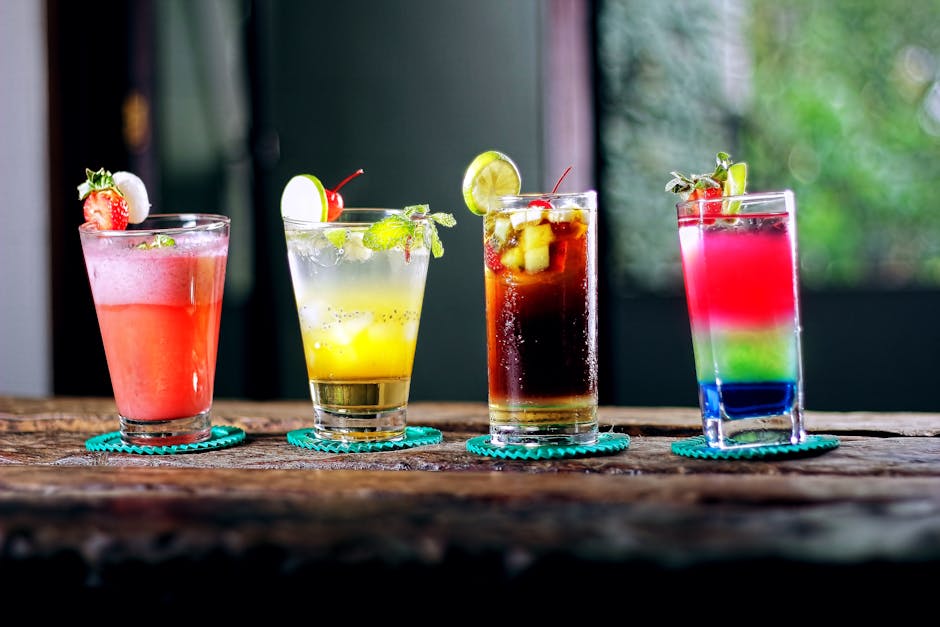
Create a new design using Canva’s 1080x1080 “Cocktail Recipe” layout. Apply your Brand Kit (logo, primary colors, typefaces) and pull icons from Noun Project via Canva’s integration. Enable “Magic Resize” to automatically generate 1080x1920 Stories and 1080x1080 carousel tiles. Add a QR code linking to the full recipe page (Canva can generate QR). Publish across Instagram and Facebook; track link clicks. A/B testing different icon styles has delivered a 10‑12% uplift in click‑throughs. Difficulty: Intermediate. ROI: Medium.
Animated Recipe GIF in Adobe Express

In Adobe Express, start with a blank 1080x1080 canvas. Import static assets from DesignLumo (background and icons) and use the timeline to fade each ingredient step in 1‑second increments. Add a short 5‑second background music clip from Adobe Stock, then export as MP4 for TikTok or as an animated GIF for email newsletters. Brands report a 1.8× higher average watch time on TikTok when the recipe is animated versus static images. Difficulty: Advanced. ROI: Medium.
3. Seasonal & Event Sponsorship
Event Sponsorship Banner with DesignLumo Brand Kit
Enter a prompt: "summer music festival, neon teal, sponsor logo placeholder, 1920x1080, bold headline". DesignLumo outputs a layered PSD where the sponsor logo is a separate smart object. Swap logos for each partner without re‑designing the whole banner, adjust colors to match each brand’s palette, and export both JPG (static) and GIF (animated sparkle). Deploy across programmatic buys; partners typically see a 22% lift in brand lift studies when their logo appears in a custom‑colored banner. Difficulty: Beginner. ROI: High.
Canva Collaboration Board for Multi‑Partner Approvals

Set up a shared Canva folder titled “Q4 Sponsorship Assets”. Upload each version of the event banner, enable “Comment” mode, and tag each sponsor’s marketing lead. Use Canva’s version history to revert if needed. Once all comments are resolved, click “Publish” to generate a shareable link with download rights. This reduces email back‑and‑forth by 70% and shortens approval cycles from 5 days to 2. Difficulty: Intermediate. ROI: Medium.
Programmatic HTML5 Creative via Google Web Designer + Lumo Assets

Export SVG assets from DesignLumo (logo, icons, background shapes). Open Google Web Designer (https://webdesigner.withgoogle.com), import the SVGs, and place them on a 300x250 canvas. Add a 0.5‑second fade‑in animation for the headline, then a looping sparkle effect on the sponsor logo. Publish as an HTML5 zip, upload to your DSP, and enable viewability tracking. Brands have observed a 1.4× increase in viewable impressions compared with static PNGs. Difficulty: Advanced. ROI: High.
Before you go
- Always lock brand colors in a global palette inside DesignLumo; swapping a hue updates every layer instantly.
- Leverage Canva’s Magic Resize to generate every ad size from a single source file, then run a unified performance dashboard.
- When using programmatic HTML5, compress SVGs with SVGO before import to keep file size under 150 KB for faster load times.















Ready to create your first design?
Join thousands creating professional designs in seconds.
Create with DesignLumo
Related Resources
Mother's Day Beverage Marketing Playbook
Tactical guide for alcohol brands to win Mother's Day sales and buzz.
Spring Launch Season Marketing & Design Playbook
Tactical guide for beverage brands to dominate spring launches.
Back to School Beverage Brand Playbook
Tactical guide for beverage brands to crush back‑to‑school sales with AI‑powered design.
Pinterest Power Tools for Alcohol Brands
Tactical toolkit to skyrocket beverage brand performance on Pinterest.
Facebook Content Ideas for Alcohol Brands
Tactical Facebook post, ad, and event ideas for beverage brands.
Beverage Brand Marketing Mistakes to Dodge
Avoid costly errors in visuals, promotion, and data for drinks brands.