YouTube Toolkit for Property Management Pros
Property managers need eye‑catching visuals to fill vacancies faster and keep tenants engaged. YouTube offers a high‑impact channel for listings, maintenance tips, and market updates, but only if the graphics convert. This guide maps the exact tools…


1. Thumbnail & Title Optimization
AI-Powered Thumbnail Generator with DesignLumo

Prompt DesignLumo with a concise brief—e.g., 'modern 2‑bedroom condo, bright colors, bold rent price overlay'—and receive a fully layered PSD in seconds. Replace placeholder text, adjust fonts to match your brand kit, and export a 1280×720 PNG. Test the thumbnail’s click‑through rate (CTR) against your baseline; Aim for a 20‑30% lift within two weeks. Because the file is editable, you can reuse layers across multiple listings, cutting design time from 30 minutes to under 5.
Data-Driven Title Builder using TubeBuddy

Open TubeBuddy’s Keyword Explorer, enter core terms like “vacancy,” “rental,” and your city. Filter for keywords with >5,000 monthly searches and a competition score below 0.45. Combine the top three into a title template: ‘[City] 2‑Bed Apartment Tour – $[Rent] – Move‑In Ready!’ Add power words (Free, Today) and keep the title under 60 characters. Track the resulting click‑through rate in YouTube Analytics; a 5‑10% CTR bump signals the formula works. Repeat quarterly to stay aligned with search trends.
A/B Testing Thumbnails via VidIQ

Upload two thumbnail variants to VidIQ’s Experiments feature—one with a bold rent overlay, another with a lifestyle image of a happy tenant. Set a 7‑day test window and let VidIQ automatically rotate impressions. Review the “CTR lift” metric; aim for at least a 12% improvement before committing. Export the winning design back to DesignLumo for future brand‑consistent tweaks, ensuring you always use the highest‑performing visual.
2. Channel Branding & Community Graphics
Dynamic Channel Art Creation in Canva

Start with Canva’s 2560×1440 channel art template. Insert a high‑resolution skyline of your market area, then overlay your logo using Canva’s Brand Kit for consistent colors and fonts. Add a call‑to‑action “Subscribe for Weekly Rental Tips” in the safe‑zone (1546×423). Export as a PNG under 6 MB. Monitor channel subscriber growth; a well‑branded banner can lift weekly subscriptions by 8–12% when paired with regular video uploads.
Seasonal Community Tab Banners via DesignLumo

Create a prompt for DesignLumo: ‘Spring maintenance checklist banner, pastel palette, icons for plumbing, HVAC, landscaping’. The AI returns layered files where you can swap icons for summer or winter versions without redesigning from scratch. Publish the banner in the Community Tab and include a poll linking to a maintenance request form. Track click‑throughs to the form; seasonal graphics typically raise engagement by 15% versus static text posts.
Automated Property Showcase Slides with InVideo
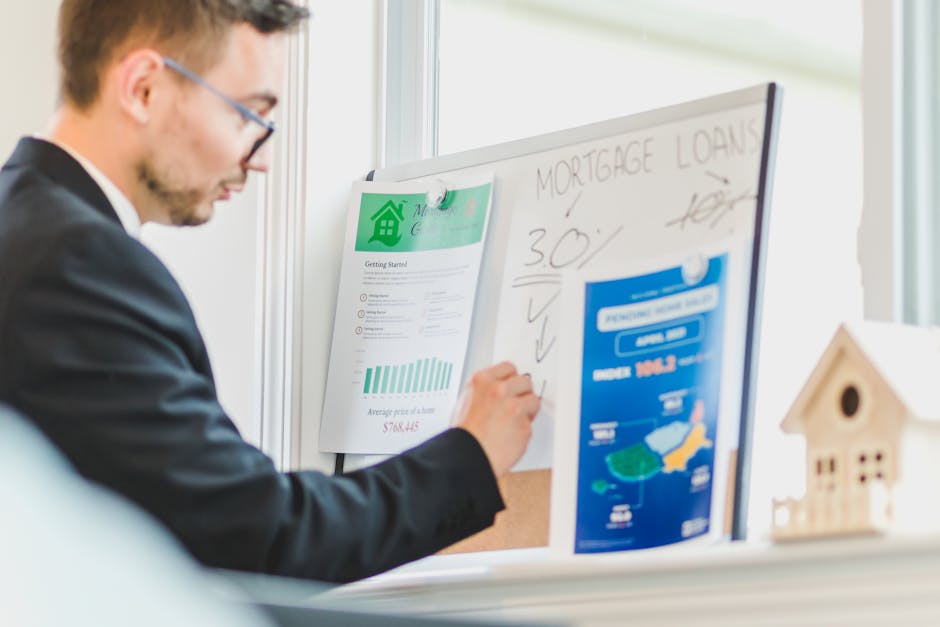
Import your property photos into InVideo’s ‘Slideshow’ template. Use the built‑in text‑to‑speech to narrate key features, and overlay DesignLumo‑generated lower‑thirds for rent price and unit size. Set slide duration to 3 seconds, add a transition, and export a 1080p video. Publish as a community post and embed the video in the description of related listings. Expect a 20% increase in video watch time, which YouTube rewards with higher search rankings.
3. End Screens & CTA Design
Clickable End Screen Templates in Adobe Express
Select Adobe Express’s ‘YouTube End Screen’ preset (1920×1080). Replace placeholder videos with your ‘Available Units’ playlist and a custom ‘Contact Us’ button. Use your brand colors from the Adobe Color library and add a concise CTA: ‘Schedule a Tour – Click Here’. Export as a PNG with transparent background, then upload to YouTube’s End Screen editor. Track the “Click‑through to playlist” metric; a well‑designed end screen can boost playlist adds by 25%.
Custom End Screen Layers from DesignLumo

Ask DesignLumo for a layered end‑screen mockup: ‘Three button layout, rent‑price badge, brand logo, teal accent’. Receive a PSD where each button is a separate layer, ready for YouTube’s 20‑second limit. Swap the button text for each video (e.g., ‘View Maintenance Tips’, ‘Explore Floor Plans’) without leaving the editor. Because the files are fully editable, you can A/B test button colors using VidIQ’s experiments and improve conversion by up to 18%.
Performance Tracking of End Screens with TubeBuddy

Enable TubeBuddy’s ‘End Screen Analytics’ to see clicks per element, average view duration after the end screen, and revenue attribution. Compare a baseline video with a test video using DesignLumo’s new end‑screen design. Look for a minimum 10% lift in “Click‑throughs to website” and a 5‑second increase in average watch time. Document findings in a Google Sheet, then iterate design elements every month to continuously optimize ROI on each video.
Before you go
- Batch‑generate thumbnails for an entire property portfolio in one DesignLumo session to cut design time by 70%.
- Sync your brand colors across Canva, DesignLumo, and Adobe Express using a shared HEX palette to ensure visual consistency.
- Schedule community tab graphics a month ahead using a content calendar; you’ll never miss a seasonal maintenance reminder.















Ready to create your first design?
Join thousands creating professional designs in seconds.
Create with DesignLumo
Related Resources
Ultimate Email Header Blueprint for Property Managers
Step‑by‑step tactics to craft high‑converting email headers for property management.
Top Email Marketing Tools for Property Managers
Essential, tactical tools to craft, send, and optimize property‑management emails.
Property Management Social Media Design Playbook
Actionable design tactics to boost listings, tenant engagement, and revenue.
YouTube Content Ideas for Property Managers
Strategic video assets that drive leads, retain tenants, and boost authority.
Property Management Marketing: Real Success Cases
Tactical case studies showing how property managers boost leasing and retention with AI design.
Infographic Playbook for Property Management Marketers
Tactical guide to create high‑impact property management infographics fast.