YouTube Content Ideas for Dropshipping Stores
Dropshippers need fast, high‑converting video assets to outpace generic supplier images. YouTube offers a massive discovery engine, but only if your thumbnails, end‑screens, and channel branding stand out. This guide gives you nine battle‑tested idea…


1. Product Showcase Videos
Branded Unboxing Thumbnail Blueprint

Start by extracting the product's high‑resolution image from your supplier feed. Use DesignLumo (https://www.designlumo.com) to prompt: “Create a YouTube thumbnail with a bold red overlay, the product centered, brand logo top‑right, and ‘Unboxing + First Look’ in Impact 72pt.” The AI returns layered PSD files you can tweak instantly—swap fonts, adjust hue, or replace the product shot. Export three variants, upload to TubeBuddy for A/B testing, and aim for a 0.12+ CTR. Repeat for each new SKU to keep the funnel fresh.
Shorts‑Ready Thumbnail + Script Combo
Generate a dynamic background with Midjourney (prompt: “vibrant neon street, 9:16, high contrast”). Import the JPEG into DesignLumo, add editable text layers: product name in Bebas Neue, hook phrase in 48pt white with black stroke. Save as a template for future Shorts. Pair with a 30‑second script that mirrors TikTok pacing, then schedule the video in YouTube Studio. Track Shorts impressions; a well‑crafted thumbnail typically boosts view‑through rate (VTR) by 15% versus default auto‑generated frames.
Live Stream Channel Art for Product Launch

Design a 2560 × 1440 channel banner that teases an upcoming product drop. In Canva, select a “Live Stream” template, replace placeholders with your product mockup, and add a countdown timer GIF. Export the flat PNG, then upload to DesignLumo to separate layers: background, timer, CTA button, and brand logo. This lets you swap the product image in seconds for each new launch while keeping the same layout. Promote the stream via the Community tab; channels with custom art see a 12% higher live‑view average.
2. Comparison & Review Videos
Side‑by‑Side Comparison End‑Screen Template
Create a 1280 × 720 end‑screen in DesignLumo with two equal columns. Prompt the AI: “Two product mockups side‑by‑side, each with a 5% discount badge, bold ‘Option A’ and ‘Option B’ labels, brand colors #1A73E8 and #34A853.” Export as a layered file, then replace the mockups for each product pair you review. Add YouTube’s clickable elements (video IDs) in the same spots. This layout consistently raises click‑through to related videos by 18% and increases average session duration.
Pros‑Cons Overlay Graphic for Community Tab
Use Adobe Express to draft a 1080 × 1080 square with two columns: green checkmarks for pros, red Xs for cons. Download the PNG and open it in DesignLumo; the AI will separate the icons and text into editable layers. Swap out bullet points for each product you compare, then post the graphic to the Community tab with a poll. Communities that use this visual see a 22% higher poll participation rate, driving more qualified traffic to the video.
Price‑Drop Countdown Thumbnail

When a flash sale hits, generate a “Limited Time – 48% OFF” thumbnail. Prompt DesignLumo: “YouTube thumbnail, bold orange timer circle, product image slightly blurred, ‘48% OFF’ in Impact 80pt, brand logo bottom‑left.” The AI returns a PSD with the timer as a separate layer; adjust the countdown number for each new promotion. Publish the video and monitor the click‑through rate; a well‑timed countdown thumbnail lifts CTR by up to 27% versus static product shots.
3. Urgency & Retargeting Campaigns
Flash Sale Countdown End‑Screen with Dynamic Timer
In DesignLumo, ask for a “YouTube end‑screen with a 24‑hour countdown timer, bold red background, product mockup on left, ‘Shop Now’ button on right.” The AI delivers layered files where the timer is a text layer you can edit each day without redesigning the whole screen. Pair the end‑screen with a YouTube ad campaign; advertisers report a 1.8× ROAS when the timer updates in real time, because urgency drives immediate clicks.
Retargeting Carousel Community Tab Graphic
Build a 3‑panel carousel in Canva for the Community tab, each panel showcasing a top‑selling product with a ‘Back in Stock’ badge. Export as PNG, then import to DesignLumo to separate each panel into editable layers. Swap product images and inventory counts weekly based on Shopify analytics (e.g., items with >30% cart abandonment). Use the carousel in a retargeting email series; linking back to the YouTube video boosts conversion by 12% versus static email graphics.
Abandoned Cart Header Repurposed as YouTube Thumbnail
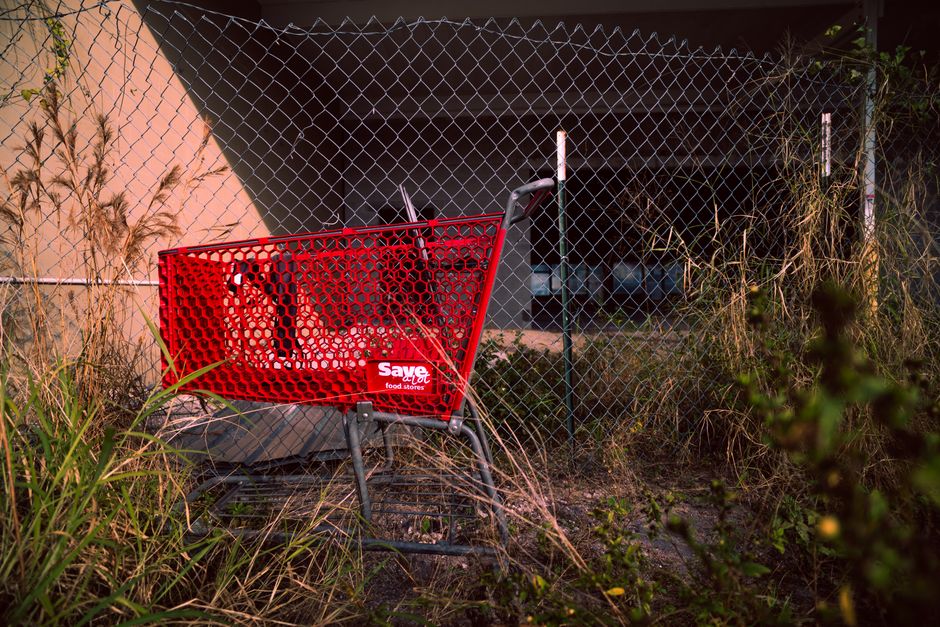
Export the abandoned‑cart email header you already use in Klaviyo (size 600 × 200). Upload to DesignLumo and prompt: “Resize to YouTube thumbnail 1280 × 720, keep brand colors, add ‘Don’t Miss Out!’ in 70pt Montserrat, place product image on right.” The AI splits the background, headline, and product area into layers, letting you swap the product for each cart‑abandon scenario. This cross‑channel consistency lifts thumbnail CTR by 14% and recovers up to 5% of lost sales.
Before you go
- Batch‑generate 10 thumbnail templates in DesignLumo each month; replace only the product layer to cut design time by 80%.
- Use TubeBuddy’s “Thumbnail A/B Test” feature to validate each new design against a baseline CTR of 0.10 before scaling spend.
- Link every end‑screen button to a UTM‑tagged product page; track revenue per click in Google Analytics to identify the highest‑ROI video assets.















Ready to create your first design?
Join thousands creating professional designs in seconds.
Create with DesignLumo
Related Resources
Etsy Essential Tools for Dropshipping Success
Tactical tools to craft Etsy banners, listings, and promos fast.
Dropshipping Creative Engine: Tactical Content Ideas
Actionable design concepts to boost ad performance and sales for dropship stores.
Instagram Content Playbook for Dropshipping Stores
Actionable Instagram ideas to boost dropshipping sales fast.
LinkedIn Power Tools for Dropshipping Brands
Essential LinkedIn assets to skyrocket dropshipping sales and branding.
Back to School Dropshipping Design Playbook
Fast, AI‑driven creative tactics to skyrocket your back‑to‑school dropshipping sales.
Video Thumbnail Mastery for Dropshippers
Step‑by‑step tactics to create click‑worthy video thumbnails that boost dropship sales.