Moving Company Creative Workflow Blueprint
Moving businesses need fast, repeatable graphics that drive bookings and upsells. This blueprint shows how to generate, publish, and measure every visual asset without hiring a designer. Follow the exact tools and metrics to turn ideas into revenue.


1. Rapid Asset Creation
Spring Move Promotion Carousel
Start with a clear brief: "30% off long‑distance moves, April 1‑30, fresh pastel palette." Input the prompt into DesignLumo (https://www.designlumo.com) to generate a 5‑slide layered carousel in seconds. Export the PSD‑compatible file, then tweak copy and CTA colors in Canva if needed. Set dimensions to 1080×1080 for Instagram and 1200×628 for Facebook. Track click‑through rate (CTR) and aim for at least 1.2% within the first week. This process eliminates manual layout work, delivering a ready‑to‑post ad in under 10 minutes.
Service Package Infographic

Outline the three core packages (Basic, Premium, Corporate) with bullet points for each service. Feed this structure to DesignLumo, specifying "vertical infographic, brand colors, icons for packing, storage, truck". The AI returns a layered Illustrator file. Open it in Adobe Illustrator to fine‑tune icons and replace placeholder text with actual pricing. Export PNG for website and PDF for print. Measure engagement via average time on page; target a 15% increase after rollout. This workflow guarantees brand‑consistent, data‑driven visuals without a designer.
Customer Review Card Generator
Collect top five 5‑star testimonials in a Google Sheet. Use Zapier to trigger a DesignLumo API call that inserts each quote into a pre‑defined card template (square, brand font, star icons). The AI returns a batch of 5 editable PNGs. Schedule them in Buffer (https://buffer.com) for daily posting. Track conversions from UTM‑tagged links; aim for a 0.8% lift in quote‑to‑lead ratio. This automation turns raw text into polished social proof in under 5 minutes per batch.
2. Distribution & Automation
Seasonal Email Header Series
Create a master header prompt: "Moving company summer sale, bright blue wave, call‑to‑action button, 600×200 px." Run it through DesignLumo to generate three layered PNGs (early summer, mid‑summer, late summer). Import into Mailchimp's template editor, replace placeholder image, and add dynamic merge tags for customer name. Set up an automated drip sequence triggered by signup date. Monitor open rates; aim for a 5% increase versus standard header. This ensures each email feels fresh without extra design time.
Facebook & Instagram Story Ads Batch
Write a concise script: "Need a stress‑free move? Swipe up for a free quote." Use Midjourney (https://www.midjourney.com) to generate background images (e.g., moving trucks, happy families). Upload backgrounds to DesignLumo, instruct it to add animated text layers and brand logo. Export MP4 files compatible with Meta Ads Manager. Schedule a 7‑day A/B test with two CTA colors. Track Cost‑Per‑Lead (CPL); aim to stay below $12. This hybrid AI workflow yields eye‑catching stories with measurable performance.
Google My Business Post Scheduler
Compile a list of 12 weekly topics (tips, promos, storage offers). For each, prompt DesignLumo to create a 1080×608 graphic with overlay text and brand palette. Download the JPEGs and upload them to a GMB scheduling tool like SweetSpot (https://www.sweetsopt.com). Attach a UTM‑coded link to your booking page. Measure click‑throughs in Google Analytics; target a 2% increase month‑over‑month. This systematic posting keeps local SEO fresh while leveraging AI‑generated visuals.
3. Performance Tracking & Optimization
Design Asset KPI Dashboard

Connect Google Data Studio to your social ad accounts, email platform, and website analytics. Pull metrics: CTR, CPL, engagement time, and conversion rate per asset type. Use DesignLumo to craft a branded dashboard template (charts, brand colors, icon set). Update the template weekly with fresh data. Set alerts when any asset's CPL exceeds $15. This visual KPI board lets you spot underperforming creatives within minutes and reallocate budget swiftly.
A/B Test Creative Variants
Select a high‑performing asset (e.g., Spring Carousel). Duplicate it in DesignLumo and change only one variable: CTA button color or headline copy. Export both versions and run a 3‑day split test in Facebook Ads Manager. Use the platform's lift metric to calculate statistical significance; aim for at least a 5% lift in conversion. Iterate the winning variant across all channels. This disciplined testing loop extracts incremental revenue from existing assets.
Customer Sentiment Visualizer
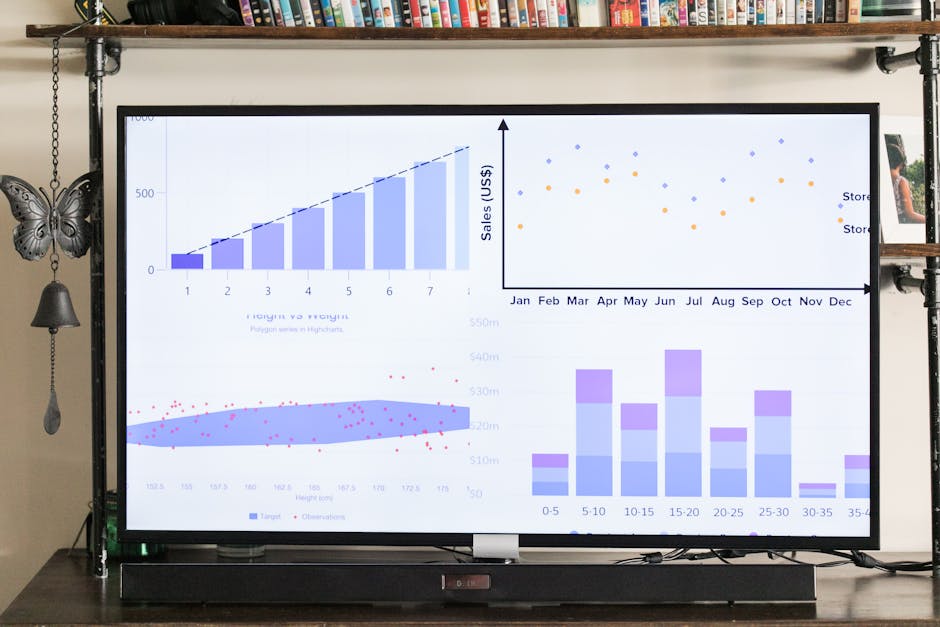
Export 200 recent reviews from Google My Business into a CSV. Run a sentiment analysis in MonkeyLearn (https://monkeylearn.com) to score each review. Feed the scores into DesignLumo with a prompt: "Create a radial bar chart of positive, neutral, negative sentiment using brand colors." Embed the resulting SVG on your homepage as social proof. Track bounce rate on the page; aim for a 10% reduction. This data‑driven visual builds trust while showcasing AI‑enhanced design capability.
Before you go
- Batch generate all seasonal assets in one DesignLumo session; reuse the same prompt skeleton to maintain brand consistency.
- Save every DesignLumo output as layered files (PSD/AI) to enable quick copy‑and‑paste updates for future promotions.
- Tie each visual to a unique UTM parameter; aggregate performance in the KPI dashboard for real‑time ROI insights.















Ready to create your first design?
Join thousands creating professional designs in seconds.
Create with DesignLumo
Related Resources
Winning Facebook Content Ideas for Moving Companies
Actionable Facebook post ideas that boost leads for moving businesses.
New Year Q1 Moving Marketing Blueprint
Actionable plan for moving companies to dominate Q1 2024.
Print Materials Design Guide for Moving Companies
Step-by-step tactics to create high‑impact flyers, brochures, and testimonial cards for moving services.
Moving Company Brand Assets Playbook
Step‑by‑step tactics to craft logos, cards, and identity assets for movers.
YouTube Design Toolbox for Moving Companies
Actionable tools to create thumbnails, banners, and end screens that boost moving‑service video performance.
Essential Email Tools for Moving Companies
The ultimate toolkit to design high‑converting email graphics for movers.