Menu Design Workflow: Fast, Editable, High‑Impact
Restaurants need menus that look great, stay current, and drive higher check sizes. This guide walks you through a repeatable process that eliminates manual re‑designs and speeds up seasonal updates. Follow each step to turn a spreadsheet of dishes i…

1. Content Strategy & Data Prep
Menu Item Audit Spreadsheet

Start with a Google Sheet that lists every dish, SKU, cost, price, and margin. Add columns for category, dietary tags, and seasonal flags. Use ARRAYFORMULA to calculate contribution margin and conditional formatting to highlight items under 20% margin. Export the sheet as CSV and link it to your design tool so text layers pull directly from the master data, eliminating copy‑paste errors and ensuring price updates flow instantly across all versions.
Competitive Visual Benchmarking
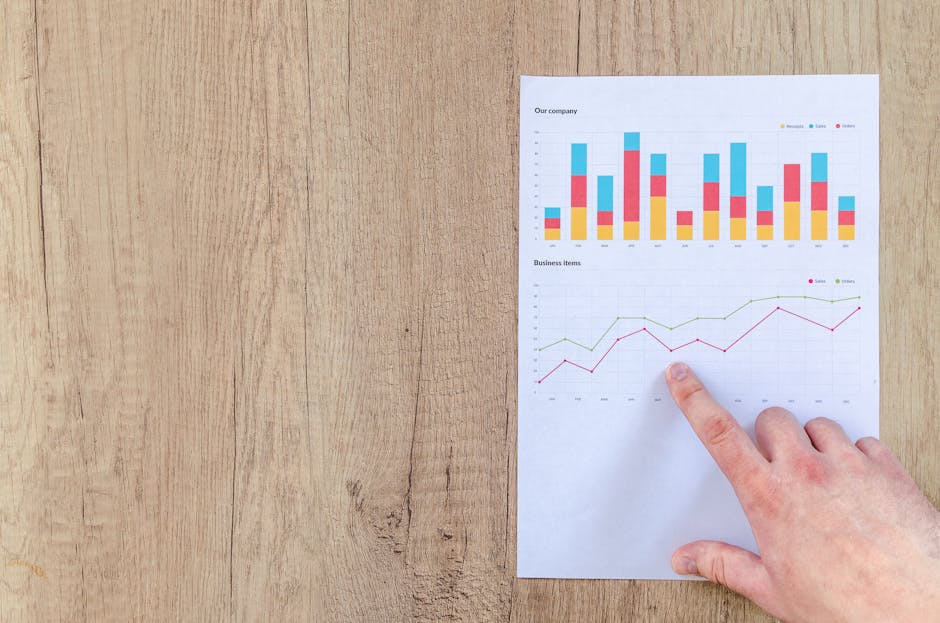
Gather 20 top‑rated competitor menus from Pinterest and Behance. Save each as an image in a Milanote board, then annotate color palettes, font pairings, and layout grids. Tag elements that drive upsells—like highlighted specials or iconography. This visual library informs your prompt for AI design tools and sets measurable design targets (e.g., 2‑column grid, 12‑pt headline). Review quarterly to keep your menu ahead of trends.
Brand Kit Consolidation
Collect your logo files, primary/secondary colors (HEX), and approved fonts. Upload them to DesignLumo’s Brand Kit feature so every AI‑generated layout inherits the exact brand assets. Store the same kit in Adobe Fonts or Google Fonts for fallback. With a single source of truth, you avoid mismatched colors across print, QR, and social versions, preserving brand equity and reducing rework time by up to 30%.
2. AI‑Powered Design & Prototyping
Prompt‑Driven Layout Generation with DesignLumo
Craft a concise prompt: "Create a modern 2‑column restaurant menu for a farm‑to‑table cafe, with bold headings, pastel accents, space for 30 items, and QR code placeholder." Feed it into DesignLumo. The AI returns a fully layered PSD/AI file: separate text layers for headings, item names, descriptions, and prices, plus editable color swatches. Tweak any layer instantly, then export a print‑ready PDF or web‑optimized PNG in seconds—no templates needed.
Image Sourcing via Midjourney + Licensing
Generate dish visuals with Midjourney using prompts like "high‑resolution close‑up of heirloom tomato bruschetta, natural lighting, rustic wood background". Upscale the result to 4K, then verify commercial usage rights under Midjourney’s license. Replace placeholder images in your DesignLumo file by dragging the new assets onto the corresponding layers. This yields unique, brand‑aligned photos without costly photographer fees, cutting image acquisition cost by up to 70%.
Rapid Mockup Review with Canva Live Collaboration
Export the DesignLumo layout as a high‑resolution PNG and import it into Canva. Share the file with stakeholders using Canva’s comment feature, allowing them to pin feedback directly on the design. Sync comments to a Trello board via Zapier, so each suggestion becomes a task. Iterate twice—once for copy edits, once for visual tweaks—then lock the final version. This process reduces review cycles from days to under 24 hours.
3. Print, Digital, and QR Deployment
Print‑Ready PDF Export & Vendor Integration
From DesignLumo, export a 300 dpi PDF with 0.125" bleed, CMYK color profile, and embedded fonts. Upload the file to Vistaprint via their API, selecting premium 100‑lb matte stock. Set up a Zapier automation that monitors your inventory spreadsheet; when stock falls below a threshold, it triggers a reorder request to Vistaprint. This end‑to‑end flow cuts manual ordering time by 80% and guarantees consistent quality across all locations.
Dynamic QR Menu Generator
Create a short URL with QR Code Generator that points to a hosted PDF on Cloudflare Workers. Append UTM parameters (utm_source=qr&utm_medium=menu) to track scans in Google Analytics. Print the QR on tabletop cards and at the bottom of the physical menu. Aim for a 5% scan rate; each scan can be retargeted with email offers, boosting repeat visits. Update the hosted PDF instantly when the spreadsheet changes—no reprint needed.
Social Media Teaser Carousel
Slice 5 highlighted dishes from the DesignLumo file into 1080 × 1080 PNGs using the export‑slices feature. Schedule them as an Instagram carousel via Later, adding a CTA that links to the same QR URL. Include alt‑text with menu keywords for SEO. Monitor carousel CTR; a 2% click‑through rate translates to roughly 40 extra scans per 2,000 impressions, directly feeding menu traffic and potential sales.
4. Performance Tracking & Iteration
Item‑Level Sales Attribution

Connect your POS (e.g., Square) to Google Data Studio via the native connector. Map each SKU to its position on the menu (page, column, row). Build a dashboard that shows revenue lift per menu change, isolating the effect of new layout or highlighted specials. Target a 3–5% increase in average order value within 30 days of a redesign, and use the data to prioritize future updates.
A/B Testing Seasonal Layouts
Create two menu variants in DesignLumo—Variant A with a bold color splash, Variant B with minimalist whitespace. Host each PDF under a unique URL (e.g., menuA.com, menuB.com) and rotate the QR code weekly. Use Google Optimize to split traffic 50/50 and track orders placed after scanning. A statistically significant lift of 4% or more within two weeks validates the winning design for permanent rollout.
Automated Version Control with Git
Export each DesignLumo .psd version to a GitHub repository. Commit with a message like "v2024‑Spring‑Specials" and include a changelog of price updates. Configure a GitHub Action to render a PDF from the PSD automatically on each push, storing the output in an S3 bucket. This provides instant rollback, audit trails, and a single source of truth for developers and designers alike.
Before you go
- Maintain a master spreadsheet as the single source of truth; link it directly to design layers to eliminate manual copy‑pasting.
- Leverage DesignLumo’s Brand Kit to enforce color and font consistency across print, QR, and social assets, cutting rework by up to 30%.
- Schedule quarterly menu audits that compare pre‑ and post‑redesign sales data to quantify ROI and guide future iterations.















Ready to create your first design?
Join thousands creating professional designs in seconds.
Create with DesignLumo
Related Resources
TikTok Menu Design Toolbox for Restaurants
Essential AI and video tools to create TikTok menu covers, overlays, and cross‑platform promos.
Pinterest Menu Design Toolkit for Restaurants
Tactical tools & workflows to create high‑converting Pinterest menu pins fast.
Back to School Menu Marketing Blueprint
Actionable guide to create, design, and launch high‑impact back‑to‑school menus for food venues.
Instagram Menu Design Toolkit
The ultimate guide to fast, editable Instagram menus for restaurants and cafes.
Twitter/X Menu Design Ideas That Drive Sales
Actionable X post graphics to showcase menus, specials, and brand personality.
Etsy Menu Design Toolkit for Restaurants
Actionable tools to create, update, and sell restaurant menus on Etsy.