University Video Thumbnail Design Playbook
Video thumbnails are the first impression for prospective students scrolling YouTube or LMS platforms. A compelling thumbnail can boost click‑through rates, drive enrollment inquiries, and amplify donor engagement. This guide delivers the exact proce…

1. Strategic Foundations
Audience Persona Mapping for Thumbnails
Start by segmenting your prospect pool—high school seniors, transfer students, alumni donors—using enrollment CRM data. Create a one‑page persona sheet that lists age, interests, preferred majors, and visual cues (e.g., campus colors, mascot). Feed this sheet into a spreadsheet that links each persona to thumbnail themes. Track the click‑through rate (CTR) per persona for the past 12 months via YouTube Analytics; aim for a baseline of 3% CTR before optimization. This granular map informs every design decision and ensures relevance at scale.
Brand Kit Automation via DesignLumo
Upload your university brand kit—logo SVG, primary palette, typographic hierarchy—into DesignLumo (https://www.designlumo.com). Use a prompt like: “Create a 1280x720 YouTube thumbnail for a Computer Science open house, featuring the campus quad, brand orange accent, and bold sans‑serif headline.” DesignLumo returns a fully layered PSD with editable text, colors, and image placeholders. Export PNG for upload and keep the layered file for future tweaks. This eliminates manual template setup and guarantees brand compliance across 30+ thumbnails per semester.
Competitive Benchmarking with TubeBuddy
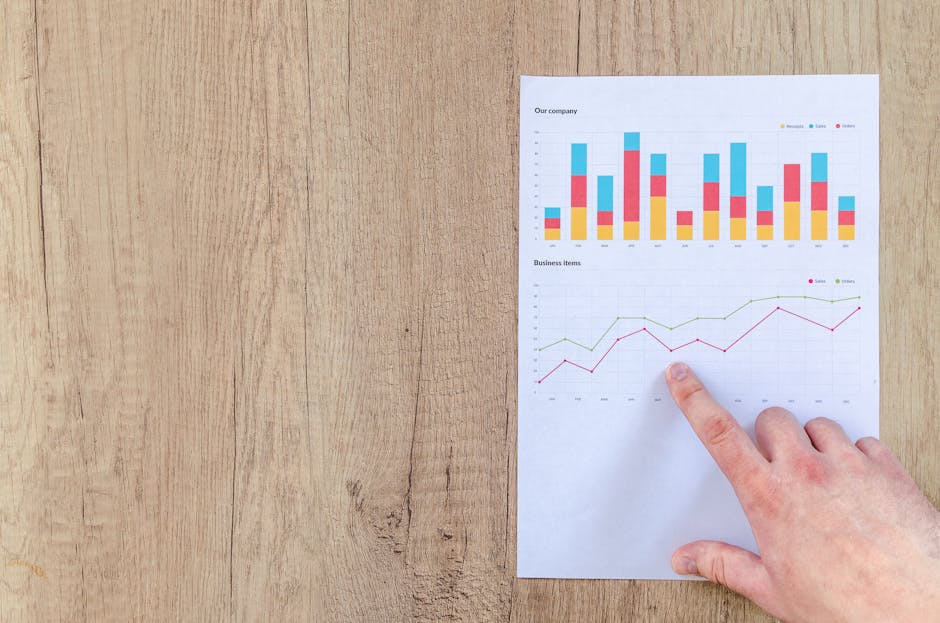
Install TubeBuddy and run a “Thumbnail Analyzer” on the top 10 enrollment‑related videos from peer institutions. Record metrics such as thumbnail CTR, average view duration, and engagement spikes. Note visual patterns—color contrast, face presence, text length. Build a spreadsheet scoring each competitor on a 1‑10 scale for “attention grab,” then set a target score at least 1 point higher than the current leader. Use these insights to shape your AI prompts and design tweaks for measurable advantage.
2. Design Production Workflow
AI Prompt Blueprint in DesignLumo
Craft a reusable prompt template: “Generate a 1280x720 YouTube thumbnail for {campaign}, showing {key visual}, with headline '{headline}' in {font}, using {primary color} and {secondary color}. Include a lower‑third badge with {call‑to‑action}.” Populate variables in a Google Sheet for each video (e.g., Admissions Day, Summer Research Showcase). Run a batch import into DesignLumo via its API, producing 10 layered thumbnails in under 2 minutes. Review each layer, adjust text length, then export PNGs for upload. This systematic prompt saves 30‑45 minutes per batch.
Rapid Iteration with Canva Smartmockups
When you need quick visual variations, duplicate a base thumbnail in Canva (https://www.canva.com) and use the “Smartmockups” feature to swap background images (e.g., library, lab, stadium) with one click. Apply the university’s Brand Kit in Canva to auto‑apply fonts and colors. Use Canva’s “Bulk Create” to generate 5 headline variations simultaneously, then export all as PNGs. Track each variant’s CTR in YouTube Studio; keep the top‑performing version and discard the rest. This method yields 5‑10 options in 10 minutes.
Fine‑Tuning Visuals in Adobe Express
Open the exported PNG in Adobe Express (https://www.adobe.com/express/). Use the AI Background Remover to isolate the main subject, then re‑insert a high‑contrast campus backdrop. Apply the “Contrast Ratio Checker” extension to ensure text meets WCAG AA (minimum 4.5:1). Add a subtle drop‑shadow to the headline for depth, and run the built‑in “Resize for Platform” tool to generate Instagram and TikTok versions automatically. Export all sizes as layered PSDs for future edits, preserving the visual hierarchy you just refined.
3. Performance Optimization
A/B Testing Thumbnails via YouTube Studio
Upload two thumbnail variants for the same video and enable YouTube Studio’s “Thumbnail Experiment” (available in the Advanced Settings). Run the test for 48 hours, ensuring the video receives at least 500 impressions per variant for statistical relevance. Compare CTR; a lift of 5% or more justifies adopting the winner as the permanent thumbnail. Document the test outcome in a shared Google Sheet, tagging the responsible designer and the campaign budget, then roll the winning design into the next batch via DesignLumo’s bulk export.
Data‑Driven Text Hierarchy Using Heatmaps
Place the thumbnail image on a landing page (e.g., admissions funnel) and install Hotjar’s Click Heatmap. Run the page for 1,000 unique visitors and examine where users click. If clicks cluster on the lower‑right badge, increase its size or move the headline to the top‑left for better visual flow. Adjust font weight by 10‑15% and retest. Aim for a 10% increase in click‑through to the video embed, which historically correlates with a 2% rise in inquiry form completions.
Scaling Seasonal Campaigns with Bulk Export
Leverage DesignLumo’s “Batch Export” feature to generate 30 thumbnails for a Spring Open House campaign in one click. Name files using a convention like "2024_SpringOpen_{dept}_{variant}.png" to simplify tracking. Append UTM parameters (utm_source=YouTube&utm_medium=thumbnail&utm_campaign=SpringOpen) to each video link. Monitor the campaign’s ROI by linking UTM data to Google Analytics; a 2% lift in enrollment inquiries per campaign cycle validates the effort. This workflow cuts production time from days to under an hour.
Before you go
- Pre‑write all headline copy in a shared Google Doc to avoid font‑size surprises during export.
- Keep a master spreadsheet of color contrast scores for each brand hue; reference it when prompting DesignLumo.
- Schedule weekly 30‑minute thumbnail reviews in your content calendar to catch performance drops early.















Ready to create your first design?
Join thousands creating professional designs in seconds.
Create with DesignLumo
Related Resources
University Marketing Success Stories & Case Studies
Tactical case studies showing how colleges boost admissions, events, and donations with AI design.
LinkedIn Toolkit for College Marketing Success
Tactical LinkedIn design tools and workflows for admissions, events, and alumni outreach.
College Marketing Creative Workflow Blueprint
Actionable AI‑driven design process for admissions, events, and alumni outreach.
Summer Sale Playbook for Campus Marketing
Actionable tactics, AI design tools, and ROI metrics for summer campus promotions.
Ultimate Infographics Guide for University Marketing
Step‑by‑step tactics to create data‑rich, process‑flow and storytelling infographics for admissions, events, and fundraising.
Spring Launch Marketing & Design Playbook
Actionable guide for university spring collection launches, visuals, and campaigns.