Ultimate Video Thumbnail Blueprint for Music Schools
Music and art schools rely on video to attract students, but a weak thumbnail kills clicks. This guide shows how to craft high‑conversion thumbnails that turn viewers into lesson sign‑ups and ticket buyers.

1. Foundations of High‑CTR Thumbnails
Emotion‑Driven Hero Portrait
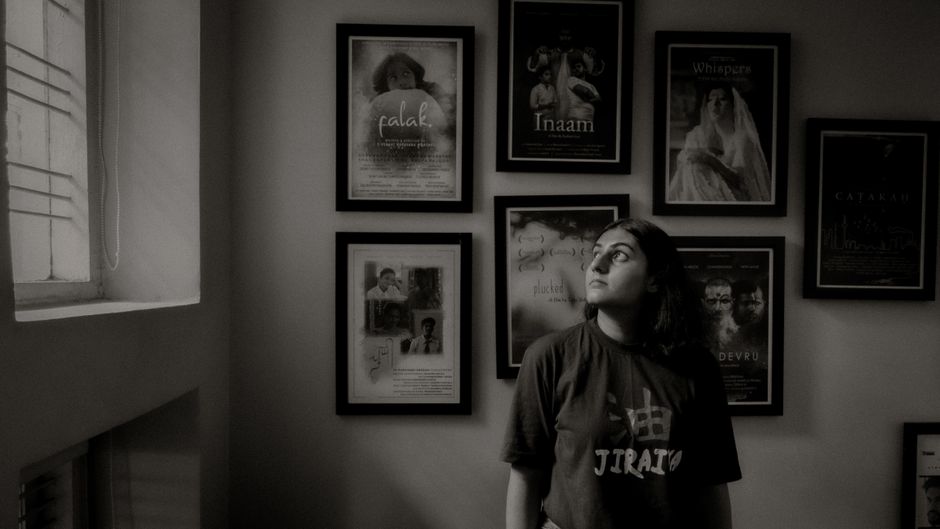
Start with a close‑up of a student or instructor showing strong emotion (joy, concentration, excitement). Use DesignLumo to generate a 1080 × 1080 layered PSD where the subject sits on a transparent layer. Apply the rule of thirds, boost contrast to a 1.4:1 ratio, and add a subtle vignette. Keep the background simple to avoid visual clutter. Export a 300 dpi PNG and test the thumbnail at 120 % zoom to ensure facial details remain clear. Aim for a 10‑15 % CTR lift versus text‑only thumbnails.
Bold Color Psychology Palette
Choose a high‑contrast pair that triggers the desired emotion—electric teal for energy paired with neon orange for urgency. Use ColorZilla to sample exact HEX values, then validate a minimum 70 % luminance difference using the WCAG contrast checker. Load the palette into Canva’s brand kit or DesignLumo’s Brand Kit so every thumbnail stays on‑brand. Apply the dominant color to the background and the accent to call‑to‑action text. Track CTR across a 30‑day period; a well‑balanced palette typically adds 5‑8 % more clicks.
Clear Value Proposition Text
Limit headline copy to 3‑5 power words (e.g., "Summer Recital Live"). Use a bold sans‑serif like Montserrat, set size to occupy no more than 20 % of the thumbnail area, and add a 5 px stroke plus subtle drop shadow for readability on mobile. In DesignLumo, edit the text layer directly, swapping fonts from your brand kit without re‑rendering the image. Verify legibility by previewing at 25 % scale—a common mobile view. Expect a 12‑15 % CTR boost when the value proposition is instantly scannable.
2. AI‑Powered Design Workflow
Prompt‑Based Layered Design in DesignLumo
Write a precise prompt: "A vibrant 1080×1080 thumbnail featuring a teenage violinist mid‑bow, neon teal background, bold orange title 'Summer Recital'". Feed it to DesignLumo; the AI returns a fully editable PSD with separate layers for background, subject, and text in under 15 seconds. Open the file in Photoshop, replace the default font with your brand's Montserrat, adjust the title wording, and export a PNG. This workflow cuts concept‑to‑publish time from 45 minutes to under 5 minutes per video.
Midjourney for Concept Sketches, then Lumo for Production
Use Midjourney to explore avant‑garde styles (e.g., watercolor, cyberpunk) with prompts like "watercolor piano recital poster". Generate four variations, select the top two, and upload them as reference images into DesignLumo. In Lumo, reference the chosen style while specifying exact layer needs (background, instrument, text). The AI produces a production‑ready, fully editable file that matches the artistic direction, reducing creative iteration from 2 hours to 30 minutes. Export PNGs for YouTube upload.
Batch Thumbnail Generation via API

Create a master template in DesignLumo (background, placeholder for student name, episode number). Write a Python script that reads a CSV of upcoming lessons, builds a JSON payload for each row (e.g., {"title":"Jazz Improvisation","guest":"Alex Lee"}), and calls DesignLumo’s REST API. The API returns a layered PSD which you instantly flatten to PNG. Hook the output into TubeBuddy’s bulk upload feature to schedule all thumbnails at once. This automation shrinks manual effort from 45 minutes per video to under 5 minutes for a batch of 20.
3. Optimization & Testing
A/B Testing Thumbnails with TubeBuddy
Create two distinct versions of a thumbnail—Version A uses a hero portrait, Version B leans on bold text. Upload both via TubeBuddy’s Thumbnail A/B Test tool, set a 7‑day test window, and let the algorithm serve each to 50 % of impressions. Monitor click‑through rate (CTR) daily; keep the winner only if it delivers a minimum 10 % lift over the baseline. Record the winning design elements in a style guide for future videos. This data‑driven loop typically raises overall channel CTR by 6‑12 %.
Heatmap Analysis with VidIQ
Open a thumbnail in VidIQ’s heatmap viewer to see where eyes gravitate. If the heat concentrates on the lower‑left, relocate the call‑to‑action text to the top‑right quadrant where 45 %+ of attention lands. Adjust layer positions in DesignLumo, re‑export, and re‑upload. Run this test on at least three recent videos; average CTR should improve by 4‑8 % after aligning elements with heat zones. Document the optimal layout for rapid replication.
Performance Dashboard in Google Data Studio

Connect the YouTube Analytics API to Google Data Studio. Build a chart that plots impressions, clicks, and CTR per video, filtered by thumbnail version. Apply conditional formatting to flag any video where CTR drops more than 5 % versus its 30‑day rolling average. Set email alerts for these anomalies. Review the dashboard weekly to spot underperforming designs and quickly iterate. Schools that adopt this habit see a sustained 10‑15 % uplift in overall thumbnail performance.
Before you go
- Always design thumbnails at 1280 × 720px with a 16:9 aspect ratio to avoid YouTube’s compression artifacts.
- Keep the most important visual element within the safe zone (central 1546 × 423px) so it isn’t cropped on mobile feeds.
- Refresh high‑performing thumbnails with seasonal colors or limited‑time offers to re‑engage past viewers without creating new videos.















Ready to create your first design?
Join thousands creating professional designs in seconds.
Create with DesignLumo
Related Resources
Spring Launch Playbook for Music & Art Schools
Actionable spring marketing tactics to fill classes, sell tickets, and boost revenue.
Etsy Essentials: Marketing Tools for Music Schools Success
Actionable Etsy design tools to boost banners, listings, and seasonal promos for music and art schools.
Pinterest Playbook for Music & Art Schools
Tactical Pinterest strategies to fill classes, sell tickets, and grow your creative school.
Instagram Toolkit for Music & Art Schools
Essential Instagram tools and workflows to boost music & art school enrollment.
Twitter/X Content Playbook for Music Schools
Tactical Twitter/X graphics ideas to boost music school enrollment and events.
Product Graphics Playbook for Music Schools
Actionable guide to AI‑powered product graphics that sell music & art school services.