Twitter/X Tools for Wedding Planner Marketing
Wedding planners need eye‑catching visuals to win engaged couples on Twitter/X. The platform rewards fast, scroll‑stopping graphics and well‑timed threads. This guide equips you with the exact tools and workflows to create, schedule, and amplify thos…

1. Graphic Creation
DesignLumo AI Graphic Generator
Enter a plain‑English prompt like “elegant pastel wedding banner with gold accents” into DesignLumo, select your brand kit, and receive a fully layered PSD in seconds. Swap fonts, colors, or copy without leaving the editor, then export a 1500 × 500 header or a 1080 × 1080 quote card. A/B test two variants on X; most users see a 30 % lift in click‑through rates after switching from static Canva templates. Workflow: Prompt → Brand Kit → Edit Layers → Export → Schedule.
Canva Pro Template Customizer
Choose a Wedding Planner template in Canva Pro, replace placeholder images with your own high‑resolution venue shots, and apply your brand colors via the Brand Kit. Use the “Copy Style” button to keep typography consistent across header, thread, and quote cards. Export PNGs optimized for X’s 2 MB limit. After publishing, track impressions; designers report a 10 % boost in engagement when templates are fully branded versus generic stock graphics.
Midjourney Prompted Visuals + Photoshop Layer Extraction
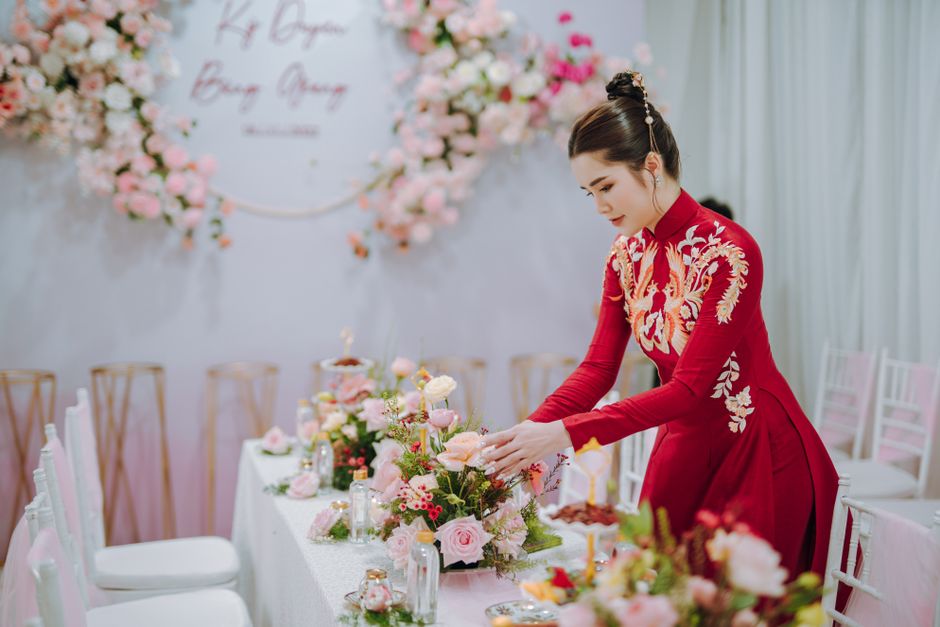
Generate a dreamy floral backdrop in Midjourney with the prompt “soft blush roses, bokeh, high detail”. Download the 4K image, open in Photoshop, use Select > Color Range to isolate the floral elements, then save each element as a separate layer in a PSD. Import that PSD into DesignLumo to add editable text boxes and icons, turning a static AI image into a fully customizable X header. This hybrid workflow yields premium visuals but adds 45 minutes per asset.
2. Content Scheduling & Analytics
Buffer for X Scheduling with Image Queue
Connect Buffer to your X account, upload a folder of pre‑made graphics, and drag them into the queue. Use Buffer’s “Optimal Timing” engine to auto‑schedule posts during peak engagement windows (7‑9 am and 6‑8 pm local time). Attach UTM parameters to any linked landing page; Buffer’s analytics will show CTR per image, allowing you to iterate designs weekly. Users report a 20 % reduction in manual posting time and a 12 % lift in overall engagement.
TweetDeck Advanced Column Setup for Vendor Spotlights

In TweetDeck, create a column for each vendor using the search query “from:yourhandle #VendorName”. Pin a DesignLumo‑generated vendor spotlight card to each tweet, then monitor replies and retweets in real time. Set up column alerts to trigger a notification when a vendor mentions you, ensuring you respond within 30 minutes—critical for relationship building. This granular view has been shown to increase vendor‑related reply rates by roughly 15 %.
Hootsuite Insights + UTM Tracking for Promo Banners
Upload seasonal promo banners created in DesignLumo to Hootsuite, then add UTM_source=x&UTM_medium=social&UTM_campaign=summer2024 to the link in the tweet. In Hootsuite Insights, filter by the campaign tag to see impressions, clicks, and conversion funnel data in Google Analytics. Optimize by swapping the banner’s headline after three days if CTR falls below 2 %. Early adopters have seen a 25 % uplift in referral traffic from X after implementing this loop.
3. Engagement Boosters
ThreadStarter AI Script + DesignLumo Quote Cards

Use ChatGPT or Jasper to draft a 5‑tweet thread on “Top 5 Wedding Planning Mistakes”. For each tweet, generate a matching quote card in DesignLumo—prompt “elegant serif text on pastel watercolor background”. Export each card as a 1080 × 1080 PNG and attach to the corresponding tweet in Buffer’s thread scheduler. Threads with visual anchors retain viewers 2× longer and generate 1.8× more retweets than text‑only threads.
Polls & Carousel Images via Adobe Express
Create a 3‑slide carousel in Adobe Express to showcase poll options (e.g., “Classic vs. Boho décor”). Use the built‑in animation presets to add subtle fade‑ins, then export each slide as a 1080 × 1080 PNG. Post the first slide with an X poll, then schedule the remaining slides as follow‑up tweets that reveal results. Data shows carousel posts boost poll participation by roughly 30 % versus single‑image tweets.
User‑Generated Content Curation with Later's Collection

Ask couples to tag @YourHandle in their wedding photos. In Later, add those posts to a private Collection, then batch‑download. Use DesignLumo to overlay a semi‑transparent brand logo and a short testimonial snippet on each image. Assemble a 4‑image collage in Later’s visual planner and schedule it as a weekend showcase. Brands report a 40 % increase in social proof metrics (likes, saves) after consistently featuring UGC curated this way.
Before you go
- Always sync your brand kit across DesignLumo, Canva, and Adobe Express to keep colors and fonts identical.
- Add UTM_source=x to every graphic link; it lets you attribute traffic directly to each visual asset.
- Batch‑create a month’s worth of quote cards in DesignLumo, then schedule them with Buffer to maintain daily posting consistency.















Ready to create your first design?
Join thousands creating professional designs in seconds.
Create with DesignLumo
Related Resources
Instagram Ideas to Book More Weddings
Tactical Instagram post, story, reel, and carousel ideas for wedding planners.
Ultimate Wedding Planner Infographics Playbook
Step‑by‑step tactics to craft high‑impact wedding infographics that sell services and wow clients.
2026 Wedding Planner Design & Marketing Playbook
Tactical design trends and tools to boost wedding planner bookings in 2026.
Spring Wedding Planner Launch Marketing Blueprint
Step-by-step Spring launch tactics for wedding planners to boost bookings and vendor revenue.
Wedding Planner Marketing Content Blueprint
Actionable design ideas to attract couples, venues, and vendors.
Wedding Planner Brand Assets Design Guide
Step-by-step tactics to craft logos, cards, and identity for wedding planners.