Twitter/X Toolkit for Church Marketing
Churches need a fast, repeatable system for X that turns sermons, events, and outreach into visual engagement. This guide bundles the exact tools and step‑by‑step processes you can implement today. Every recommendation is chosen for its ability to sc…


1. AI‑Powered Visuals for X
Instant Sermon Quote Cards with DesignLumo
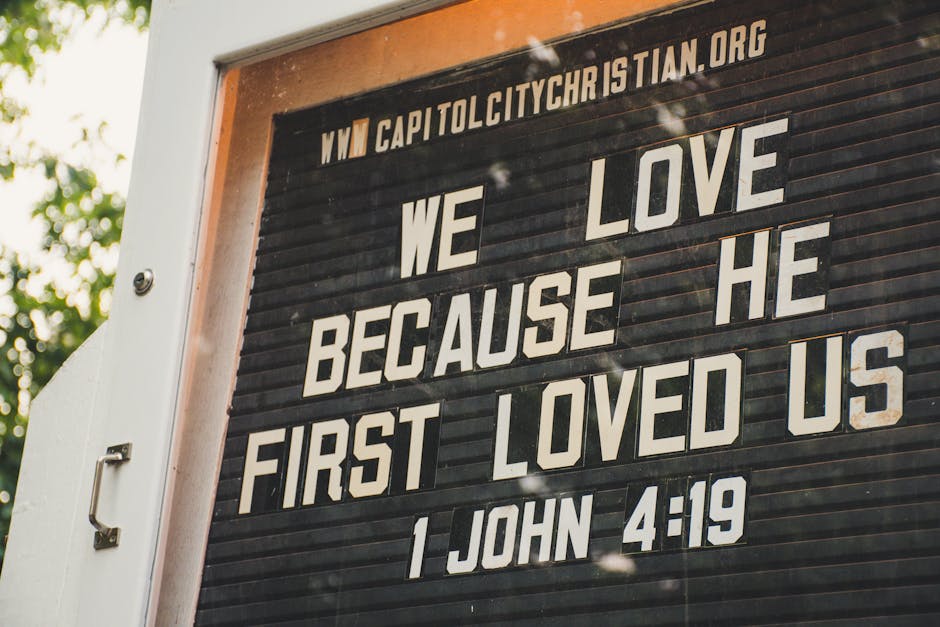
Open DesignLumo, enter the sermon’s key verse and a one‑sentence hook (e.g., “Grace transforms lives”). Choose the “Twitter Quote Card” preset, set your church’s brand colors, and let the AI generate a layered PSD in 15 seconds. Download, adjust the font size or add a logo layer, then export a 1200×675 PNG. Track engagement by monitoring retweets and likes; aim for a 2‑3% CTR increase over static text tweets. This workflow eliminates the 30‑minute manual Canva process and guarantees brand consistency across every post.
Event Banner Templates in Canva

Select Canva’s “Twitter Header” size (1500×500). Duplicate the master template for each event type—youth night, charity drive, holiday service—by swapping background photos from Unsplash and updating the date field. Use Canva’s brand kit to lock in church fonts and colors, then download as PNG. Schedule the banner with Buffer (see Section 2). Measure success by the banner’s click‑through rate to your event landing page; aim for at least 5% of profile visitors. This method leverages Canva’s library while keeping design time under 10 minutes per banner.
Custom Holiday Service Banners via Midjourney + Photoshop

Prompt Midjourney: “Victorian‑style Christmas service banner, warm gold palette, church silhouette, 1200×675”. Generate four variations, select the strongest, and upscale to 2x. Import into Photoshop, replace the placeholder text with your service title using the church’s serif font, and add a transparent overlay for readability. Export PNG and upload to X via Later (see Section 2). Track holiday‑season engagement spikes; a well‑crafted banner typically lifts impressions by 20‑30% versus plain text announcements. This hybrid workflow balances AI creativity with precise brand control.
2. Scheduling & Thread Management
Buffer Bulk Scheduler for Daily Devotionals

Create a Google Sheet with columns: Date, Text, Image URL (generated in Section 1). Connect Buffer’s CSV import, map columns to the tweet body and media, and set posting times at 8 am local. Enable Buffer’s “Recycle” feature to reuse evergreen devotionals every quarter. Monitor Buffer’s analytics to maintain a 1.5% average engagement rate; adjust copy length if CTR falls below 0.8%. This bulk approach reduces weekly workload from 7 hours to under 1 hour while keeping a consistent spiritual presence on X.
TweetDeck Column Setup for Volunteer Coordination

In TweetDeck, create a custom column filtered by the hashtag #ChurchVolunteers and mentions of your church’s handle. Add a second column for the list “Volunteer Leads” you curate in X. Pin a daily “Volunteer Spotlight” tweet (auto‑posted via Buffer) to the top of the column. Use TweetDeck’s mute options to silence unrelated replies, ensuring volunteers only see relevant calls‑to‑action. Track response time; aim for a maximum 30‑minute reply window to keep volunteer enthusiasm high. This real‑time view replaces scattered DMs and improves coordination efficiency.
Later Visual Planner for Multi‑Image Threads

Upload a series of sermon slide images (max 5) into Later’s Media Library. Use the “Visual Planner” to drag images into a single tweet slot, then click “Add Thread” to link them sequentially. Schedule the thread to drop at the sermon’s end time, adding a CTA tweet with a donation link. Later’s analytics show per‑tweet impressions; compare the thread’s average 1.8% engagement to single‑image posts to validate the format. This tool ensures thread timing is flawless without manual copy‑pasting.
3. Data‑Driven Optimization
X Analytics Dashboard with Sprout Social

Connect your church’s X account to Sprout Social’s “Twitter Analytics” module. Set up custom reports tracking “Link Clicks”, “Profile Visits”, and “New Followers” by content type (quote card, event banner, thread). Export weekly CSVs and calculate a “Engagement per Dollar” metric by dividing total donations generated from X‑linked campaigns by the ad spend (if any). Aim for a minimum 4:1 ROI; if a content type falls below 2:1, replace it with a higher‑performing DesignLumo visual. This systematic review turns raw data into strategic budget decisions.
A/B Testing Image Variants via SocialBee

In SocialBee, duplicate a high‑traffic tweet (e.g., Sunday service reminder) and assign two image variants: one generated with DesignLumo, another with Canva. Schedule both to post at the same hour on consecutive days. Use SocialBee’s “Split Test” report to compare click‑through rates and retweet volume. Record the winning variant’s CTR; a lift of 15% or more justifies adopting that style for all future reminders. Document findings in a shared Google Sheet for the communications team.
Conversion Tracking with Google Tag Manager

Add GTM to your church’s donation landing page. Create a “X Click” trigger that fires when the URL contains ‘?utm_source=x’. Set up a tag sending the event to Google Analytics as “event_category: Social”, “event_action: Click”, “event_label: Donation”. In GA, build a funnel report linking X traffic to completed donations; aim for a conversion rate of at least 3%. Use the data to justify increasing X ad spend or allocating more DesignLumo‑generated graphics to high‑performing campaigns.
Before you go
- Batch‑create a month’s worth of quote cards in DesignLumo each Sunday to stay ahead of the content calendar.
- Leverage X’s “Pinned Tweet” space for the current weekend’s event banner; update it automatically via Buffer’s API.
- Integrate your donor CRM with Zapier to auto‑tag X followers who click donation links, enabling personalized thank‑you DMs.















Ready to create your first design?
Join thousands creating professional designs in seconds.
Create with DesignLumo
Related Resources
Church Marketing Tool Comparison Blueprint
Compare top design and automation tools for churches to boost outreach and donations.
Valentine Church Marketing & Design Playbook
Tactical Valentine's Day guide for churches to boost love‑themed outreach and donations.
Spring Launch Marketing & Design Playbook for Churches
Tactical guide to boost spring church campaigns with AI‑powered design and proven marketing workflows.
Church Presentation Slides Design Blueprint
Step-by-step slide design system for churches to boost engagement and donations.
Ultimate Email Header Guide for Churches
Step‑by‑step tactics to craft high‑impact email headers for congregations and ministries.
Church Campaign Launch Checklist
Step‑by‑step checklist to launch high‑impact church campaigns fast.