Twitter/X Wedding Planner Content Blueprint
Wedding planners need to turn fleeting scrolls into booked consultations. Twitter/X offers real‑time visibility, but only if your visuals cut through the noise. This guide gives you a playbook of proven graphic formats and AI tools to dominate the pl…

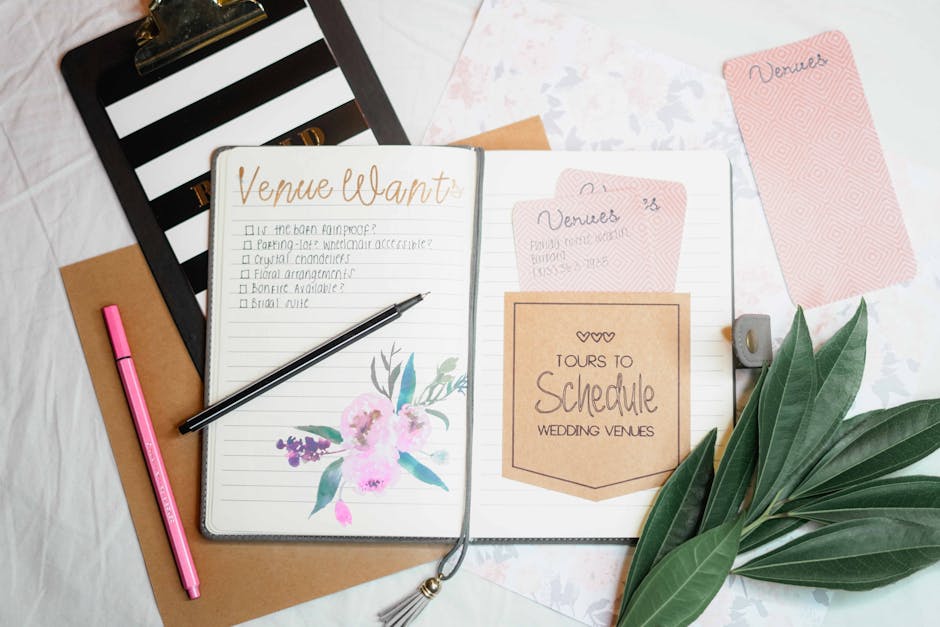
1. Showcase Portfolio with Swipeable Threads
Thread Carousel Template

Create a 5‑slide carousel that walks prospects through a themed wedding concept. Draft a concise narrative (intro, mood board, décor, budget, CTA). Prompt DesignLumo: “Generate five layered X post images for a modern boho wedding, each with editable text, pastel palette, and space for logo.” Export PNGs, fine‑tune fonts in Canva if needed, then schedule sequentially via Buffer. Target ≥5% engagement per tweet and a 2‑3% link‑through rate. Use X Analytics to compare CTR across slides and iterate copy.
Before‑After Venue Transformations
Showcase a venue’s makeover by pairing a raw “before” photo with a stylized “after” render. Upload the original shot to DesignLumo and request “Create an editable side‑by‑side X graphic with a soft fade transition, brand colors, and placeholder for venue name.” Export the layered PSD, add subtle motion using Adobe Express GIF tools, then post as a single tweet. Aim for >200 retweets and a 1.5% reply rate. Track performance in TweetDeck’s analytics panel to gauge audience resonance.
Client Testimonial Quote Cards
Turn glowing reviews into shareable quote cards. Feed DesignLumo the exact testimonial text with a prompt like “Design a square X quote card with elegant script, gold accents, and editable client name placeholder.” Choose the brand kit for fonts and colors, then download a layered file. Add a subtle background pattern in Canva to match your Instagram aesthetic, and schedule the card via Hootsuite at peak engagement hours (Wednesday 11 am). Expect a 3‑4% increase in profile visits when paired with a link to your portfolio.
2. Vendor Collaboration & Referral Graphics
Vendor Spotlight Carousel

Feature a preferred photographer or florist with a 3‑slide carousel. In DesignLumo, prompt: “Create three X carousel images highlighting a wedding vendor—first slide logo + tagline, second slide top three services with icons, third slide special offer banner, all editable.” Export the files, replace placeholder text with the vendor’s details, and add a tracked referral link using Bitly. Publish via Buffer and monitor the carousel’s average engagement; a 7% lift indicates strong cross‑promotion potential.
Referral Commission Badge
Design a compact badge that signals a referral commission for any vendor mentioned. Use DesignLumo with the prompt “Generate a circular X badge with ‘5% Referral’ text, gold trim, and space for your logo, fully editable.” Download the PNG, add a short CTA in Adobe Express (“Tap to learn more”), and embed the badge in every vendor tweet. Track clicks on the associated landing page; a 2% click‑through rate typically translates to a measurable revenue bump.
Joint Live‑Stream Promo Header

When co‑hosting a X Spaces session with a cake designer, create a dynamic header. Prompt DesignLumo: “Design a 1500×500 X header for a live‑stream, featuring both brand colors, placeholder for date/time, and space for two logos, fully layered.” Export the PSD, add the exact date in Photoshop, then upload as your profile banner 24 hours before the event. Promote the header in a teaser tweet; aim for at least 150 live‑stream attendees, measured via X’s audience insights.
3. Seasonal Promotions & Lead‑Gen Banners
Seasonal Countdown Banner
Build urgency with a countdown banner for spring wedding season. In DesignLumo, request: “Create a 1500×500 X banner with a transparent overlay showing a 10‑day countdown timer, pastel floral background, and editable ‘Book Now’ button.” Export the layered file, insert the live countdown using an animated GIF generator (e.g., GIPHY), and schedule daily updates via TweetDeck. Target a 4% increase in link clicks compared to static banners, and monitor conversion in Google Analytics.
Early‑Bird Discount Flyer
Offer a limited‑time discount with a sleek flyer graphic. Prompt DesignLumo: “Design an X‑compatible flyer (1080×1080) for a 15% early‑bird wedding planning discount, featuring bold typography, gold accents, and placeholders for terms.” Download the PSD, replace placeholders in Canva, and add a QR code linking to your booking page (generated in QRCode Monkey). Post the flyer at peak engagement times and track the QR scan rate; a 1.8% scan conversion typically yields new leads.
Wedding Trend Infographic Thread
Educate couples with a multi‑tweet infographic on 2025 wedding trends. Use DesignLumo to generate a series of editable vertical images: “Create a 6‑panel X infographic on upcoming wedding colors, décor, and tech, each panel 1080×1350, brand‑aligned.” Export, add concise copy in Adobe Express, and schedule the thread via Buffer. Aim for ≥8% average tweet engagement and a 2% click‑through to your blog post, measurable via UTM parameters in X Analytics.
Before you go
- Leverage X's native poll feature within threads to boost algorithmic visibility and collect real‑time wedding preference data.
- Reuse DesignLumo layers across multiple post types (quote cards, banners, flyers) to cut production time by up to 40%.
- Set a CTR benchmark of 2% for all promotional graphics; iterate design elements (color contrast, CTA placement) until you consistently exceed this metric.















Ready to create your first design?
Join thousands creating professional designs in seconds.
Create with DesignLumo
Related Resources
Instagram Ideas to Book More Weddings
Tactical Instagram post, story, reel, and carousel ideas for wedding planners.
Ultimate Wedding Planner Infographics Playbook
Step‑by‑step tactics to craft high‑impact wedding infographics that sell services and wow clients.
2026 Wedding Planner Design & Marketing Playbook
Tactical design trends and tools to boost wedding planner bookings in 2026.
Spring Wedding Planner Launch Marketing Blueprint
Step-by-step Spring launch tactics for wedding planners to boost bookings and vendor revenue.
Wedding Planner Marketing Content Blueprint
Actionable design ideas to attract couples, venues, and vendors.
Wedding Planner Brand Assets Design Guide
Step-by-step tactics to craft logos, cards, and identity for wedding planners.