Top Digital Tools for TikTok & Shorts UGC Agencies
Brands crave authentic short‑form videos that feel native to TikTok and YouTube Shorts. UGC agencies need fast, repeatable assets like hook graphics, caption overlays, and end‑cards to scale output. This guide lists the essential digital tools that t…

1. Overlay & Text Design
DesignLumo – AI Editable Overlays
Prompt DesignLumo with a one‑sentence brief (e.g., “bold neon hook text with glitch effect”) and receive a fully layered PSD or PNG in seconds. Export the transparent asset, drop it into After Effects or Premiere, and adjust colors instantly via the built‑in editor. Use the same prompt to generate multiple variations for A/B testing. Because the output is editable, you can repurpose the overlay across dozens of videos without re‑designing, cutting creative time by up to 70%.
Canva – Template‑Based Text Stacks

Leverage Canva’s Brand Kit to store fonts, colors, and logo assets. Choose a “TikTok Text Stack” template, replace placeholder copy with your hook, and apply animation presets like bounce or fade‑in. Export as a transparent PNG or MP4 with a 9:16 canvas. Canva’s drag‑and‑drop interface lets junior designers create on‑brand overlays in under three minutes, making it ideal for agencies that need high‑volume, low‑complexity graphics.
Adobe Express – Dynamic Motion Text
Use Adobe Express’s kinetic typography library to craft moving captions that sync with voice‑over beats. Upload your script, select a motion style, and the AI auto‑times each word to the audio waveform. Export as an MP4 with alpha channel for seamless overlay on any footage. The tool integrates with Adobe Creative Cloud, allowing you to fine‑tune animations in After Effects if needed, delivering premium‑grade motion for high‑budget brand collaborations.
2. Video Editing & Automation
InVideo – Script‑to‑Video Automation

Paste a 60‑second script into InVideo’s AI editor; the platform auto‑selects relevant stock clips, adds text overlays, and suggests a rhythm‑matched soundtrack. Swap in your DesignLumo overlay, adjust timing, and render a 1080p video in under five minutes. The bulk‑import feature lets you queue up 20 scripts at once, ideal for agencies charging per‑asset or offering monthly retainers. InVideo also provides brand‑locked templates to keep visual consistency across campaigns.
Kapwing – Collaborative Clip Builder
Kapwing’s cloud editor supports real‑time multi‑user editing, auto‑generated subtitles, and a shared brand palette. Import raw footage, drag‑drop your DesignLumo or Canva overlays, and use the “Trim to Hook” AI to cut the first 3 seconds that retain maximum attention. Export directly to TikTok or Shorts with the correct aspect ratio. The built‑in comment threads keep feedback in context, reducing revision cycles by 40% for distributed teams.
Vidyo.ai – Repurpose Long‑Form to Shorts
Upload a 10‑minute YouTube video into Vidyo.ai; the AI scans for high‑engagement moments, extracts 15‑second clips, and auto‑adds captions and your chosen overlay. Choose “TikTok” or “YouTube Shorts” output, and the tool formats the video with a native‑looking hook screen. This speeds up content scaling for brands that already own long‑form assets, delivering up to 30 short videos per hour of source material with minimal manual effort.
3. Analytics & Optimization
Later – Scheduling + Performance Insights
Plan your posting calendar in Later’s visual planner, schedule TikTok and Shorts uploads, and attach UTM parameters automatically. The platform tracks retention curves, click‑through on end‑cards, and overlay engagement. Use the built‑in A/B test to compare two hook graphics, then export a report that highlights the winning variant’s lift in average watch time. Later’s integrations with Google Analytics give a full funnel view from view‑to‑conversion.
TikTok Pro Analytics – Hook Performance Metrics
Within TikTok’s native Pro account, monitor “Average Watch Time” and “Traffic Source Types” for each short. Drill down to the first 3 seconds to see which hook overlay generated the highest retention. Export the CSV, cross‑reference with your overlay version IDs, and iterate based on data‑driven insights. Because the data is real‑time, you can pivot creative direction within 24 hours of posting.
Social Blade – Competitor Benchmarking
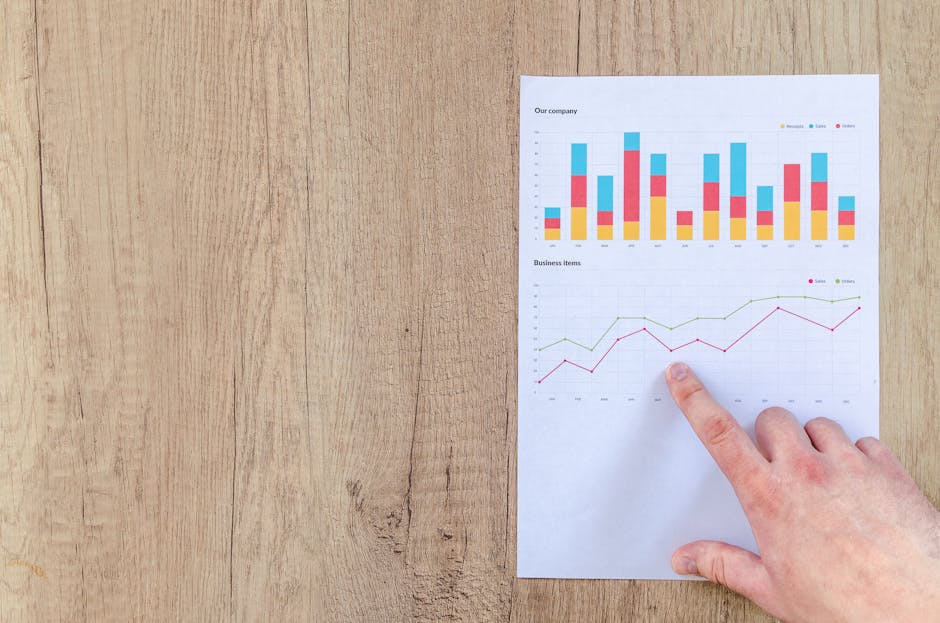
Track competitor TikTok and Shorts channels on Social Blade to spot spikes in follower growth and viral content patterns. Set alerts for when a rival’s video exceeds a 10% engagement bump, then reverse‑engineer the overlay style, caption length, and posting time. Use these insights to inform your own hook design library, ensuring your agency stays ahead of trending formats.
4. Collaboration & Asset Management
Notion – Content Pipeline Database
Build a Notion board with status columns (Idea, Script, Design, Edit, Review, Live). Link each card to the corresponding DesignLumo overlay file, InVideo project, and TikTok analytics report. Use relational databases to auto‑populate due dates based on script length, ensuring consistent turnaround times. The central hub eliminates email chains and gives clients a transparent view of progress.
Frame.io – Review & Approval Workflow

Upload draft videos to Frame.io, enable time‑coded comments, and assign reviewers by role (client, copywriter, strategist). The platform auto‑generates a version history whenever an overlay is swapped, so you can revert to previous designs instantly. Approvals lock the final asset, allowing your team to move to publishing without back‑and‑forth email threads, cutting approval time by up to 50%.
Google Drive + Shared Libraries – Central Asset Hub
Create a structured folder hierarchy in Google Drive: /Overlays, /RawFootage, /FinalExports. Use Shared Drives for agency‑wide access and set permissions per client. Enable Drive’s “Quick Access” to drag‑and‑drop DesignLumo PSDs directly into Kapwing or InVideo. Sync the folder with Adobe Creative Cloud Libraries for seamless cross‑app usage, ensuring every team member works from the latest version of each asset.
Before you go
- Batch‑generate multiple overlay variations in DesignLumo, then tag each version with a short‑code for instant A/B testing.
- Integrate InVideo’s API with your Notion pipeline to auto‑create a new project whenever a script card moves to the ‘Design’ column.
- Use TikTok’s “Hook Retention” metric to set a minimum 3‑second watch threshold; any overlay failing this should be iterated within 24 hrs.















Ready to create your first design?
Join thousands creating professional designs in seconds.
Create with DesignLumo
Related Resources
TikTok & Shorts Ad Creative Blueprint
Tactical guide for agencies to design high‑converting TikTok and Shorts ad graphics.
Facebook Content Ideas for UGC Agencies
Tactical Facebook post ideas for TikTok & Shorts UGC agencies.
Holiday TikTok & Shorts UGC Agency Playbook
Step‑by‑step tactics for festive TikTok & Shorts agencies to dominate holiday campaigns.
TikTok & Shorts Agency Success Stories Blueprint
Real‑world case studies that show how TikTok & Shorts UGC agencies boost ROI with AI‑powered design.
TikTok Agency Toolkit: Essential Tools for UGC Success
A tactical guide to the must‑have tools for TikTok & Shorts UGC agencies.
TikTok Shorts Agency Design Playbook
Tactical guide for agencies to create high‑performing UGC overlays, posters, and scripts.