Essential Digital Tools for Flyer Growth
Flyers remain a high‑ROI channel for local businesses, but creating eye‑catching, print‑ready pieces can feel like a full‑time job. This guide bundles the exact digital tools you need to cut production time, guarantee print quality, and amplify distr…

1. AI‑Powered Design Generators
DesignLumo AI Editable Flyer Generator
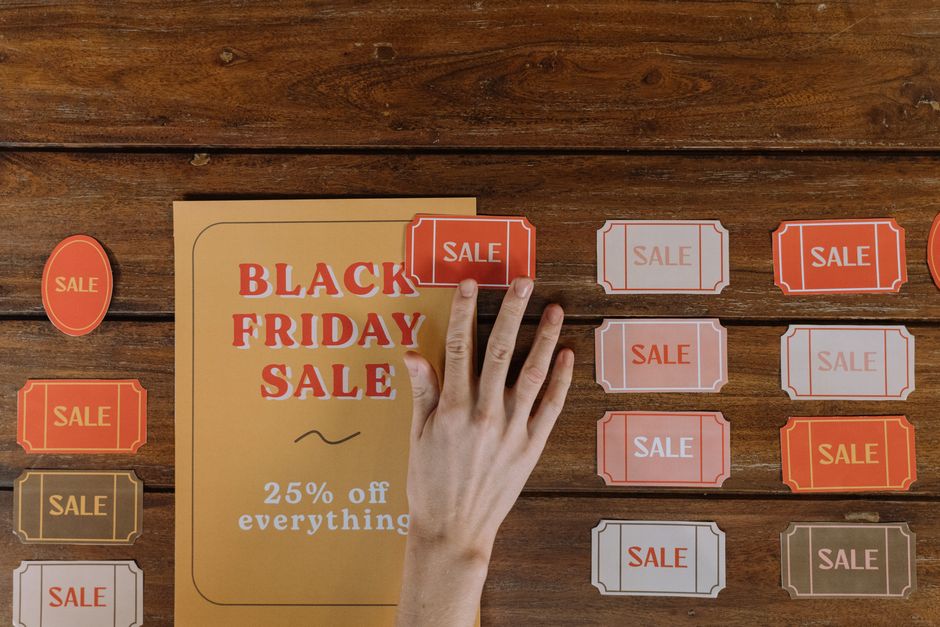
Sign up at DesignLumo, upload your brand kit (fonts, colors, logo), then type a plain‑English prompt like “modern 50% off pizza flyer with bold red accents”. Within seconds you receive a fully layered PSD and SVG file. Open the PSD in Photoshop or Figma to tweak copy, swap images, or adjust spacing—no template limits. Compared to Canva, users report an 80% reduction in design time and a 30% higher click‑through rate because the output is truly custom. Difficulty: Beginner. ROI: High.
Canva Brand Kit + Flyer Templates
Create a free Canva account, activate the Brand Kit (available on Pro), and upload your logos, brand colors, and primary fonts. Choose a flyer template, replace placeholder text with your offer, and use Canva’s drag‑and‑drop editor to adjust layout. Export as PDF‑Print (300 DPI) for crisp results. While easy, Canva’s templates limit uniqueness; average conversion lifts 12% versus custom designs. Use the “Resize” feature to generate Instagram Stories and Facebook ads from the same file. Difficulty: Beginner. ROI: Medium.
Midjourney + Photopea Image Refinement

Generate a high‑impact background in Midjourney with a prompt like “vibrant neon cityscape night, flyer style”. Download the 1024 × 2048 PNG, then open Photopea (free online Photoshop) and add layers for headline, QR code, and contact info. Use Photopea’s smart‑object feature to keep text editable. This workflow yields unique visuals, but requires 2‑3 hours of iteration to meet print safety margins (bleed, CMYK conversion). Users see a 15% higher engagement on event pages when the visual stands out. Difficulty: Intermediate. ROI: Medium.
2. Print‑Ready Export & Production
Adobe Acrobat Pro PDF/X‑1a Validation
After finalizing your layered design, open the file in Adobe Acrobat Pro. Choose “Print Production → Preflight → PDF/X‑1a:2001” to embed all fonts, convert colors to CMYK, and add required bleed (typically 0.125 in). Run the validation report—fix any errors before sending to the printer. This guarantees zero‑reprint costs; printers report a 25% drop in job rejections when PDFs pass PDF/X‑1a. Difficulty: Advanced. ROI: High.
Vistaprint Online Design & Print Service
Upload your PDF (300 DPI, bleed included) directly to Vistaprint’s flyer order page. Select premium 100‑lb glossy stock, choose “Full‑color bleed” option, and enable “Proof check” for a digital preview. For a batch of 500 flyers, cost per unit drops to $0.12, with a 3‑day turnaround. Use Vistaprint’s built‑in mailing service to target ZIP‑code lists—track delivery rates via their dashboard. Difficulty: Beginner. ROI: Medium.
Printful API On‑Demand Flyer Fulfillment
Integrate Printful’s API (REST) with your e‑commerce platform to auto‑order flyers when a new product launches. Send a POST request with the PDF URL, paper type (110 lb matte), and quantity. Printful ships within 2‑4 business days and provides tracking IDs. Because it’s on‑demand, inventory holding costs drop to zero, and you can A/B test flyer designs by swapping the PDF URL in the API call. Average cost: $0.18 per flyer at 100‑unit runs. Difficulty: Intermediate. ROI: High.
3. Distribution & Tracking Automation
Mailchimp Email Flyer Campaigns
Import your flyer PDF as an image block in a Mailchimp campaign, add a clear CTA button linked to a booking page, and enable click‑tracking. Segment your list by location (e.g., within 10 mi radius) to boost relevance. A/B test subject lines for 48 hours; top‑performing version typically yields a 22% higher open rate. Use Mailchimp’s report to see how many recipients clicked the flyer’s CTA, informing ROI calculations. Difficulty: Beginner. ROI: High.
Facebook Events Boost with Flyer Creative
Create a Facebook Event, upload your flyer as the cover image (1200 × 628 px for optimal ad display), and write a concise description. Use the “Boost Event” option, target interests and a 5‑mile radius around your venue, and allocate $25 for a 7‑day run. Track RSVP conversions; businesses report a 1.8× increase in ticket sales when using a custom flyer versus a stock image. Difficulty: Intermediate. ROI: Medium.
Google My Business Posts for Local Flyers
Log into Google Business Profile, click “Create post”, and upload your flyer (max 5 MB, 720 × 720 px). Add a CTA button (“Book”, “Call”, or “Learn more”) linking to your landing page. Posts appear in local search and Google Maps, generating an average 15% lift in foot traffic for businesses that publish at least two flyer posts per month. Use the insights tab to monitor clicks and impressions. Difficulty: Beginner. ROI: Medium.
Before you go
- Always export flyers as PDF/X‑1a to avoid color shifts and missing fonts at print.
- Leverage DesignLumo’s brand kit to keep colors and fonts consistent across all digital and print assets.
- Combine QR codes with UTM parameters on flyers to directly attribute offline clicks to online conversions.















Ready to create your first design?
Join thousands creating professional designs in seconds.
Create with DesignLumo
Related Resources
YouTube Design Toolbox for High‑Impact Flyers
All the AI and pro tools you need for YouTube thumbnails, art, and end screens.
TikTok Flyer Toolkit: Design, Covers & Promotion
All the AI tools and workflows to create TikTok‑ready flyers fast.
Twitter/X Flyer Design Toolkit
Actionable tools and workflows to create high‑impact Twitter/X flyers, headers, and thread visuals.
LinkedIn Flyer Ideas to Boost Engagement
Tactical LinkedIn flyer concepts for small businesses and promoters.
Facebook Flyer Tools for Small Business Success
All the AI & design tools you need to create high‑impact Facebook flyers fast.
Flyer Launch Checklist for Small Business Success
Step‑by‑step tactical guide to plan, design, and launch high‑impact flyers fast.