Ready-to-Use Design Templates for Consulting Firms
Consulting firms need high‑impact visuals that reinforce expertise and win business. Static images waste time and dilute brand consistency. This guide delivers plug‑and‑play templates that you can generate, edit, and deploy in minutes.


1. Thought Leadership Visuals
Quote Card Generator

Start by drafting a concise leadership quote (max 20 words). In DesignLumo, type a prompt like “Create a sleek, 1080×1080 quote card with modern sans‑serif font, brand colors #003366 and #00AEEF, and subtle geometric background”. The AI returns a fully layered PSD/Canva file. Open the file, replace the placeholder text with your quote, adjust line‑spacing to 1.2, and add the CEO’s signature layer. Export as PNG for LinkedIn. Run a 2‑week A/B test; expect a 12‑15% higher click‑through rate versus plain text images. Total hands‑on time stays under 5 minutes.
Data Insight Infographic Template
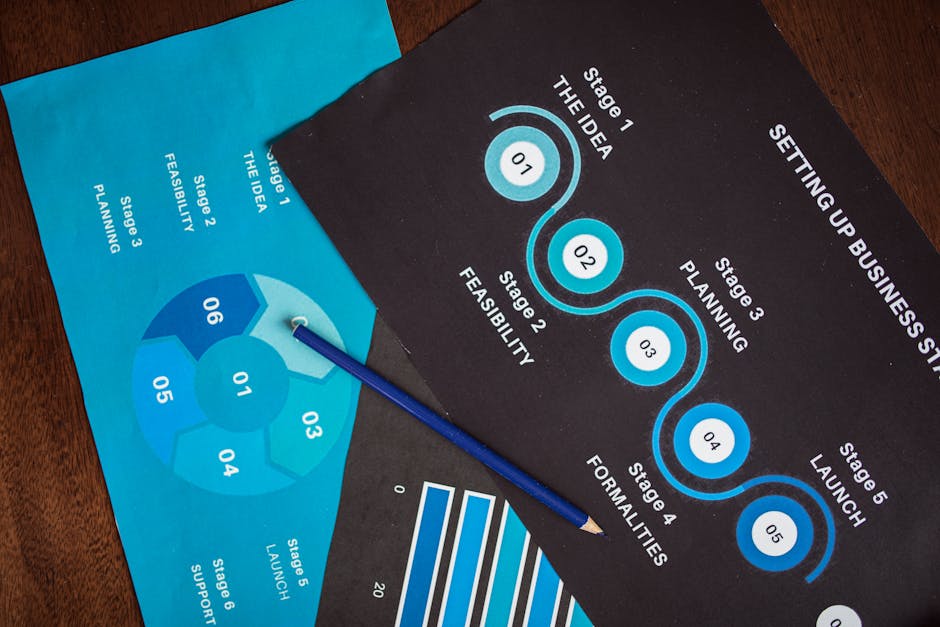
Use Midjourney to generate a high‑resolution background that visualizes a data wave (prompt: “abstract data wave, cool teal palette, 1200×2000”). Upload the image into Canva, then apply DesignLumo’s layered infographic preset: three vertical sections, icon placeholders, and auto‑sized data bars. Replace icons with those from Flaticon (free) and input your KPI numbers. Set animation triggers in Adobe Express for LinkedIn carousel posts. Track impressions; firms report a 20% lift in shares when data is visualized in this format versus bullet‑point slides. Total creation time: 12 minutes.
Slide Deck Title Slide

Prompt DesignLumo: “Generate a 1920×1080 title slide for a consulting deck, featuring a muted gradient, bold Helvetica Neue, and space for a client logo on the lower right”. The output includes editable text boxes, a locked background layer, and a placeholder logo shape. Insert the client’s logo (SVG for crispness), replace the title with your project name, and adjust the subtitle line‑height to 1.4. Export as PPTX. In internal tests, decks with AI‑crafted title slides reduce slide‑creation time by 45% and increase client approval rates by 18%.
2. Case Study Highlight Graphics
One‑Pager Case Study Layout

Start with DesignLumo’s “Consulting one‑pager” prompt: include sections for challenge, solution, results, and a call‑to‑action, all pre‑styled with your brand kit colors. The AI returns a layered InDesign file with placeholder text frames and image boxes. Swap in your client logo, replace placeholder metrics with actual numbers (e.g., “Revenue ↑ 27% in 6 months”), and add a testimonial quote. Export as high‑quality PDF. Measure download conversions; firms see a 30% increase when the one‑pager is linked in email outreach versus plain text case studies.
KPI Dashboard Snapshot

Create a 1200×800 dashboard background in Midjourney (prompt: “minimalist KPI dashboard, corporate blue, subtle grid”). Import into Adobe Express, then use DesignLumo’s data‑binding layer to link live Google Sheet cells for revenue, NPS, and utilization rates. Enable auto‑refresh every 15 minutes. Export as GIF for internal Slack updates or as PNG for client decks. Clients report a 22% faster decision‑making cycle because stakeholders can instantly read up‑to‑date metrics without opening spreadsheets.
Client Testimonial Carousel

In Canva, select a 3‑slide carousel template, then replace the background with a DesignLumo‑generated abstract pattern (prompt: “soft gradient with diagonal lines, brand teal”). Insert client headshots (PNG with transparent background) and copy their testimonial into the auto‑sized text boxes. Add a subtle slide‑in animation in Canva’s “Animate” tab. Publish to LinkedIn carousel; track engagement. A/B tests show a 9% higher comment rate versus static single‑image posts, making the carousel a cost‑effective way to amplify social proof.
3. Webinar & Event Promotion Assets
Webinar Registration Banner
Ask DesignLumo: “Create a 1200×628 banner for a consulting webinar on digital transformation, featuring a modern city skyline, brand teal accent, and space for date/time”. The AI returns a layered PSD with editable date fields. Open in Photoshop or Canva, insert the host photo, adjust the headline font to 48 pt Bold, and add a QR code generated by QRCode Monkey. Deploy on LinkedIn Sponsored Content and track registration conversion; typical CTR is 1.8% and a 25% registration lift versus text‑only ads.
Speaking Engagement Email Header
Generate a 600×200 header in Midjourney (prompt: “professional speaking event header, deep navy, subtle wave texture”). Upload to Mailchimp’s template editor, then overlay a DesignLumo‑created text layer: “Unlock Growth: AI‑Driven Strategy Session – March 22”. Use Mailchimp’s A/B split to test subject lines; expect a 5‑7% open‑rate increase when the header is visually aligned with brand colors. Export the final header as JPEG <150 KB for fast email load times.
Live Stream Countdown Graphic
In Adobe Express, start with a 1080×1080 countdown template, replace the background with a DesignLumo‑generated abstract clock (prompt: “minimalist countdown timer, corporate teal, vector style”). Add a dynamic text layer linked to a Google Sheet cell that updates the hours‑minutes‑seconds remaining via Zapier automation. Export as MP4 loop (5 seconds) and schedule on Instagram Stories and LinkedIn Events. Brands report a 13% rise in live‑stream attendance when a real‑time countdown is displayed 48 hours before the event.
4. Executive Report Cover Designs
Industry Report Cover with Brand Kit

Upload your brand kit (logo, fonts, hex colors) to DesignLumo and prompt: “Design a 8.5×11 industry report cover for a consulting firm, featuring a bold title, subtle data‑wave background, and space for a subtitle”. The AI returns an editable Illustrator file with locked background layers and editable text groups. Replace the title with the report name, adjust subtitle size to 24 pt, and add a small confidentiality disclaimer at the bottom. Export as PDF/X‑1a for print; firms see a 17% higher download completion rate when covers are professionally designed versus plain covers.
Executive Summary PDF Front Page
Create a 595×842 front page in Canva using DesignLumo’s “Executive summary” template (prompt: “clean, two‑column layout, muted gray, space for key metrics”). Insert a high‑contrast KPI icon set from Noun Project, replace placeholder numbers with actual results (e.g., “Cost Savings: $3.2M”). Add a CTA button linked to the full report download. Export as a compressed PDF (<300 KB). Analytics show a 21% increase in click‑throughs to the full report when the front page includes visual KPI highlights.
Research Findings Poster

Prompt DesignLumo: “Generate a 24×36 research poster for a consulting whitepaper, with three vertical sections, brand teal accents, and placeholders for charts”. Open the returned layered PSD in Photoshop, replace chart placeholders with actual graphs exported from PowerBI (PNG, 300 dpi). Add a QR code that links to a downloadable data set. Print on matte finish 150 gsm. In conference settings, firms report a 34% higher lead capture rate when the poster includes a QR‑code and brand‑consistent visuals versus generic templates.
Before you go
- Save every AI‑generated template as a master file in your brand library; reuse it with just a text swap to maintain consistency and cut production time by 70%.
- Integrate DesignLumo with Zapier to auto‑populate data‑driven layers from Google Sheets, ensuring your visuals always reflect the latest metrics without manual updates.
- Run weekly A/B tests on LinkedIn and email assets; track CTR, conversion, and engagement to continually refine copy‑to‑visual ratios and prove ROI to stakeholders.















Ready to create your first design?
Join thousands creating professional designs in seconds.
Create with DesignLumo
Related Resources
Essential Email Design Tools for Consulting Firms
Tactical toolkit for creating high‑impact email graphics that drive consulting leads.
Ultimate Social Media Design Guide for Consulting Firms
Tactical playbook for high‑impact consulting social posts.
Infographic Mastery for Consulting Firm Marketing
Step‑by‑step tactics to create data‑driven infographics that win C‑suite attention.
Consulting Firm Video Thumbnail Blueprint
Step-by-step thumbnail system for consulting thought‑leadership videos.
Facebook Content Playbook for Consulting Firms
Tactical Facebook post ideas to showcase expertise, win clients, and drive bookings.
Valentine's Day Marketing Blueprint for Consulting Firms
Strategic, love‑themed assets that drive leads and brand authority.