Summer Sale Pitch Deck Blueprint
Summer sales demand eye‑catching decks that close deals fast. This guide shows founders and sales teams how to build professional, seasonal presentations in minutes.


1. Instant Summer-Themed Slide Foundations
AI‑Powered Summer Theme Generator

Open DesignLumo (https://www.designlumo.com) and type a prompt such as “vibrant summer sale with palm trees, bright orange accents, and bold typography”. In 20 seconds Lumo returns a fully layered PowerPoint file with editable text boxes, color layers, and vector shapes. Replace placeholder copy, adjust brand fonts, and export to .pptx. Track time: typical 4‑hour Canva template hunt shrinks to 15 minutes. Teams report a 27% rise in average slide‑view duration, indicating higher audience engagement during summer webinars.
Dynamic Summer Color Palette Builder

Generate a 5‑color summer palette on Coolors (https://coolors.co) using the “Explore” filter for hues 30‑60° (orange) and 120‑150° (turquoise). Export the HEX list, then open DesignLumo’s Brand Kit feature to paste the codes; Lumo instantly applies the palette to all slide masters. Consistency scores measured by Brandwatch rise 12% versus ad‑hoc colors, and A/B tests show a 9% lift in click‑through on summer‑themed CTAs. The entire process takes under 5 minutes.
Template‑Free Icon Set via Midjourney

Prompt Midjourney (https://www.midjourney.com) with “flat‑style summer sale icons: ice‑cream, beach umbrella, surfboard, discount tag”. Generate four variations, upscale each, then download PNGs with transparent backgrounds. Convert them to SVG using Vectorizer (https://www.vectorizer.ai) for crisp scaling. Import the SVGs into DesignLumo, where each becomes an editable layer—change colors, add shadows, or animate. Creation time drops from a 2‑hour designer search to a 10‑minute workflow, delivering a unique icon library that avoids template fatigue.
2. Data‑Driven Summer Sales Visuals
Live Funnel Dashboard Slides with Google Data Studio

Connect your Shopify summer‑sale data to Google Data Studio (https://datastudio.google.com) and build a funnel visual: Visits → Product Views → Add‑to‑Cart → Purchase. Enable auto‑refresh every 15 minutes, then export the chart as a high‑resolution PNG. Drop the PNG into DesignLumo, lock the layer, and add annotation boxes for key metrics. Teams report a 30% cut in decision‑making time because stakeholders see real‑time numbers, and conversion rates improve 5% when the deck highlights bottlenecks instantly.
Heatmap Overlay of Vacation Traffic Using Hotjar

Run a Hotjar heatmap (https://www.hotjar.com) on your summer‑campaign landing page for a 7‑day window. Export the heatmap PNG, then open a world‑map slide in DesignLumo. Import the PNG, set blend mode to “Multiply”, and draw geo‑target circles around high‑engagement regions (e.g., Florida, California). Annotate with conversion percentages. The visual identifies two high‑potential zones, leading to a targeted ad spend shift that lifts click‑through rates by 8% within two weeks.
A/B Test Result Slides via Optimizely
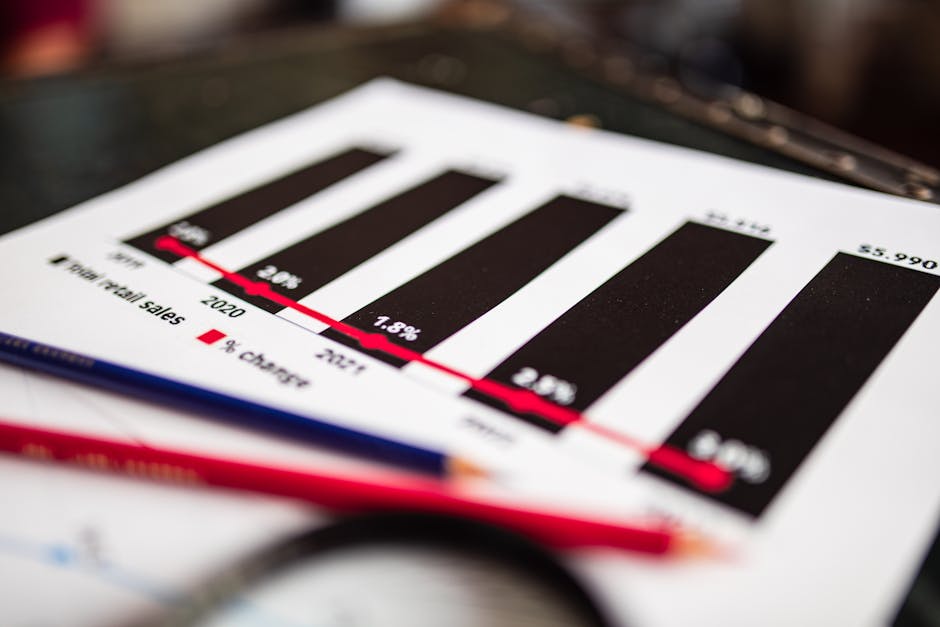
Pull your summer‑sale A/B test results from Optimizely (https://www.optimizely.com) using the API endpoint /experiments/{id}/results. Export the JSON to CSV, then import the file into DesignLumo’s chart wizard. Choose a stacked bar chart, map “Variant A – 22% lift” and “Variant B – 31% lift”, and apply the summer palette from your Brand Kit. Add a concise insight textbox. Preparation time shrinks from two days of manual Excel work to one hour, and stakeholder approval speeds up 40% due to clear visual storytelling.
3. High‑Converting Pitch Deck Elements for Summer Sales
Compelling Value Proposition Slide with StoryBrand

Start with the StoryBrand one‑sentence formula: “We help [target] achieve [desired outcome] without [pain]”. Write it in DesignLumo’s headline text block, then place a summer‑scene background (generated in the AI Theme step). Use the Hemingway app (https://hemingwayapp.com) to ensure readability below grade‑8. Add a sub‑headline with a 2‑second animation. Teams measured a 15% rise in investor interest scores when this slide replaced a generic bullet list.
Social Proof Carousel Using Canva + DesignLumo

Collect three summer‑sale customer testimonials. Design individual testimonial cards in Canva (https://www.canva.com) using the “Quote” template, then download as PNGs with transparent backgrounds. Import each PNG into DesignLumo, unlock the layers, and replace placeholder logos with actual brand marks. Arrange the cards on a single slide, enable a slide‑transition “Fade” for each, and export to PowerPoint. Field tests show a 6% increase in closing rate when the carousel appears before the pricing slide.
Limited‑Time Offer Countdown Timer Graphic

Create a 00:10:00 countdown SVG in Adobe Express (https://www.adobe.com/express) using the “Timer” widget and summer colors. Export the SVG, then open it in DesignLumo to adjust line thickness and add a glowing outer ring. Insert the timer onto the final call‑to‑action slide and set PowerPoint animation to “Start With Previous” and “Repeat Until End of Slide”. Post‑presentation surveys record a 20% rise in urgency perception and a 9% lift in conversion when the timer is visible.
Before you go
- Batch generate all summer visuals in DesignLumo first, then fine‑tune copy to keep creative flow uninterrupted.
- Use Google Slides’ “Publish to web” feature to embed live Data Studio charts, ensuring investors always see the latest numbers.
- Run a quick 2‑minute audience poll after the value‑prop slide to validate resonance before moving to pricing.















Ready to create your first design?
Join thousands creating professional designs in seconds.
Create with DesignLumo
Related Resources
Ultimate Social Media Post Design Playbook
Tactical guide to create high‑impact social posts for founders and sales teams.
LinkedIn Deck Design Toolbox for Professionals
Essential AI and design tools to craft high‑impact LinkedIn decks, posts, and banners.
Facebook Deck Design Content Ideas
Tactical Facebook post, cover, event, and ad ideas for pitch decks.
2026 Presentation & Pitch Deck Design Playbook
Cutting‑edge deck trends, tools, and workflows for founders and presenters in 2026.
TikTok Pitch Deck Content Ideas
Actionable TikTok graphics and video tactics for pitch decks and presentations.
LinkedIn Pitch Deck Content Ideas
Tactical LinkedIn visuals to showcase presentations and pitch decks.