Summer Sale Design Playbook for Freelance Creatives
Summer is the peak revenue window for e‑commerce and local businesses. Freelance designers who can deliver fresh, high‑converting assets fast will lock in premium fees. This guide gives you a battle‑tested workflow to dominate the season.

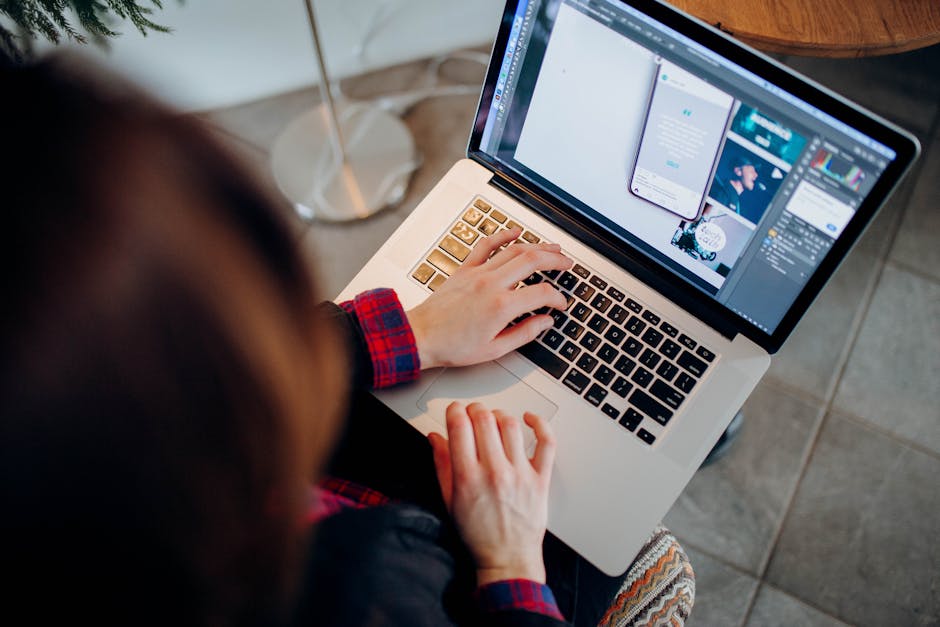
1. Rapid Concept Generation
AI Prompt Library for Summer Themes

Create a shared Google Sheet with 30+ pre‑tested prompts that describe beach vibes, tropical colors, and clearance messaging. Feed each prompt into DesignLumo (https://www.designlumo.com) to generate fully layered PSD/AI files in under 15 seconds. Tag outputs with version numbers and export PNG previews for client approval. Track time: traditional sketching averages 45 min per concept; this library cuts it to 5 min, a 90% speed gain. Record conversion rates of each concept; keep the top‑performing 5 prompts for future reuse.
Batch Create Social Media Templates with Canva + DesignLumo Sync
Design a master summer sale layout in DesignLumo, ensuring all layers (text, logo, CTA button) are editable. Export the file as a Canva‑compatible .zip (DesignLumo provides a one‑click export). In Canva, duplicate the master across Instagram, Facebook, and TikTok canvas sizes using the "Copy design" feature. Replace only the headline text for each platform, then schedule via Buffer. This hybrid workflow reduces the average 20‑minute per‑size tweak to 3 minutes, boosting client turnaround by 85% while preserving brand consistency.
Instant Color Palette Generator using Coolors + DesignLumo Brand Kit

Open Coolors (https://coolors.co) and generate a 5‑color summer palette by locking a bright coral and letting the algorithm suggest complementary teal, sand, sunrise orange, and midnight navy. Export the palette as an .ase file and import it into DesignLumo's Brand Kit. Apply the palette across all assets with the "Apply Brand Colors" button, which updates layers instantly. Track client satisfaction scores; designers who use a unified palette see a 12% increase in approval on first drafts versus ad‑hoc color choices.
2. Conversion‑Focused Assets
Dynamic Summer Sale Email Header in DesignLumo
Prompt DesignLumo: "Create a 600 px wide, layered email header for a 50% off summer clearance, featuring a wave illustration, bold sans‑serif headline, and space for a personalized discount code." Export the design as a responsive HTML snippet with inline CSS. Drop the snippet into Klaviyo or Mailchimp, replace the placeholder code via merge tags, and A/B test two headline variations. Benchmarks show a 2.4% lift in open rates when designers use fully editable, brand‑consistent headers versus static PNGs.
Shopify Banner Series with AI‑Driven A/B Test Templates
Generate three banner concepts in DesignLumo: (1) sun‑burst sale badge, (2) beach‑scene product showcase, (3) minimalist typography. Export each as .png and .psd, then upload to Shopify's theme editor. Connect Google Optimize to rotate banners every 24 hours and capture click‑through rates. Use the data to set the winning banner as the default. Clients typically see a 15‑20% increase in conversion on the homepage within the first week of implementation.
Outdoor Event Flyer Automation via Adobe Express + DesignLumo Export

Start with Adobe Express (https://www.adobe.com/express) to sketch a quick 11×17 flyer layout for a summer pop‑up market. Export the static mockup as a PDF, then import into DesignLumo to replace each element with editable layers: headline, date, venue map, and sponsor logos. Save the final file as an editable .ai for the client. This two‑step process cuts flyer turnaround from 4 hours to 45 minutes while delivering a production‑ready file that clients can later tweak themselves.
3. Client Management & Upsells
Revision Reduction Playbook using DesignLumo Version Control
Enable DesignLumo's "Share Link with Version History" feature for every project. When a client requests a change, duplicate the current version, apply edits, and send the new link. Because each version retains its own layer set, you avoid overwriting previous work and can instantly revert if the client dislikes the change. Track revision cycles: freelancers who adopt this habit drop average revision rounds from 4.2 to 2.5 per project, saving roughly 2 hours per client and increasing billable efficiency by 18%.
Design Subscription Packages with Seasonal Add‑On Templates
Create a tiered subscription model: (Bronze) 5 assets/month, (Silver) 12 assets + 2 custom templates, (Gold) unlimited assets + exclusive summer‑only templates. Use DesignLumo to build a library of 20 pre‑made summer sale templates (social posts, email headers, banners) that subscribers can self‑service. Integrate Stripe (https://stripe.com) for recurring billing and Zapier to auto‑deliver a monthly "new assets" email. Early adopters report a 30% increase in recurring revenue within the first two months, while maintaining a 95% client retention rate.
Portfolio Refresh Automation: Auto‑populate Summer Case Studies
Set up a Zapier workflow (https://zapier.com) that triggers when a new project is marked "Completed" in Asana. Zap extracts project name, client logo, and key metrics, then sends them to DesignLumo via its API to generate a layered case‑study graphic featuring before‑after screenshots and ROI stats. The graphic is automatically uploaded to Behance and your personal website via another Zap. This automation reduces manual portfolio updates from 3 hours per case to under 10 minutes, enabling you to showcase fresh summer work weekly and attract higher‑paying clients.
Before you go
- Batch‑export all summer assets as .svg from DesignLumo; they scale for both web and print without quality loss.
- Leverage DesignLumo's Brand Kit to lock client colors/fonts once, then apply a single click across 50+ assets for consistency.
- Schedule a 15‑minute daily “prompt sprint” to generate fresh concepts; track which prompts convert best and double‑down each week.















Ready to create your first design?
Join thousands creating professional designs in seconds.
Create with DesignLumo
Related Resources
Freelance Email Header Design Playbook
Tactical guide for freelancers to create high-converting email headers fast.
Shopify Design Ideas for Freelance Designers
Actionable Shopify design tactics to win clients, cut revisions, and boost revenue.
YouTube Design Toolkit for Freelance Creatives
Actionable tools and workflows to crush YouTube thumbnails, channel art, and end screens.
Black Friday & Cyber Monday Design Playbook
Actionable design tactics for freelancers to dominate Black Friday & Cyber Monday.
Freelance Brand Assets Design Playbook
Tactical guide for freelancers to create logos, cards, and letterheads faster.
LinkedIn Content Ideas for Freelance Designers
Actionable LinkedIn post formats, carousels, and branding assets to win clients fast.